Skip to content

MCP Integration Services

For sole traders, microbusinesses and small teams across the UK
Plug your AI assistant into the software you already use, and approve every step that matters.

MCP integration services connect the CRM, inbox and files that already hold your answers, so the routine admin gets prepared for you.

MCP (Model Context Protocol) is the standard plug that connects Claude or ChatGPT to your business tools.

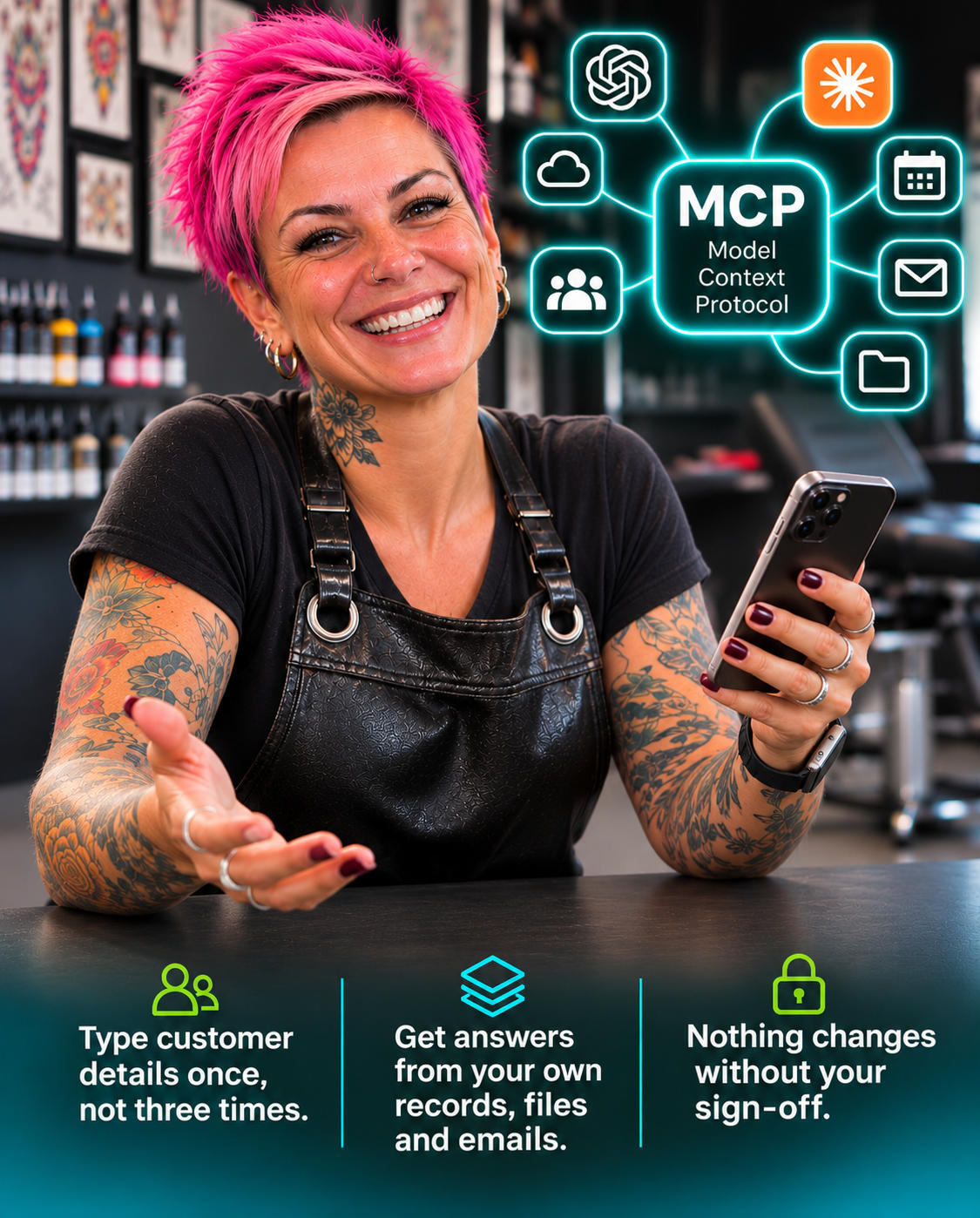
  • Type customer details once, not three times.
  • Get answers from your own records, files and emails.
  • Nothing changes without your sign-off.

30 years of commercial web development, now connecting AI to everyday business software.Who builds your connections

MCP integration services for a tattoo studio owner, whose phone connects her AI assistant to her calendar, email, files and customer records

Where the working week quietly disappears

Win back the hours spent carrying information from one app to another

An enquiry lands in your inbox. You copy the name into the CRM, add a row to the spreadsheet, search old emails for the last quote, check a document for the right price and then write the reply. Each step takes a minute. Together they take an evening.

The software is not the problem. Each app does its own job well, but none of them talk to each other, and your AI assistant can only see what you paste into it. MCP integration services connect them, so the information goes where it is needed and the decisions stay with you.

Show Me What Could Be Connected
Tradesperson by his van with his AI assistant connected to customers, quotes, files, email and calendar, waiting for his approval

Signs your apps are working in separate rooms

  • The same customer details are typed into two or three places
  • Finding one past quote means searching email, Drive and the CRM
  • The weekly figures come from four apps and a calculator
  • Routine customer questions need you to look something up first
  • Your AI assistant writes well but knows nothing about your customers
  • You pay for software features that sit unused because nothing links them

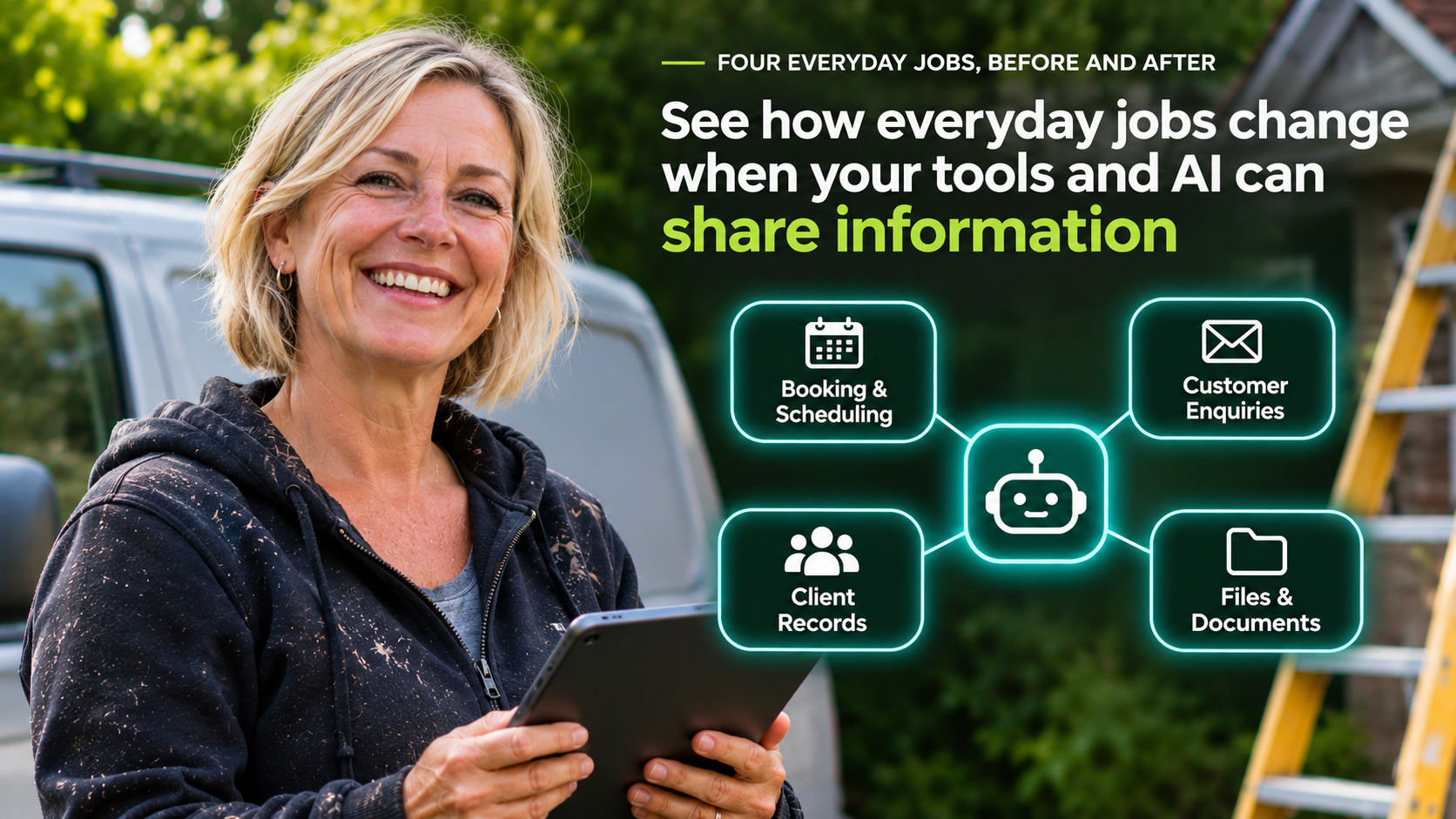
Four everyday jobs, before and after

Watch the busywork disappear from four everyday jobs

Pick a job, then flip the switch to see what MCP integration services change when your tools and AI share information.

Decorator holding a tablet that shows bookings, enquiries, client records and files connected to an AI assistant

Customer enquiries

5steps by hand

Now

  1. 1Read the new email
  2. 2Open the CRM
  3. 3Search past messages
  4. 4Check the price list
  5. 5Write a reply from scratch

Connected

  • Enquiry logged in your CRM
  • Past contact pulled together
  • Reply drafted in your approved wording
Your one stepRead it, tweak it, send it

Why it matters: Faster replies win more work, and nothing depends on remembering where everything is kept.

Customer records

4steps by hand

Now

  1. 1Type the details into the CRM
  2. 2Type them again in the spreadsheet
  3. 3Type them again in invoicing
  4. 4Work out which version is right

Connected

  • Details entered once
  • Other records updated by your rules
  • Every change logged with a date
Your one stepGlance at the change log

Why it matters: Fewer typing errors, fewer wrong numbers and no hunting for the right version.

Weekly reporting

5steps by hand

Now

  1. 1Export sales
  2. 2Export enquiries
  3. 3Export bookings
  4. 4Paste it all into one sheet
  5. 5Tidy it into a report

Connected

  • Figures gathered from each app
  • Summary prepared in the same format
Your one stepReview the numbers

Why it matters: The same numbers in the same format every week, so changes stand out sooner.

Business knowledge

4steps by hand

Now

  1. 1Search shared folders
  2. 2Dig through inboxes
  3. 3Scroll old messages
  4. 4Interrupt a colleague

Connected

  • Approved documents searched
  • Answer written with the source linked
Your one stepAsk, then check the source

Why it matters: Less interrupting, quicker onboarding and answers that match your own documents.

Illustrative examples using common small business software. Your Connection Map confirms what your own tools can do before anything is built.

Practical uses, area by area

Choose the part of your business that would gain most from connected AI

Pick an area to see the work MCP integration services can prepare for you, and where you stay in charge. Each idea starts small and can grow once the first connection proves useful.

Artist at her studio desk using connected AI to keep customer records in one place and create quotes and follow-ups

Connect your CRM so your assistant knows every customer

A strong first choice if you use HubSpot, Capsule, Pipedrive, OnePageCRM or a similar CRM

Ask who you last spoke to at a company, what was quoted and what is still open, and get the answer from your CRM instead of your memory. Several small business CRMs now publish their own MCP connections and Claude connectors, which keeps the set-up simple.

What your assistant can prepare

  • Customer summaries before a call or visit
  • Call notes turned into record updates
  • Lists of quotes and deals going cold
  • Duplicate and incomplete records flagged
  • Follow-up drafts based on the last contact

Where you stay in charge

  • Read-only access to start
  • Record changes wait for your approval
  • Deleting records stays a human job
  • Every change logged with a date
What did we quote the Smiths?Quote sent in March, still openFrom your own recordsDraft a follow-up

The plain-English version

How MCP integration services connect your existing software

MCP integration services work in three layers. Your software keeps the information. A connection lets that information move or be read safely. Your AI assistant uses it to prepare work, and you approve what matters.

  • 1
    Your existing software

    CRM, email, calendar, Google Drive or OneDrive, spreadsheets, accounting and booking tools stay exactly as they are.

  • 2
    The connection layer

    A built-in integration, a Make.com or n8n workflow, a direct API link or an MCP connection, whichever suits the job and costs least to run.

  • 3
    Your AI assistant, with your rules

    Claude or ChatGPT reads what it is allowed to read, drafts what it is allowed to draft and asks before anything important changes.

Your AI assistantClaude or ChatGPT, with your rules You approve THE CONNECTION LAYER Built-inMake or n8nAPIMCP CRMEmailDocumentsSheetsAccounts
Your Connection Map recommends the simplest option that does the job well. MCP is one tool among several, used where it genuinely helps.
Connection typeWhat it doesGood forExample
Built-in integrationA ready-made link offered by your softwareSimple, common pairingsYour booking tool adding events to Google Calendar
Make.com or n8n workflowMoves information automatically when something happensRepeated steps that follow clear rulesA website form creating a CRM contact and a spreadsheet row
Direct API linkSoftware talking to software through its official interfaceSpecific data exchanges with no ready-made optionPulling job totals from a trade-specific system
MCP connectionLets an AI assistant look things up and use approved actionsQuestions, judgement and drafting across several toolsAsking Claude what was last quoted to a customer, with sources

A simple automation is often the right answer. If that is the case for you, your Connection Map says so and points you to the cheaper option.

Model Context Protocol, explained without the jargon

What is MCP, and when does your business need it?

MCP stands for Model Context Protocol. It is an open standard, introduced by Anthropic in November 2024 and now looked after by the Agentic AI Foundation under the Linux Foundation, that gives AI assistants a consistent way to connect to business software. An MCP connection lets an assistant such as Claude or ChatGPT read approved information and use approved actions in your tools, within permissions you control.

ClaudeChatGPTMCPCRMInboxFilesASSISTANTSYOUR TOOLSONE STANDARD PLUG

Think of it as a standard plug. Without it, every AI tool needs its own custom link to every app. With it, one well-built connection can serve more than one assistant. MCP integration services set that plug up safely for the tools you already use. A growing list of small business tools, including several CRMs, already offer their own MCP connections.

The assistant (MCP client)

The AI app you use, such as Claude or ChatGPT. It decides when it needs information and asks the connection for it.

The connection (MCP server)

A small piece of software that sits in front of one of your tools and offers a defined set of information and actions.

Tools, resources and prompts

Tools are actions, such as creating a draft. Resources are information, such as a customer record. Prompts are reusable instructions.

MCP is useful when

  • You want to ask questions across your CRM, files and email
  • The work needs judgement, summarising or drafting
  • You use more than one AI assistant and want one connection
  • Your software has an MCP connection or an API to build one on

MCP is not the answer when

  • The task follows fixed rules and never needs judgement
  • A built-in integration already does the job
  • Your software has no API or export at all
  • The information is too sensitive for AI access at all

MCP does not make a connection secure by itself. Security comes from how it is set up: limited permissions, approval steps, testing and monitoring. Read the official overview at modelcontextprotocol.io.

Free, instant and no email needed

Which business processes could you connect? Find out in six quick answers

Tick what applies to your business to see where MCP integration services would help first. Your result shows your three strongest connection opportunities, the likely approach for each, the safeguards to use and the sensible first step. Nothing is sent anywhere.

EmailCRMFilesSheetsAIYOUR TOP 36 quick questions
Which tools does your business use every week?

Tick all that apply.

Which jobs come round every week?

Tick all that apply.

Roughly how many hours a week go on those jobs?

A rough guess is fine.

What should AI be allowed to do for you?

You can change this later. Pick the closest.

Do you already use ChatGPT or Claude?

This shapes where your assistant lives.

What matters most over the next three months?

Pick one.

The Connection Finder needs JavaScript to show your result. The 50-task library further down this page gives the same ideas in one list.

PassivAi® Connection Finder result from passivai.com/mcp-integration-services.html. Guidance only, not a quotation or a guarantee of results.

Your connection opportunities

    This result comes from simple, visible rules based on your answers. It is a starting point for planning, not a promise of savings. Your Connection Map checks your actual software, plans and permissions before anything is built.

    Send these answers with my brief

    Free ideas list you can keep

    50 jobs your AI assistant could take off your plate

    Choose an area of your business to see what MCP integration services could hand over.

    JOBS TO HAND OVER50ideas, 7 areas
    Not sure where to start?Get your top three in six questionsTry the Connection Finder

    Enquiries and sales 10 jobs your assistant could take on

    • Log every website form enquiry as a CRM contact
    • Draft a first reply to new enquiries in your approved wording (waits for your approval)
    • Sort incoming enquiries by service, location and urgency
    • Ask politely for missing details such as a postcode or photos (waits for your approval)
    • Pull up past contact history before replying to a returning customer
    • Create a quote draft from your price list and the enquiry details (waits for your approval)
    • Chase quotes with no reply after a set number of days (waits for your approval)
    • Send a booking link once an enquiry is qualified
    • Flag enquiries outside your service area or minimum job size
    • Prepare a weekly list of enquiries still waiting for a reply

    Shield marks a job that waits for your approval before anything is sent or changed.

    Customer records 8 jobs your assistant could take on

    • Update customer records from your call or visit notes (waits for your approval)
    • Summarise a customer's history before a call or site visit
    • Find duplicate contacts and suggest which to merge (waits for your approval)
    • List deals and quotes that have gone quiet
    • Tag contacts by the service they bought and when
    • Fill in missing company details from email signatures (waits for your approval)
    • Answer "when did we last speak to them?" in seconds
    • Move a deal to the next stage when a quote is accepted (waits for your approval)

    Shield marks a job that waits for your approval before anything is sent or changed.

    Email and admin 8 jobs your assistant could take on

    • Sort your inbox into enquiries, suppliers, invoices and admin
    • Summarise long email threads into key points and next steps
    • Draft replies to routine questions from your approved answers (waits for your approval)
    • Save attachments to the right customer folder
    • Turn emails that need action into tasks with dates
    • Prepare a morning briefing of what needs your attention
    • Suggest meeting times from your calendar in a reply draft (waits for your approval)
    • Forward supplier invoices to your accounting inbox

    Shield marks a job that waits for your approval before anything is sent or changed.

    Documents and knowledge 7 jobs your assistant could take on

    • Answer questions from your procedures with the source linked
    • Find the latest version of a contract, template or price list
    • Draft proposals from your templates and past projects (waits for your approval)
    • Summarise a long document, tender or contract
    • Create job sheets from the enquiry details (waits for your approval)
    • Flag documents that have not been reviewed for a year
    • Help new team members find out how things are done

    Shield marks a job that waits for your approval before anything is sent or changed.

    Reporting and finance 8 jobs your assistant could take on

    • Build a weekly summary of enquiries, sales and bookings
    • List overdue invoices ready for a polite reminder (waits for your approval)
    • Compare this month's figures with last month in plain English
    • Pull figures from your CRM and accounts into one spreadsheet
    • Answer "which service earned the highest revenue this quarter?"
    • Match payments received to open invoices for you to confirm (waits for your approval)
    • Track where each enquiry came from, so you know which marketing works
    • Prepare the monthly figures your accountant asks for (waits for your approval)

    Shield marks a job that waits for your approval before anything is sent or changed.

    Projects and operations 5 jobs your assistant could take on

    • Create project tasks from accepted quotes
    • Send customers job status updates you have approved (waits for your approval)
    • Prepare a daily list of jobs due and overdue
    • Turn meeting notes into actions with owners and dates (waits for your approval)
    • Keep your calendar and booking tool in step

    Shield marks a job that waits for your approval before anything is sent or changed.

    Marketing 4 jobs your assistant could take on

    • Draft social posts from completed jobs and customer questions (waits for your approval)
    • Ask happy customers for a review once a job is finished (waits for your approval)
    • Draft a monthly newsletter from recent work and news (waits for your approval)
    • Turn common customer questions into blog and FAQ ideas

    Shield marks a job that waits for your approval before anything is sent or changed.

    Fixed starting prices, no monthly commitment

    Start with a map, then connect one system or several

    Each of these MCP integration services is a one-off project, with the scope and price confirmed in writing before work begins. You pay software providers such as Make, Claude or OpenAI directly, at their own prices, with no markup.

    Step 1 · Start here

    Connection Map

    From£149

    Credited in full if you build within 60 days

    Find out exactly what your software can share, and which job MCP integration services should take on first.

    What you get

    • Every tool you use, mapped
    • Your top three opportunities, ranked
    • The cheapest way to do each one
    • One quick win set up for you
    • A recorded walkthrough of your map
    You end up withA clear, costed first step and a baseline to measure against.
    Start With a Map

    Step 2 · Best first build

    Connected Assistant

    From£595

    One system, such as your CRM

    Your Claude or ChatGPT assistant answers from your real records and prepares work for you.

    What you get

    • One system connected, read-only first
    • Permissions and approval rules set
    • Instructions written in your words
    • Tested on your real examples
    • An off switch and a recorded handover
    You end up withAsk about any customer, job or file and get the answer from your own records.

    Software without a ready-made connection is quoted as a Custom Connection.

    Choose Connected Assistant

    Step 3 · Scale up

    Connected Workflow

    From£1,295

    Up to three systems

    Your apps and assistant work as one, with you approving the important bits.

    What you get

    • Up to three systems connected
    • Make, n8n and MCP combined as needed
    • Approval steps on important actions
    • Error handling and off switches
    • A written procedure and video handover
    You end up withOne routine, such as enquiry to reply to record, running with you as the approver.

    Extra systems and specialist builds are quoted separately.

    Choose Connected Workflow

    Bespoke

    Custom Connection

    From£2,250

    Written proposal

    For software with an API but no ready-made connector, such as a trade-specific job system.

    What you get

    • A bespoke MCP connection for your software
    • Built and tested to a written specification
    • Security and permissions documented
    • A full handover, so you are never locked in
    You end up withSoftware that has no off-the-shelf connector, working with your assistant.
    Request a Written Proposal

    See your starting total

    Build your package

    1. Choose where to start
    2. Add extras if you need them

    Prefer ongoing cover? Monitoring and minor fixes are available from £29 a month through optional care.

    All prices are starting prices for one-off projects. Your written scope confirms the systems, actions, approval points, price and timescale before work begins, along with any VAT. Just need one simple automation? AI agents and automation starts from £49.

    Remote, written and in your own time

    Get your software connected in four written steps, with no sales call

    1. Tell us about your tools

      Run the Connection Finder or send a short written brief listing your software and the job you want MCP integration services to help with.

    2. £

      Approve your written scope

      Receive the systems, actions, approval points, fixed price and timescale in writing, with a secure payment link.

    3. Get it built and tested

      Access is set up the safest way each tool allows. The connection is built remotely and tested with your real examples.

    4. Receive your handover

      Get a recorded walkthrough, a written procedure, a list of permissions and clear steps to pause or switch off each connection.

    Everything happens remotely and in writing. Passwords and API keys are never requested through this page. Access is agreed with you first, using each tool's own sharing, admin or app settings wherever they exist, and you can remove it when the work is done.

    Start My Written Brief

    Security, permissions and human approval

    Keep the important decisions, and your customers' data, firmly in your hands

    Connecting AI to business information needs care, so security is built into all MCP integration services from the first conversation. Each connection is set up with the least access it needs, tested before it goes live and documented so you always know what it can do.

    Café owner beside an AI-drafted customer email waiting for her to review, edit, approve or reject it
    1. Least access first

      With MCP integration services, connections start read-only where possible. Write actions are added one at a time, only when you agree.

    2. You approve what matters

      Emails to customers, record changes and anything involving money can wait for your approval before they happen.

    3. Tested before trusted

      Each connection is tested with real examples, awkward cases and failures, so you see how it behaves before relying on it.

    4. A documented off switch

      Every connection comes with clear steps to pause it, remove access or fall back to the manual process.

    UK GDPR in practiceWhere personal data is involved, the connection is designed around data minimisation, and you are pointed to the ICO's guidance on AI and data protection.

    Business plans, not personal accountsYour Connection Map checks which ChatGPT, Claude or software plans include the data protection terms and admin controls your connection needs.

    Honest about limitsNo connection is risk-free. MCP, Make and APIs are only as safe as their set-up, so permissions, monitoring and approvals are part of every build.

    Know whether it was worth it

    Measure the difference with your own numbers, not someone else's promises

    No one can guarantee how much time MCP integration services save, because every business works differently. What can be done is to record where you start and check the same things afterwards.

    HOURS A WEEKBeforeAfteryour baselineΔbefore− after= Δtime backEDITS NEEDED
    Your Connection Map records the starting point for the measures that matter to you, so the change can be checked honestly.
    MeasureHow it is checkedWhat good looks like
    Time on the taskYour weekly estimate before, compared with the same task after handoverFewer hours on the job you chose to connect
    Re-typed detailsHow many places the same details are entered by handDetails typed once, then shared
    Reply speedTime from enquiry to first reply, from your inbox or CRMCustomers hear back sooner
    Errors and correctionsMistakes found in records, quotes or reportsFewer corrections needed
    Human checksHow often you approve, edit or reject the AI's workEdits drop as instructions improve

    Put your connections in experienced hands

    Get your software connected by someone who builds automation and AI systems every day

    Kerry Greener, founder of PassivAi®, smiling

    Kerry Greener, founder of PassivAi®30 years of commercial web development, based in Poole

    • The right tool, even when it is the cheaper one.If a built-in integration or a simple automation does the job, your Connection Map says so.
    • A fixed price in writing.Know the full cost and scope before any work starts, with no surprise invoices.
    • You own every account.Connections are set up in your name, on your plans, with access you can remove at any time.
    • No sales calls.Everything happens in writing, in your own time. A call is available on larger projects only if you want one.
    • One person from brief to handover.Your brief goes straight to the person building your connection.
    • Hands-on with the tools.Make.com, AI agents, CRM automation and funnels are built and run inside PassivAi® itself, every day.
    “Kerry's knowledge about workflow automation astounds me. She has made our processes work incredibly efficiently and is at her best when given a challenge.”

    Business client, service business owner

    Skip the sales call and get your answer in writing

    Find out what your business could connect, in writing and without booking a call

    Choose the MCP integration services you need here. Your answers are added to the PassivAi® enquiry form, where you add your name, email and website.

    YOUR WRITTEN SCOPEFixed priceApproveNo sales call

    What happens after you press the button

    1. The enquiry form opens with your choices already filled in.
    2. Add your name, email, business name and website.
    3. Get a written reply with the recommended option, scope and fixed price.
    4. Approve it and pay securely online. Work starts only once you approve.

    Never send passwords or API keysAccess to your software is agreed separately and set up the safest way each tool allows. Please do not include customer records or sensitive data in your brief.

    Start your connection brief

    Four quick choices. Nothing is sent from this page.

    Which tools would you like connected?

    Up to 120 characters. Name your software on the next page.

    See how your details are kept safe in the privacy policy.

    Answers before you decide

    Get straight answers about connecting AI to your business software

    Is my data safe?Do I need a call?No, it is all in writing

    What are MCP integration services?

    MCP integration services connect an AI assistant, such as Claude or ChatGPT, to the business software you already use, so it can look up approved information and prepare work within permissions you set. The work covers choosing the right connection for each tool, setting permissions and approval steps, testing with real examples and handing over clear instructions. Where a simpler automation does the job better, that is recommended instead.

    What is MCP in plain English?

    MCP stands for Model Context Protocol. It is an open standard that gives AI assistants a consistent way to connect to other software, a bit like a standard plug. Anthropic introduced it in November 2024, and in December 2025 it was handed to the Agentic AI Foundation under the Linux Foundation so it can be developed in the open. Read the plain-English explanation.

    Do I need MCP, or would a normal automation be enough?

    If a job follows the same fixed steps every time, such as copying a form into a spreadsheet, a Make.com or n8n workflow is usually simpler and cheaper. MCP earns its place when your assistant needs to look things up, use judgement or draft work across several tools. The Connection Map tells you which applies to each job.

    Can AI connect to my existing software?

    Often, yes. Gmail, Outlook, Google Drive, OneDrive, popular CRMs and accounting tools offer ready-made connectors, APIs or MCP connections. Some niche or older systems have no way in at all, and you are told that plainly before you pay for a build.

    Will I have to replace any of my current systems?

    No. The aim is to make the software you already pay for work together. You keep your accounts, your data and your way of working.

    Should I connect Claude or ChatGPT for my business?

    Both work well for business. The better choice depends on the tools you want to connect, the plan you already pay for and how your team works. Your Connection Map compares what each offers for your software, and a well-built MCP connection can serve more than one assistant.

    Can ChatGPT access my business tools?

    Yes, within the limits of your plan. ChatGPT connects to other tools through apps, previously called connectors, and custom MCP connections are available on ChatGPT Business, Enterprise and Edu plans. Your Connection Map checks what your current plan allows before anything is built.

    Can Claude connect to my CRM?

    Yes, if your CRM offers a connection. Claude connectors are available for several CRMs, including HubSpot, and a number of small business CRMs publish their own MCP connections. Where no connector exists, a Custom Connection can be built on the CRM's API.

    Can AI update records for me?

    Yes, within rules you agree. Connections start read-only, then update actions are added one at a time. Important changes can wait for your approval, and every change is logged.

    Can AI send emails for me?

    It can, but by default it drafts and you send. Emails to customers wait for your approval unless you decide a particular routine message, such as a booking confirmation, can go automatically.

    Can I approve everything before it happens?

    Yes. Approval steps are part of every Connected Assistant and Connected Workflow. You choose which actions need you, and that list can be changed later.

    Is my business data secure?

    Every one of these MCP integration services uses the least access it needs, runs on business plans with suitable data terms where they are available and is tested before it goes live. No connection is risk-free, so permissions, monitoring and an off switch are included and documented. Where personal data is involved, the set-up follows data minimisation and the ICO's guidance on AI and data protection.

    Does it work with Google Workspace and Microsoft 365?

    Yes. Gmail, Google Drive, Google Calendar, Outlook, OneDrive and SharePoint can all be connected, with access limited to the folders, mailboxes and calendars you choose.

    What if my software has no integration available?

    If it has an API, a Custom Connection can be built from £2,250 to a written specification. If it only offers exports, a scheduled import may work. If it has neither, you are told so, along with the practical alternatives.

    Can Make.com automations and MCP work together?

    Yes, and they often should. Make or n8n handle the fixed, repeatable steps reliably, while MCP lets your assistant look things up and draft the parts that need judgement. A Connected Workflow combines them where it helps.

    How much do MCP integration services cost?

    A Connection Map starts at £149 and is credited in full against a build ordered within 60 days. A Connected Assistant for one system starts at £595, a Connected Workflow for up to three systems from £1,295 and a Custom Connection from £2,250. Software subscriptions are paid directly to the providers, with no markup.

    How long does it take?

    That depends on your software, the number of actions and the approval rules. Your written scope confirms the expected timescale before you pay, so you know when to expect your handover.

    Who looks after the connection once it is live?

    When your MCP integration services are handed over, you receive a written procedure, a recorded walkthrough and steps to switch each connection off, so you are never stuck. For ongoing cover, monitoring and minor fixes are available from £29 a month, or you can buy a one-off Connection Health Check from £149 whenever you want one.

    Is connected AI worth it for a small business?

    MCP integration services are worth it when a routine job takes real time every week and the information already lives in your software. The Connection Finder on this page gives a quick first view, and the Connection Map records your starting point so the change can be measured with your own numbers.

    Is this suitable for sole traders?

    Yes. Sole traders often see the clearest benefit from MCP integration services, because every hour spent copying details between apps is an hour away from paid work. Starting with one system keeps the cost and the learning small.

    What happens if a connection stops working?

    Connections are built to fail safely, so a problem stops the action and alerts you before anything wrong is sent. Your handover explains how to spot an issue, pause the connection and carry on manually.

    Do I need to book a call?

    No. MCP integration services are scoped entirely in writing. Send a short brief, receive a written scope with a fixed price and approve it in your own time. A call is available on larger projects if you would like one.

    Can businesses outside Dorset and Hampshire use this service?

    Yes. PassivAi® is based in Poole and delivers MCP integration services remotely to businesses across the UK, including Dorset, Hampshire, Wiltshire and the wider South of England.
    Still have a question? Send it with your brief and get a written answer.

    Get My Question Answered in Writing

    Connect what you already have

    Give your AI assistant access to the information your business already holds, with you in charge

    Run the free Connection Finder, then send a short written brief about the MCP integration services you need. You get a written scope with a fixed price, and you decide in your own time.

    P.S. The details you retype this week will need retyping next week too. MCP integration services start with one well-chosen connection and a £149 map that is credited against the build, is enough to find out what your software can do together.

    Find Out What My Business Could Connect
    CRMInboxDocumentsDraft readyApprove

    What happens after you click

    1. Answer six quick questions about your tools and jobs.
    2. See your three strongest connection opportunities.
    3. Send your brief and get a written scope with a fixed price.
    4. Approve and pay online, then get it built remotely.
    5. Receive a recorded walkthrough and an off switch for every connection.