RSS is a free way to follow websites without joining another email list or remembering to check for updates. Choose an RSS reader once and new PassivAi articles will appear there automatically.
Choose an RSS reader. It is simply an app or website that collects new articles for you.
FeedlyA simple visual reader for following blogs and organising them into folders. A free plan is available.Create a Feedly account
InoreaderA flexible reader for collecting websites, newsletters and RSS feeds. A free account is available.Create an Inoreader account
Copy the PassivAi feed address.
Add it to your reader. Look for “Add source”, “Add feed” or a plus sign, then paste the address. That is the entire job.
RSS is free. You can stop following the feed whenever you like.
Marketing & Sales
Is your Facebook business page putting customers off? Learn how to improve your Facebook business page so the right customers recognise what you offer, trust you and get in touch, with ten fixes in priority order and a free audit that tells you where to start.
Someone in Wimborne needs an MOT by Friday. They tap through to a local garage's Facebook Page and meet a cover photo with half the business name sliced off, an About section that says "Quality service" and a Book now button that opens a form nobody seems to answer. They go back and tap the next garage.
Nobody at the first garage will ever know that customer existed. That is the quiet cost of a weak Facebook Page: it does not complain, it just leaks enquiries. Regular posting will not save it either. A Page can have hundreds of posts and still make a poor first impression.
Why a sloppy cover loses you customers before they read a word
“When I land on a Page where the cover image is badly cropped, the wording is chopped off at the edges or the picture is a generic AI scene of a stranger grinning at a laptop, my confidence in the business drops before I have read a word. I am a designer, so I spot it faster than a typical customer would. Customers still feel it, even if they could not tell you why.”
This guide to how to improve your Facebook Business Page follows the order a real customer moves through your Page: discovery, first impression, understanding the offer, trust, contact, then follow-up. You get a five-second test, ten fixes in priority order, a worked example for a local MOT garage and a free audit that builds you a personal action plan.
Key takeaways: what a better Page gets you
Your Page has one job: help the right customer recognise what you offer, trust you and take the next step.
When you work out how to improve your Facebook Business Page, start with the cover image. It is the biggest thing on the Page and the first thing a phone shows.
Test your action button and every contact route as a customer would, logged out, on a phone.
Regular posting, Page optimisation and paid ads are three different jobs. Fixing the Page comes first and costs nothing.
Keep your own website and domain. A Page you do not control should never be your only shop window.
Why is your Facebook Business Page still winning or losing you customers?
Your Facebook Business Page still matters because Facebook and Messenger together reach 93% of UK adults, according to Ofcom's Online Nation 2025 report. Plenty of customers find a local business on Google, then check its Facebook Page to see whether it is real, active and trustworthy before they get in touch. Facebook works best as one part of your presence, alongside a Google Business Profile and a website you own.
Ofcom's Online Nation 2025 report also names WhatsApp, Facebook and Google Maps as the three most commonly used apps among UK adults. Reach is not the same as buying behaviour, though. That figure tells you how many people use Facebook, not how many search it when they need a plumber, a groomer or an accountant.
So start with your customer, not the platform. If your buyers live on LinkedIn, Instagram or Google, put your effort there first. For a great many local and service businesses, Facebook is still one of the places a customer checks before picking up the phone, so it needs to survive the inspection.
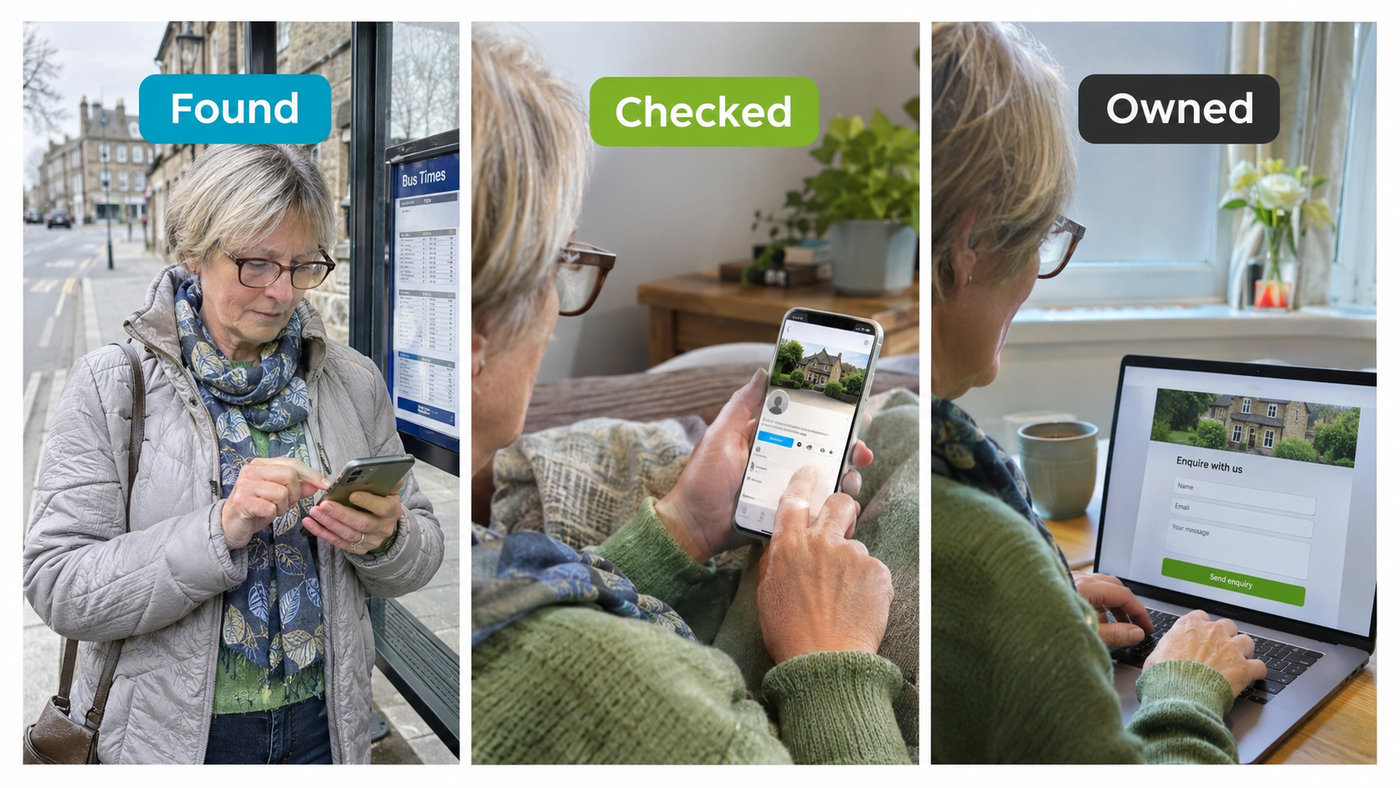
Step 1: Found
Google Business Profile: gets you found
Shows up when someone searches for a service near them, with your location, hours and reviews.
Step 2: Checked
Facebook Page: gets you trusted
Where people confirm you are real and active, see your work, read recommendations and message you.
Step 3: Owned
Your website: keeps what you build
The home you control, with your full services, booking or enquiry forms and the details no platform can take away.
All three in step: customers believe you
When they tell the same story, each strengthens the others. When they contradict each other, customers notice.
What is the five-second test that shows whether your Facebook Page wins customers?
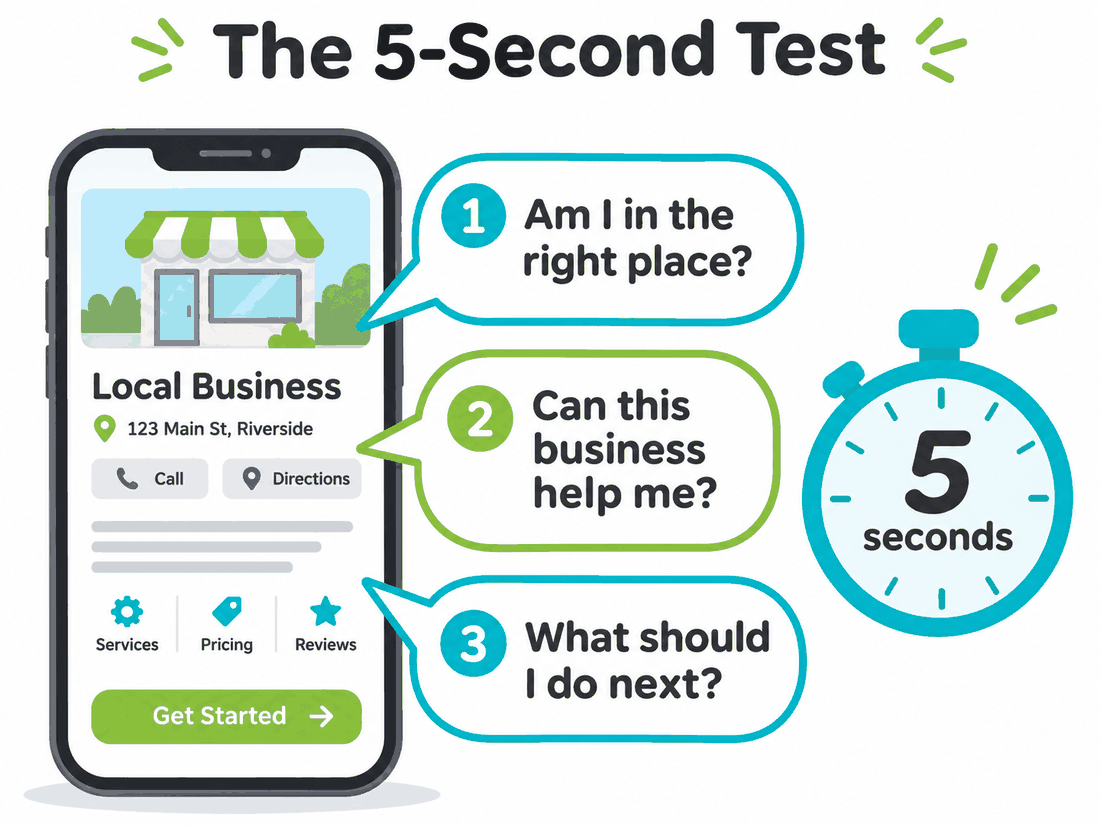
The five-second Facebook Page test checks whether a first-time visitor can answer three questions almost instantly: is this the right place, can this business help and what happens next? Run it by opening your Page logged out on a phone, or by asking someone who does not know your business to look for five seconds and then describe what you do.
Is this the right place?Name, cover and profile image confirm the business and the location.
Can this business help?The service, the customer and the benefit are obvious straight away.
What happens next?One clear, working next step: book, call, message or request a quote.
The five-second test. If any answer takes effort, fix that first and you stop losing first-time visitors.
A florist in Poole should be instantly recognisable as a florist serving Poole. An accountant in Westbourne should say who they help and with what. An MOT garage in Wimborne should make its services, location and booking route obvious. Your qualifications, awards and twenty years of history support that promise, but they should never bury it.
Run the test on your own Page and see exactly what customers see
The first lesson in how to improve your Facebook Business Page: you cannot judge your Page properly while logged in as its admin, because you see editing tools a customer never sees.
Open the Page in a private or incognito browser window, where you are logged out.
Look at it on your own phone, because that is how a large share of your visitors will see it.
Ask a friend who does not know your business to look for five seconds, then tell you what you do and what they would do next.
Sprout Social's Facebook audit guide recommends a similar check: view the Page logged out, from a personal profile and as the business, then search your brand name on Google to see how the Page appears. Meta's menus change regularly, so trust a real logged-out view over hunting for a preview button that may not exist on your Page.
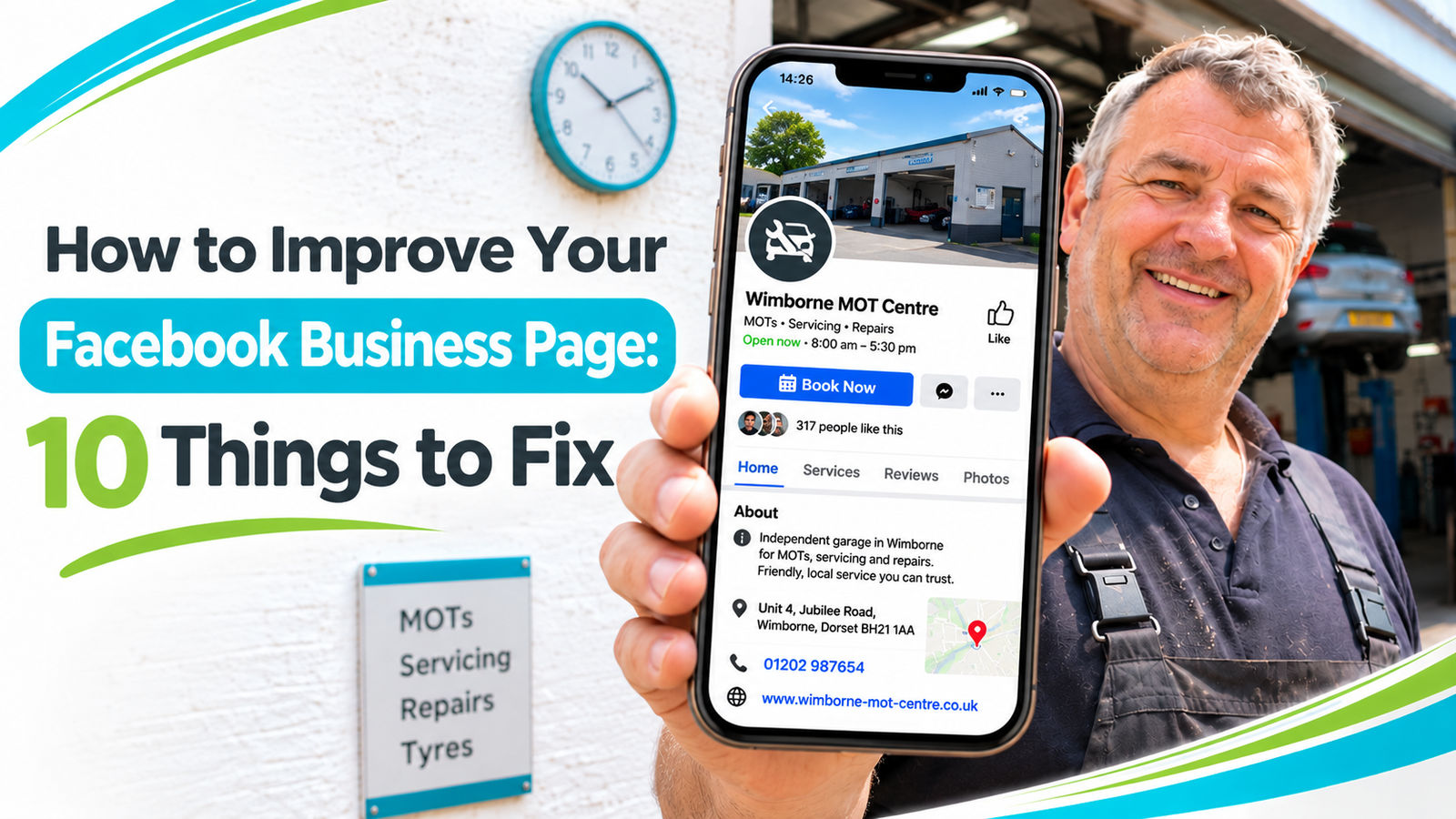
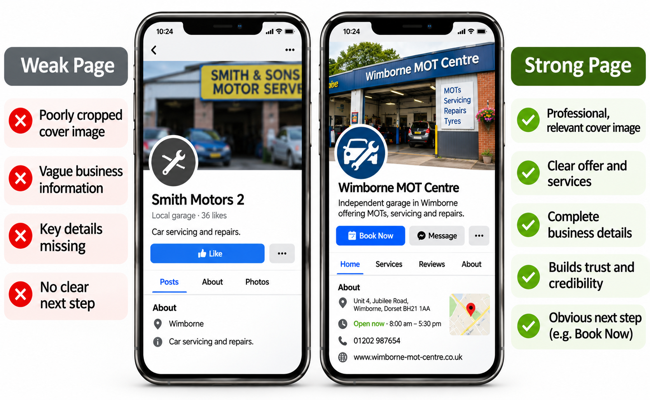
Illustrative mock-ups showing how to improve your Facebook Business Page, not screenshots of Facebook's interface. Both Pages could belong to equally good garages. Only one makes that obvious.
How to improve your Facebook Business Page: 10 fixes that win you more enquiries
To improve your Facebook Business Page, work through ten fixes in this order: cover image, profile picture, offer statement, Page information, trust signals, action button, free resource, contact routes, content and regular checks. Each fix follows the route a customer takes from first impression to enquiry. Nearly all of them cost nothing but time, and the first five fit comfortably into an afternoon.
Each fix has the same parts: what to look for, how to fix it and what not to do. If you only have time for a few, start at the top. If you would rather be told where to start, jump to the free Page audit.
How to improve your Facebook Business Page: fix 1 of 10
Fix your cover image so customers know they have found the right business
If you can only fix one thing first, make it your cover image. It is the largest thing on your Page, it loads first and on a phone it fills a big slice of the screen. Cropped, blurry or generic, it makes customers judge the whole business on one bad picture.
Spot the problem in seconds
Words or faces cut off on a phone, a picture that could belong to any business, no indication of what you do or where, or a wall of tiny text.
Fix it and keep the customer
Use an authentic photo of you, your team or your work in your real workplace. A garage owner outside the actual workshop, smiling, with a car on the ramp behind, beats polished stock every time.
Add one short line saying what you do, who for and where, plus a next step where it fits.
Facebook's long-published guidance gives roughly 820 by 312 pixels on computers and 640 by 360 on phones, with a 400 by 150 minimum. Layouts change, so upload, then check the real result logged out on a phone and a desktop. Keep faces and words away from the edges and from the area your profile picture overlaps.
Avoid the mistakes that put customers off
Do not rely on cover text as a link: visitors cannot click words on your cover image. Put the link in the cover photo's description and a pinned post. Stock and AI imagery is not automatically a disaster, but a picture that is obviously not you, your premises or your customers undermines everything else.
Value tip: take your cover photo in landscape with plenty of space around the subject. A roomy photo is easy to crop for mobile. A tight one is impossible to rescue.
How to improve your Facebook Business Page: fix 2 of 10
Make your profile picture recognisable so customers spot you in their feed
Your profile picture appears beside every post, comment, review reply and message, usually as a small circle. That makes it the most repeated piece of branding you own.
Spot the problem in seconds
A full logo with a strapline that turns into a smudge at thumbnail size, a pale logo on a pale background or a different image from your website and Google profile.
Fix it and keep the customer
Use a simplified logo that reads at thumbnail size, or a clear, friendly headshot if you are the brand people buy from.
Test it small on your phone before uploading. If you cannot read it, simplify it.
Use the same image and colours on your website, Google Business Profile, Instagram and LinkedIn.
Avoid the mistakes that put customers off
Do not swap the profile picture for every seasonal campaign. Recognition comes from repetition.
How to improve your Facebook Business Page: fix 3 of 10
Say what you do and who you help so the right customers stay
Your Page name, category, intro and About text should answer one question: what do you do, for whom and where? Write it as a single sentence before you touch Facebook.
Spot the problem in seconds
Vague lines such as "Quality service, competitive prices", history before benefits or trade jargon nobody searches for.
Fix it and keep the customer
"Wedding and event flowers for couples across Poole and Bournemouth."
"Bookkeeping and tax returns for sole traders and small limited companies in Westbourne."
"Independent MOT testing, servicing and repairs for drivers in and around Wimborne."
These are illustrative, not real clients, but each names a service, a customer and a place. Use the words customers type: nobody searches for "automotive compliance solutions". They search for "MOT Wimborne".
Avoid the mistakes that put customers off
Do not stuff keywords into your Page name. Sprout Social's guide to Facebook SEO recommends working customer search terms into your name and About text naturally.
If you struggle to write that sentence, the problem is not your Facebook Page. It is your positioning. Work through Niche, Offer, Audience and Market in that order, the NOAM EcoSystem™ method from PassivAi®, because you cannot design a convincing Page for an offer you have not defined. Write the sentence for your customer first, then build the Page around it.
How to improve your Facebook Business Page: fix 4 of 10
Fill in the details customers check before they ring you
Half-empty About sections are common. Owners forget those fields exist, because they rarely look at their own Page the way a customer does. Customers, meanwhile, go straight to them.
Spot the problem in seconds
Empty or out-of-date fields: category, description, services, website, hours, address or service area, phone, email and background.
Fix it and keep the customer
Work through every field that applies to your Page type. Available fields vary with your category, so you may not see every option.
Check the website link actually works and the phone number and email are ones you monitor.
Set a reminder to update hours before bank holidays and seasonal changes.
Avoid the mistakes that put customers off
Do not fill fields for the sake of it. Wrong hours on a bank holiday do more damage than no hours at all. Accuracy beats volume.
How to improve your Facebook Business Page: fix 5 of 10
Show real proof so visitors trust you enough to get in touch
People buy from businesses they believe are real. Words like "trusted" and "professional" do very little. Evidence does the heavy lifting.
Spot the problem in seconds
No recent photos of real work, unanswered reviews, no sign of who runs the business or proof that is buried several scrolls down.
Fix it and keep the customer
Real photographs of your work, team, premises and van.
Finished jobs with a line explaining the problem you solved.
Genuine recommendations and reviews, each with a thoughtful reply.
Qualifications and memberships, mentioned briefly where they matter to the customer.
Avoid the mistakes that put customers off
Never invent testimonials or ask friends to review work they have not received. Ask happy customers instead, and send them the link to make it easy.
How to improve your Facebook Business Page: fix 6 of 10
Make your action button work so interested visitors become bookings
Facebook lets Pages show an action button near the top. Options have included Book now, Contact us, Send message, Send WhatsApp message, Call now, Learn more and Shop now, but the list depends on your Page category and setup, and Meta changes it over time.
Spot the problem in seconds
A button that opens an old form, a broken booking page, a dead link or a label that does not match what the customer actually wants to do.
Fix it and keep the customer
Choose the button closest to what customers want: booking, messaging, calling or visiting your website.
On your phone, logged out, tap it and complete the action: submit the form, send the message or make the booking.
Check who receives it and how long a reply would take.
Make your cover, intro and pinned post point to the same next step, so a "Learn more" button feels like the obvious way to request a quote.
Avoid the mistakes that put customers off
Do not assume a button that worked when you set it up still works. Some booking software providers reported that after Facebook changed how Pages work, a Book now button stopped sending people to their booking system as expected. Test the destination, not just the button.
These button choices are restrictive, because you cannot write your own label. Pick the closest option and let the surrounding words do the persuading. Your action button is the first step of a customer acquisition funnel, and What is a funnel? explains how one well-built enquiry route becomes a dependable flow of customers.
Value tip: add ?utm_source=facebook to the end of the website link behind your button. Your website analytics will then show exactly how many visitors arrived from your Page.
How to improve your Facebook Business Page: fix 7 of 10
Offer something useful so people who are not ready yet stay in touch
Not every visitor is ready to book today, which is why a free resource belongs in any plan for how to improve your Facebook Business Page. Many are comparing options or planning ahead. A useful free resource gives them a reason to stay in touch: a pre-MOT checklist for a garage, a seasonal planting guide for a garden centre or a tax-deadline calendar for a bookkeeper.
Do it properly and stay within the rules
Make the resource useful in its own right, then separate two things: sending the download someone asked for, and getting permission to send them future marketing. A separate, unticked checkbox for marketing consent is a sensible approach, alongside clear privacy information and a record of what each person agreed to.
Avoid the mistakes that put customers off
Do not make marketing consent a condition of getting the download, and never pre-tick the box. A resource that is obviously a thin excuse to collect email addresses damages trust instead of building it.
UK rules in brief. The ICO's guidance for small organisations explains that marketing emails to individuals and sole traders generally need consent unless the soft opt-in applies. Consent must be freely given and specific, pre-ticked boxes are not allowed, people must be able to withdraw easily and every marketing email must say who you are and how to opt out. The exact rules depend on your circumstances, so check the ICO's electronic mail marketing guidance or take advice. This is not legal advice.
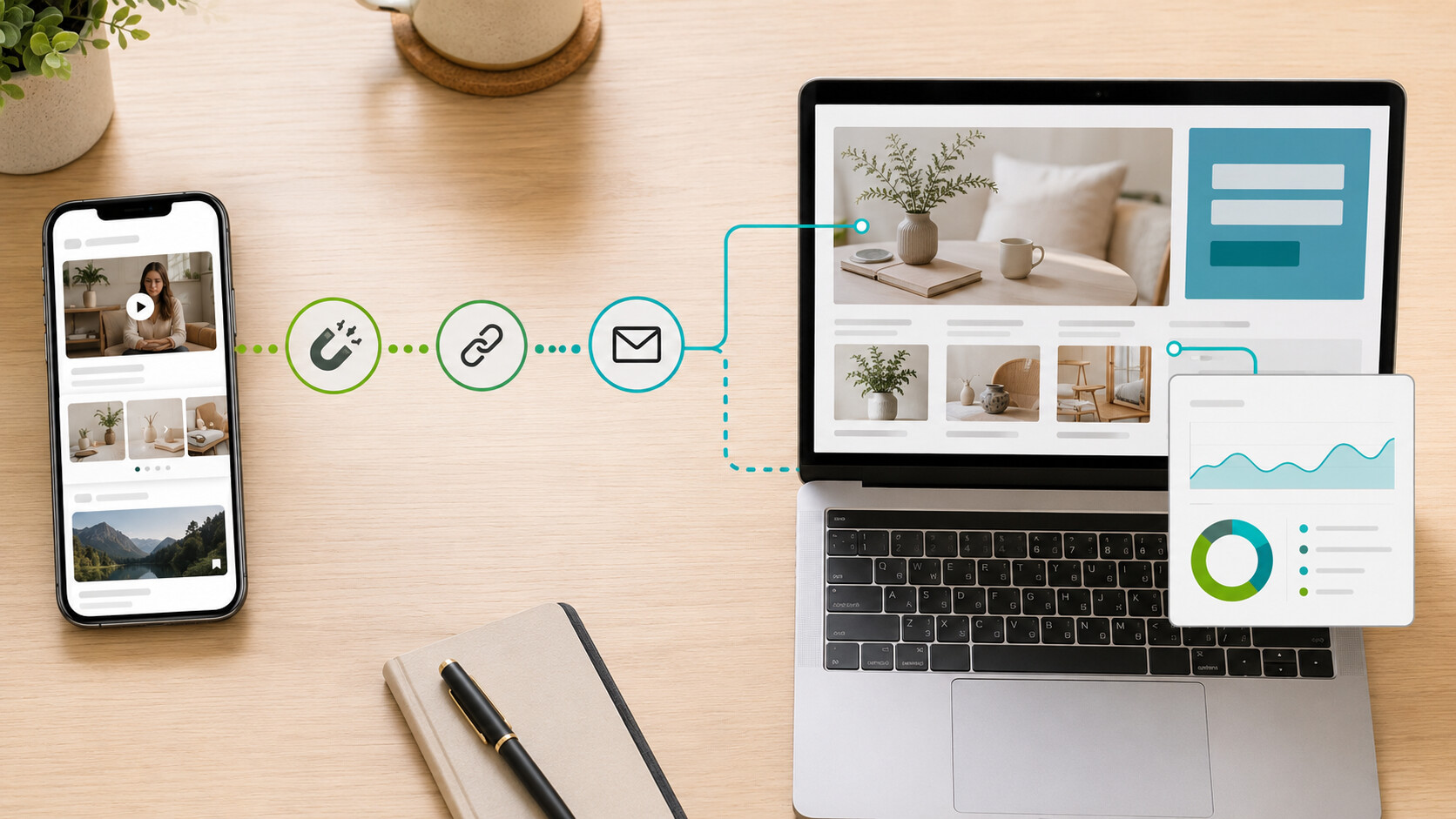
Free planner
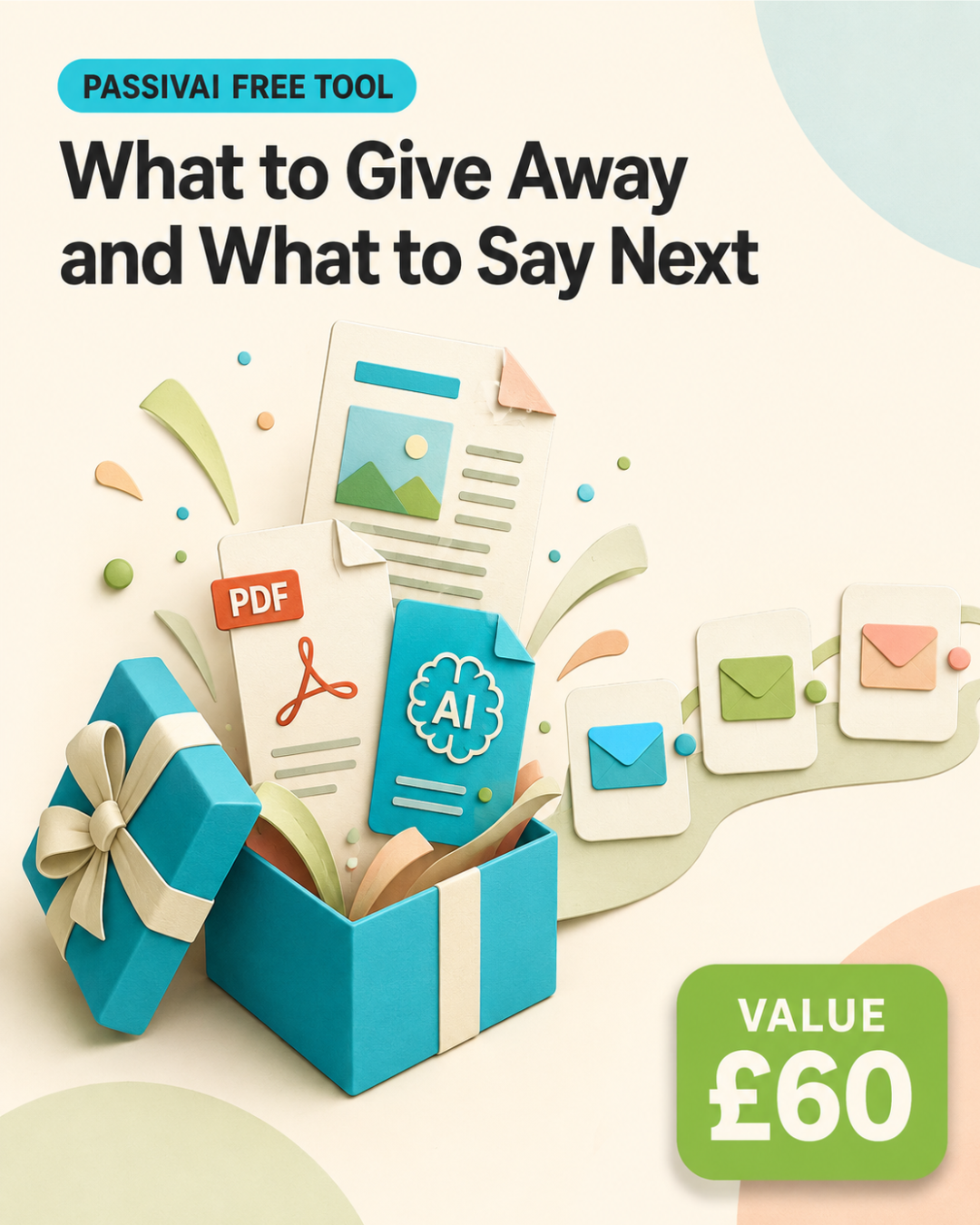
Get a free plan for what to give away and what to send next
Choose a useful free resource linked to what you sell, then plan the follow-up emails that should come after it.
Picks a giveaway that suits your customer, not a generic discount
Maps the first follow-up emails so nobody who downloads is forgotten
Keeps the next step pointed at your paid service
How to improve your Facebook Business Page: fix 8 of 10
Make contacting you easy so no enquiry slips away
Every contact method on your Page is a promise. A phone number that rings out or a Messenger inbox nobody checks does more harm than leaving that channel off entirely.
Spot the problem in seconds
Out-of-date numbers, inboxes nobody watches or channels your customers do not use.
Fix it and keep the customer
Phone for urgent jobs.
Messenger, built into Facebook, with greetings and away messages so people know when to expect a reply.
WhatsApp, if you connect a WhatsApp Business account to your Page, which lets a WhatsApp button or number show on the Page.
Email for detailed or formal enquiries.
Your website for online booking, quotes or forms.
Choose by how your customers prefer to talk. A tradesperson's customers may love sending a WhatsApp photo of the leaking pipe. An accountant's clients may prefer email with attachments. Then send a test message through each route and time how long it takes to reach you.
Avoid the mistakes that put customers off
Do not list every channel because you can. Offer the ones you reliably answer. Features vary by Page, so if an option is missing from yours, that is normal.
How to improve your Facebook Business Page: fix 9 of 10
Fix the Page before you post more, so your posts bring in enquiries
Plenty of businesses still have a member of staff writing, scheduling and organising every post by hand. Scheduling tools help, but scheduling is one step. It does not create a joined-up system for producing content and turning interest into enquiries.
Your shop window
Profile optimisation makes every visitor count
This is what the ten fixes in this guide cover: how your business looks and how easily a customer can reach you.
A cover, name and one-line offer people understand in seconds
Complete details, real proof and genuine reviews
Buttons and contact routes you have tested on a phone
+
Your reason to come back
Content creation keeps you in front of the right customers
Accurate, persuasive material that reflects what you actually sell, written in your own tone of voice.
Finished jobs and before-and-after photos
Answers to the questions customers ask you every week
Genuine reviews, shared with the customer's permission
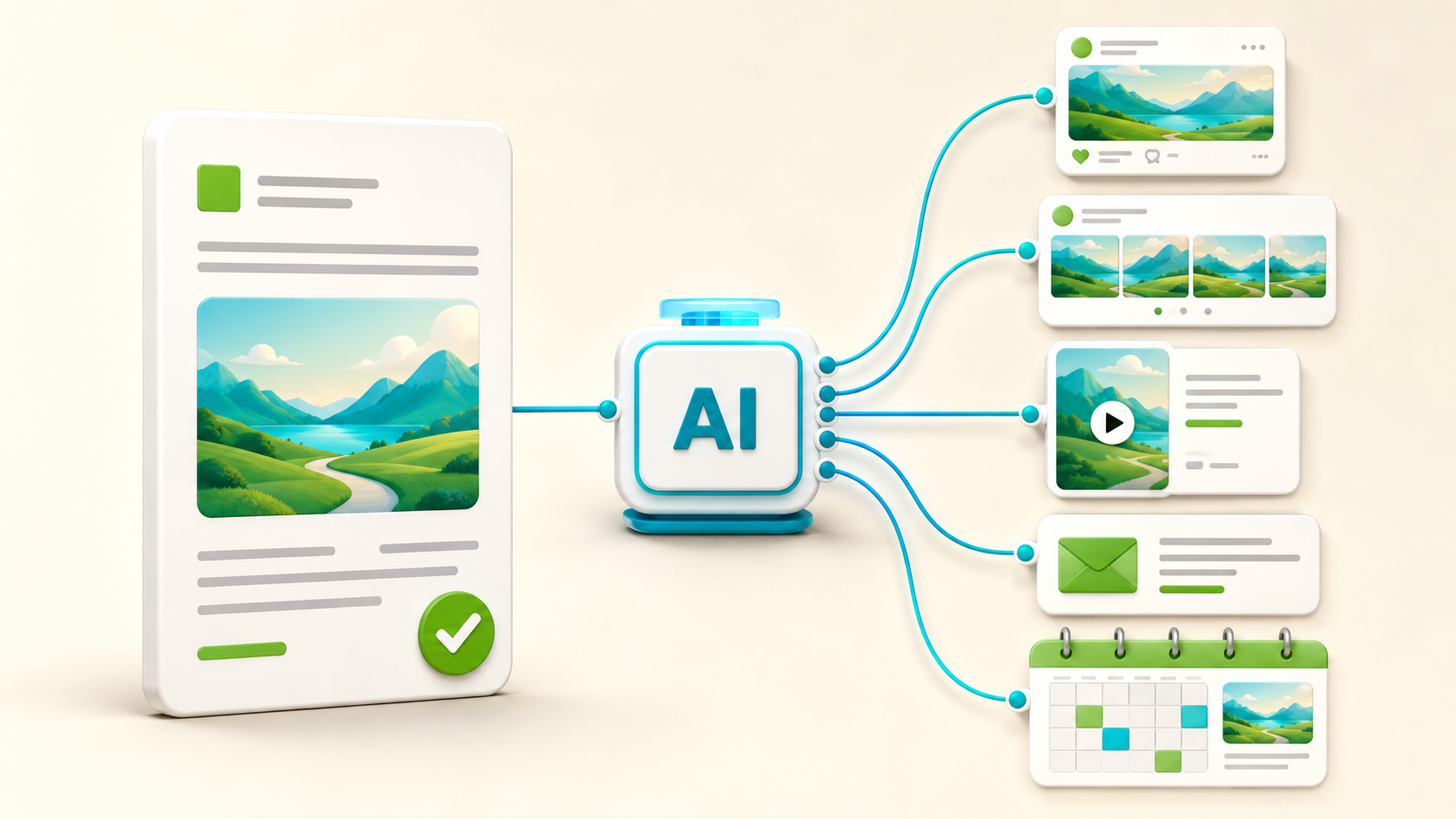
Then join them up with AI automation and stop doing it all by hand
1Draft
2You approve
3Publish
4Follow up enquiries
Automation connects approved content, publishing and follow-up into one workflow. What can be connected depends on each platform's API, your account permissions and the features available, and a person should still review what goes out. Start with the follow-up after an enquiry, because that is where a slow reply costs you the job.
How to improve your Facebook Business Page: fix 10 of 10
Check your Page as a customer and measure it, so you know what brings in work
Your Page is never finished. Hours change, links break, staff leave and Meta updates the layout. A short, regular review catches problems before customers do.
View the public Page logged out, on a phone and a desktop.
Test each contact route: button, phone, Messenger, WhatsApp and website link.
Check your information matches your website and Google Business Profile.
Review performance in Meta Business Suite or your Page's professional dashboard.
Count real enquiries and bookings from Facebook, not just likes.
Recheck after any major change to your branding, website or Page.
The old standalone Facebook Analytics product was retired in 2021. According to Sprout Social's Facebook analytics guide, Meta Business Suite and Page Insights replaced it as the main native tools, reporting measures such as views, reach, interactions and link clicks. Menus vary by account, so use whichever your Page shows you. The most useful measure for a small business is still the simplest: ask every new customer how they found you and keep a tally.
Value tip: put a ten-minute "Page check" in your calendar for the first Monday of every month. It catches broken links and stale hours before your customers do.
What path takes a customer from your Facebook Page to a booking, and where are you losing them?
A customer moves from your Facebook Page to a booking in six steps: discovery through search, a share or a recommendation; a first impression from your cover, profile and name; trust built by real work and reviews; a tested, obvious next step; the enquiry itself; and a prompt reply that you measure. A weak link anywhere in that chain loses the customer, however strong the rest is.
Step 1DiscoverySearch, share or recommendation
Step 2First impressionCover, profile and name
Step 3TrustReal work, reviews and details
Step 4ContactA tested, obvious next step
Step 5EnquiryMessage, call, booking or quote
Step 6Follow-upFast reply and measurement
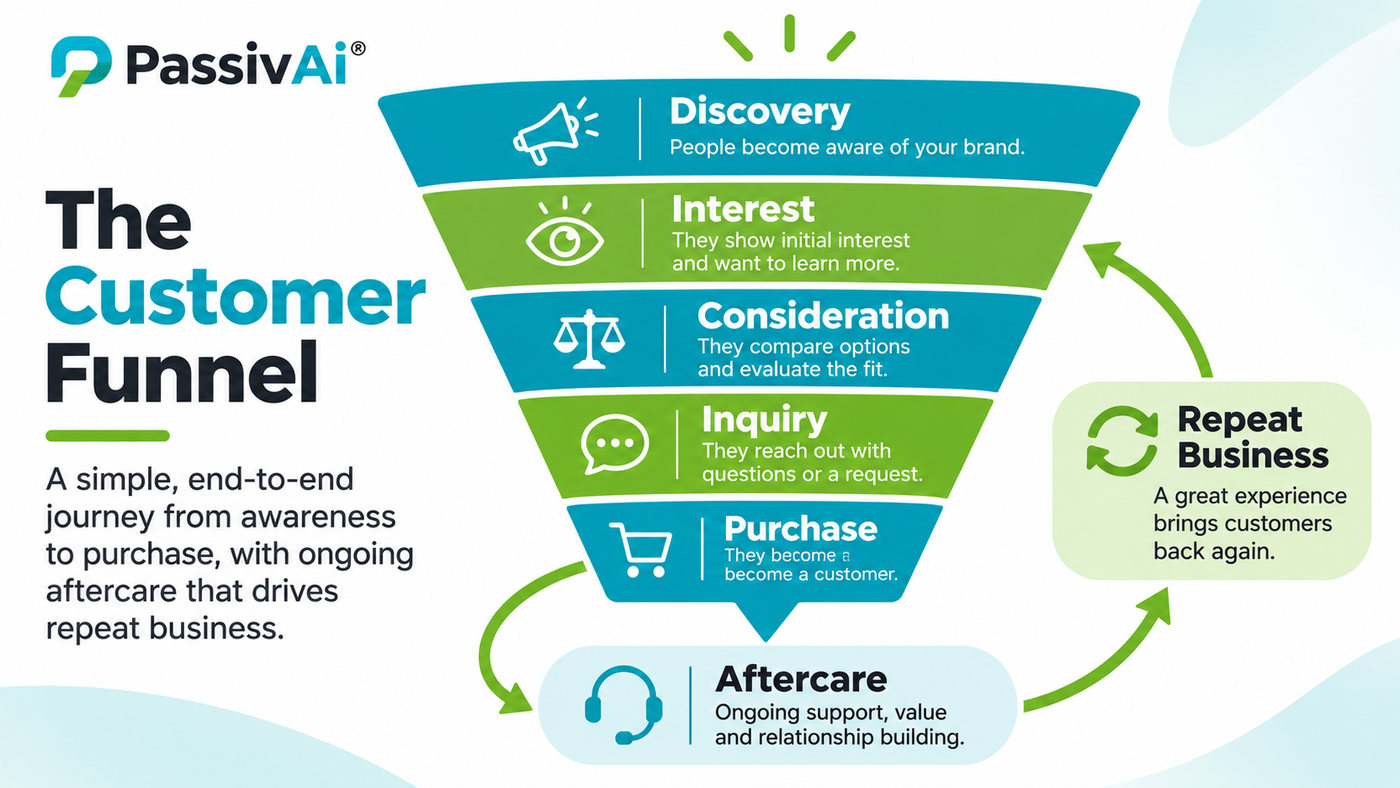
The same journey seen as a customer funnel. Your Facebook Page sits in the first three stages.
The Facebook-to-customer path, and the order to follow when you plan how to improve your Facebook Business Page. Fixes 1 to 3 cover first impressions, 4 and 5 cover trust, 6 to 8 cover contact and 9 and 10 cover follow-up.
What does a Facebook Page that wins MOT bookings look like for a local garage?
For a local MOT garage, a better Facebook Page shows an authentic photo of the owner outside the real workshop, one clear line such as Independent MOT Testing in Wimborne and a useful free resource like a pre-MOT checklist. The checklist links to a short form, arrives whatever the visitor decides about marketing and is followed by reminders only for people who tick a separate consent box.
Fictional example
How a Wimborne MOT garage could turn Page visitors into bookings
This scenario is invented to show how to improve your Facebook Business Page in a real setting. It is not a real PassivAi® client and it makes no claims about results. The garage wants more local motorists booking MOT tests. Its Facebook cover is a poorly cropped photo of a car park that gives nobody a reason to choose it over the main dealer down the road.
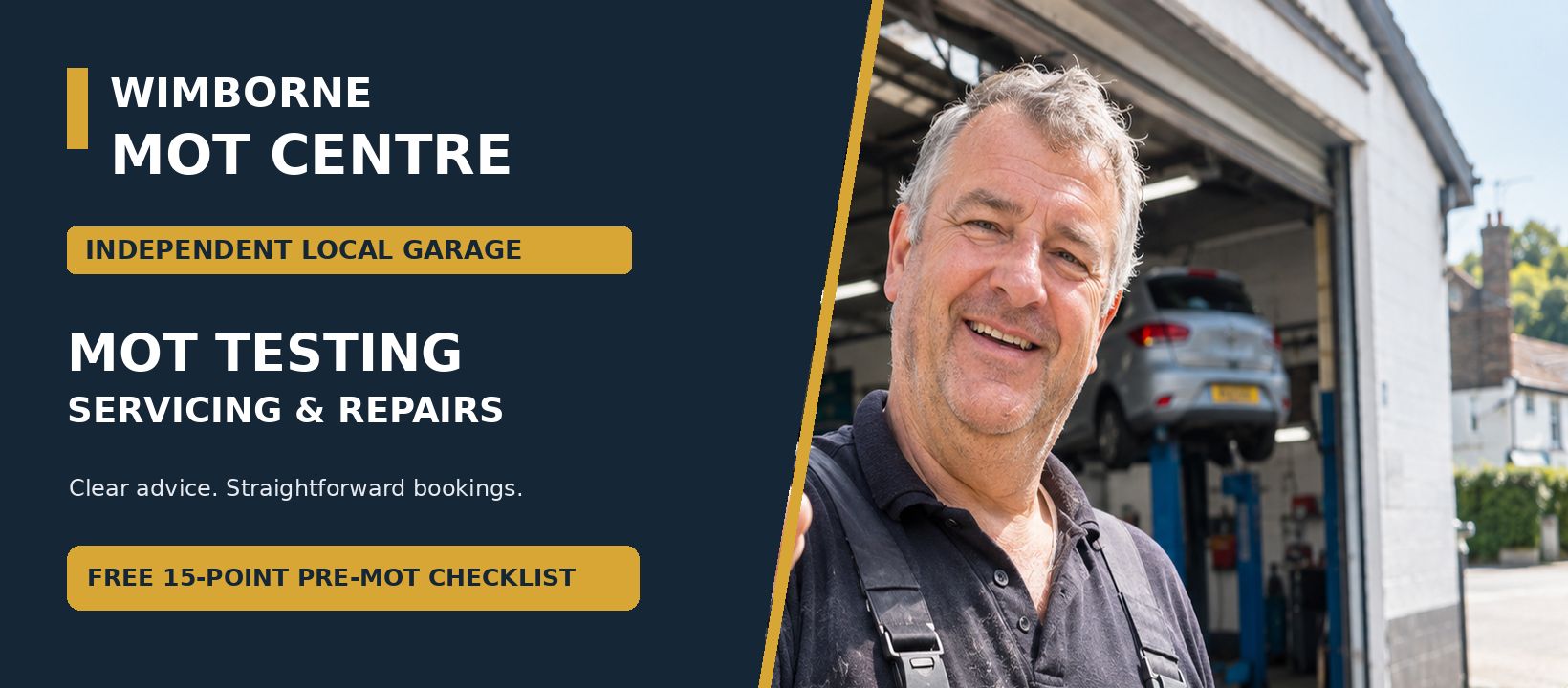
The cover image. Replace the car park with an authentic photograph of the owner in front of the workshop, a mechanic or a car on the ramp visible naturally behind. A natural smile, relaxed posture and open body language, never crossed arms, and no AI-generated workshop where the tools melt into the walls. Leave clear space on one side for a short promise and a free-resource promotion, kept away from the edges.
Illustrative cover concept. The wording is an example only and makes no promise, price, guarantee or accreditation claim for any real garage.
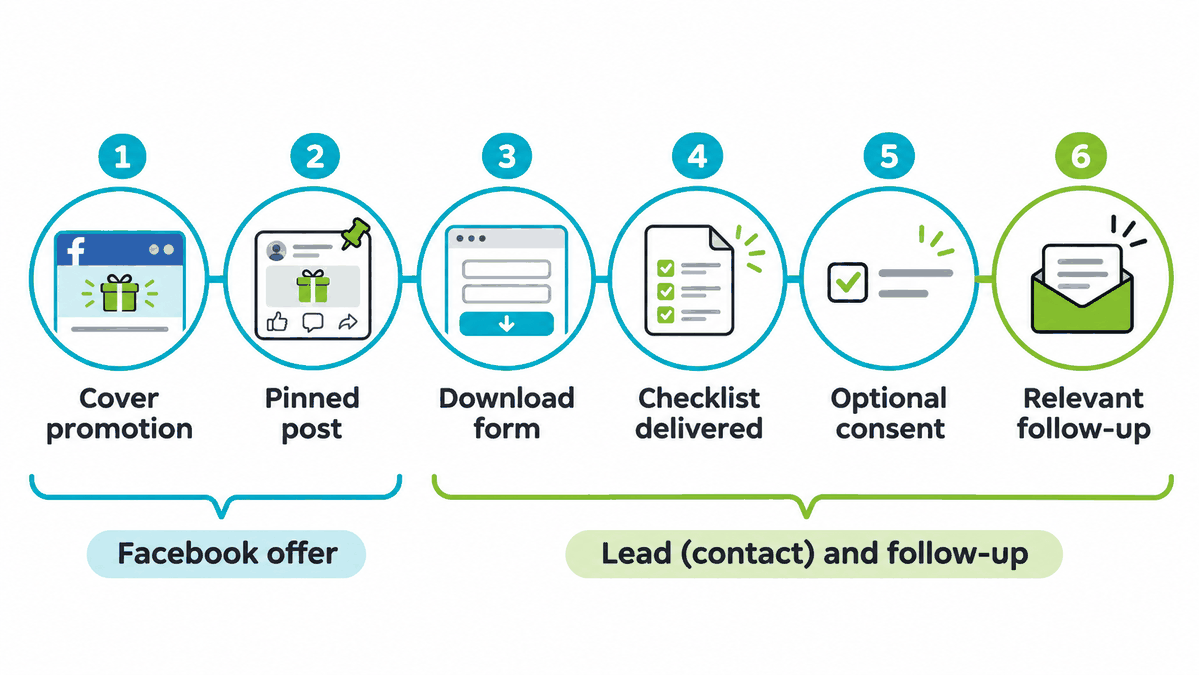
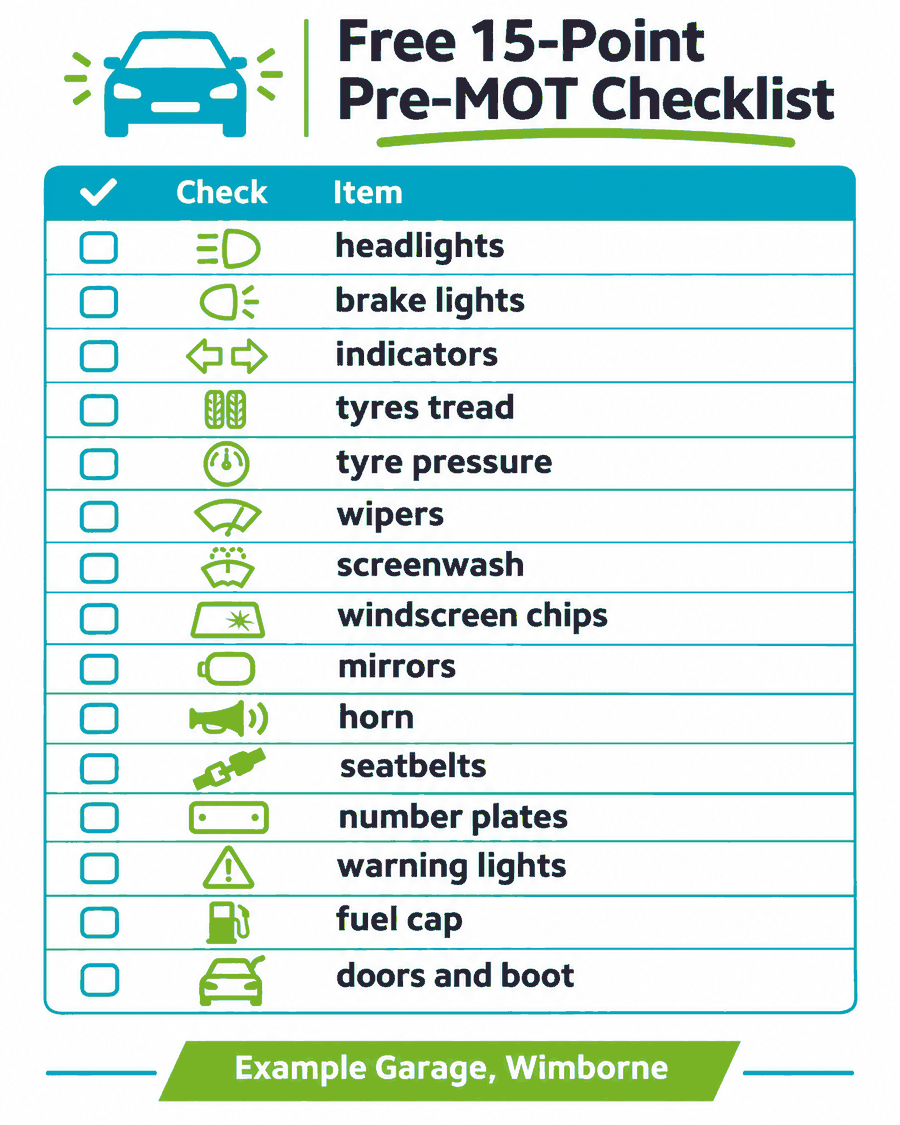
The free-resource route. The checklist gives motorists something useful, such as checking lights, tyres and wipers before the test, and gives the garage a natural reason to stay in touch.
Cover promotion. The cover image mentions the free 15-point pre-MOT checklist.
Facebook post. The cover photo description links to a pinned post explaining why the checklist helps.
Download form. The post links to a short form on the garage's website, tested on a phone.
Checklist delivery. The motorist receives the checklist they asked for, whatever they decide about marketing.
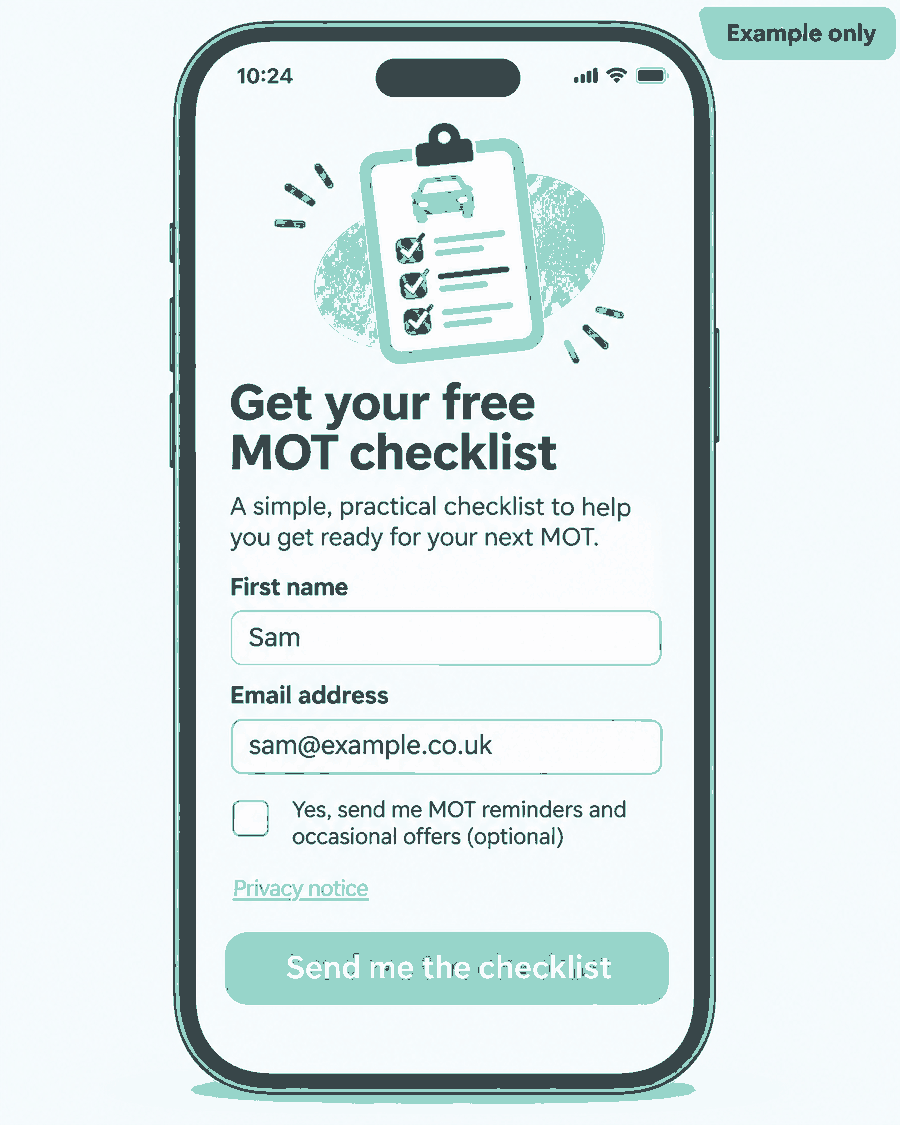
Optional marketing consent. A separate, unticked checkbox asks whether they would like MOT reminders and offers by email.
Relevant follow-up. Reminders go only to people who agreed, each with a clear way to unsubscribe.
The free 15-point pre-MOT checklist (illustrative).The download form, with marketing consent optional and unticked (illustrative).
The checkbox is optional and starts unticked, the motorist gets the checklist either way and the privacy notice explains how their details are used. It will not magically produce bookings, but it is a sound, respectful process a garage can build on.
What is the difference between Facebook Page optimisation and Facebook advertising, and which saves you money first?
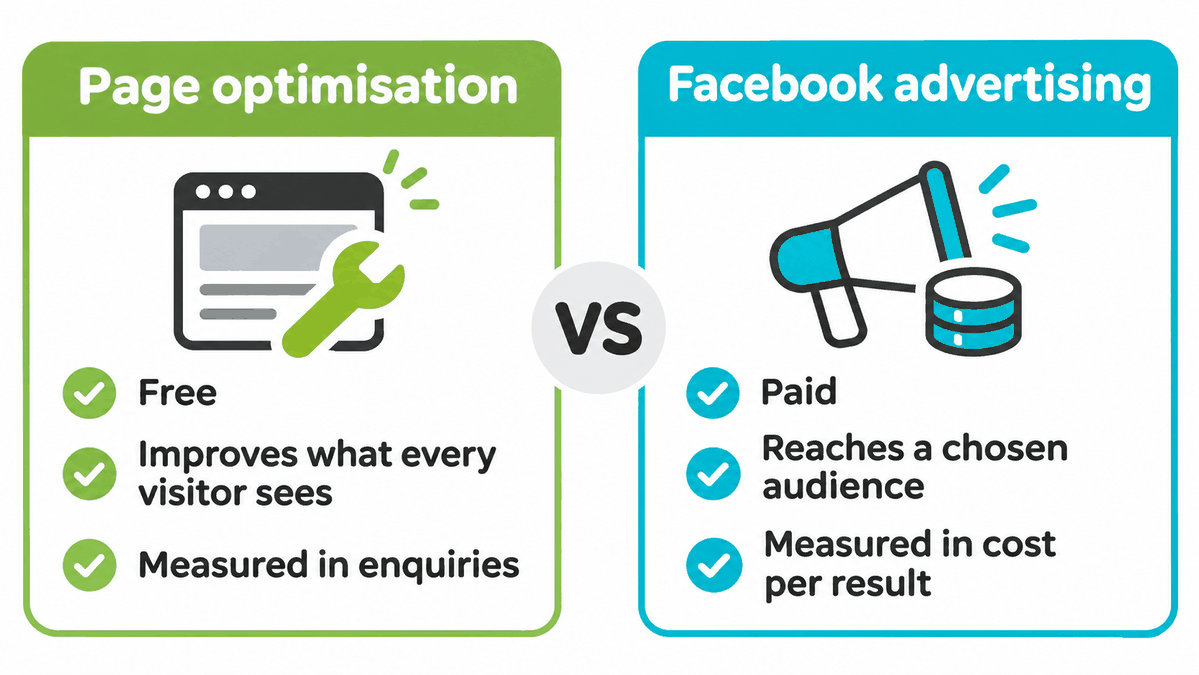
Facebook Page optimisation improves what people find when they arrive on your Page: images, information, trust signals and contact routes. Facebook advertising means paying Meta to show content to a targeted audience. You can improve your Page without spending anything on ads, and it pays to do it first, because adverts send people to your Page or website and a weak Page wastes that spend.
Page optimisation: free wins from every visitor
Free, apart from your time
Improves what every visitor sees
Measured in enquiries and bookings
Facebook advertising: paid reach to new people
Paid, with its own advertising policies
Puts content in front of a chosen audience
Measured with campaign metrics such as cost per result
Everything here on how to improve your Facebook Business Page works without spending a penny with Meta. If you do run ads, extra policies and campaign decisions apply, and that is a separate subject. Fix the Page first.
Should Facebook be your only business website if you want to keep the customers you have won?
No. Facebook should not be your only business website, because you do not control the platform. A Page can be restricted, hacked or lost if you lose access to the account that manages it, and Meta can change features at any time. Keep your own domain and a simple website, back up your content and make sure more than one trusted person has full access to the Page.
That does not mean Facebook is out to get you, or that a website is risk-free. Websites need hosting, updates and security too. The difference is control: with your own domain and website you decide what is published, you keep your content and you can move it if a supplier lets you down.
Protection 1
Own your domain so nobody can take your address
Registered in the business's name and set to renew automatically, so your web address and email stay yours.
Part of knowing how to improve your Facebook Business Page is knowing its limits. Use Facebook for what it does brilliantly, which is visibility, conversation and social proof, and keep the foundations of your business on assets you own.
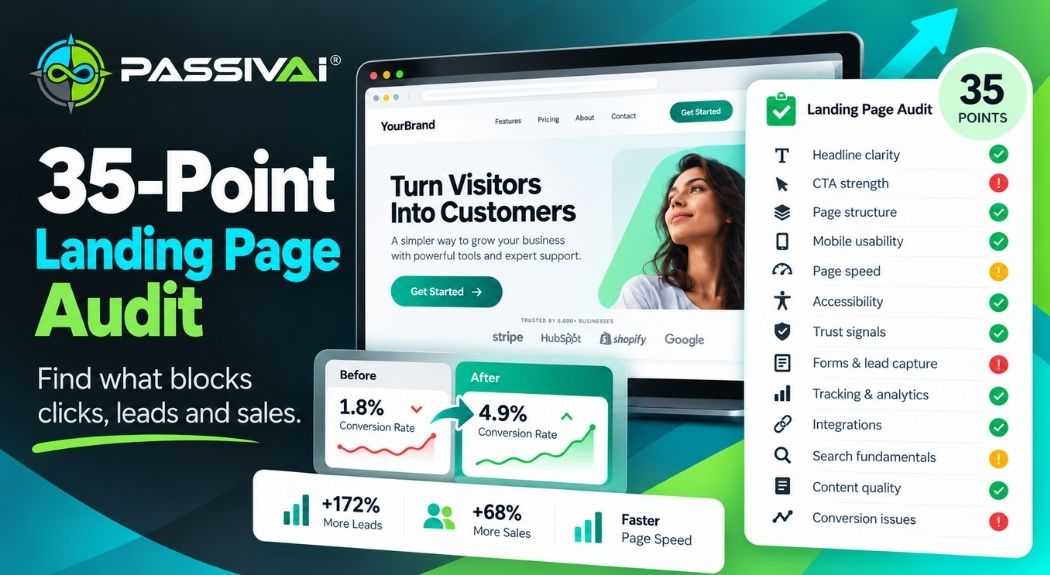
35-point check
Turn the visitors your Page sends into enquiries with a 35-point check
A 35-point check of the page your Facebook button points to, with a score and the fixes to make first.
How can AI save you hours on Facebook content without making it look artificial?
AI can help a small business research topics, draft posts and About text, produce branded graphics, repurpose content, schedule approved posts and acknowledge enquiries where the platform allows. It cannot know that your prices changed last month or that a complaint needs a personal reply, so a person should check every piece for accuracy, relevance and tone before it is published.
ResearchSummarising customer questions, competitor Pages and seasonal trends.
AI drafts, you decide
Copywriting and editingPosts, About text and replies in your tone of voice.
AI drafts, you decide
Branded creativeGraphics in your fonts and colours, from your own photos.
AI drafts, you decide
RepurposingOne job write-up turned into several platform-ready versions.
Check before publishing
Approved publishingPreparing and scheduling content once a person has approved it.
Check before publishing
Enquiry handlingAcknowledging messages and routing enquiries, where the platform permits it.
Depends on platform rules
AI speeds up how to improve your Facebook Business Page, but automated content still has to be accurate, relevant and recognisably you. You can save hours with a workflow that keeps a person in charge of approval, set out step by step in AI for social media marketing.
How can you improve your Facebook Business Page in 20 minutes and start winning enquiries today?
You can make the most useful improvements to your Facebook Business Page in 20 minutes by working in this order: fix the cover image, rewrite your intro as one clear sentence, test your action button, fill in the most important empty fields and then view the Page logged out on your phone. A full redesign, new photography or system integration will take longer.
Have these four things ready and you can finish in 20 minutes
Put the kettle on and work through these five blocks. They are in priority order, so even if you stop early you have fixed what matters most.
Your phone, with your Page open
A private or incognito browser window
Your one-sentence offer, or ten minutes to write it
A friend who does not know your business, for the final test
6 min4 min4 min3 min3 min
0:006 min
Fix your cover so visitors know they are in the right place
Check it logged out on your phone and on a desktop. Fix any cropped words or faces and add one line saying what you do and where.
Done when the line reads in full on your phone.
6:004 min
Rewrite your intro so the right customers stay
Write one sentence: what you do, who you do it for and where.
Done when a stranger could repeat it back to you.
10:004 min
Test your button so interested visitors can actually book
Tap your action button on your phone while logged out and complete the action yourself.
Done when the booking, call or message reaches you.
14:003 min
Fill the gaps customers check before they ring
Add the most important empty fields: services, hours or area, website and phone.
Done when no key detail is missing.
17:003 min
See your Page the way a new customer does
Open the Page in a private window and run the five-second test.
Done when a friend can say what you do and what to do next.
20:00A Page that makes sense to a stranger, with a button that works
That is a quick tidy-up, not a transformation. A new brand identity, professional photography or connecting your Page to booking and follow-up systems takes longer, and that is normal. When you have more time, work through how to improve your Facebook Business Page in ten fixes and pick up everything the 20-minute version leaves out.
Find your biggest Facebook Page fix in two minutes with a free audit
Answer ten quick questions with your Page open on your phone and see how to improve your Facebook Business Page in the right order. You get a score, a diagnosis of where your Page is strong and weak, your most important fixes with instructions, a 20-minute action plan and a longer-term recommendation.
Find Out What Is Stopping Your Page Bringing In Customers
It runs entirely in your browser. No email address, no account and nothing is sent anywhere.
0 of 10 answered
When will professional help get you better results than doing it yourself?
Get professional help with your Facebook Business Page when the problem is bigger than empty fields and an untested button: no recognisable brand identity, an offer you cannot describe in one sentence, no usable photography or a need to connect the Page to booking and follow-up systems. Smaller fixes are usually quicker to do yourself with the free audit and the 20-minute plan.
Free: your time only
Do it yourself and keep the fee
Empty fields, an untested button, cropped cover text or stale posts.
A business with little or no brand identity looks considerably more professional once it has a proper logo, a colour palette and consistent messaging, and customers trust it sooner.
Social Media Profile Optimisation
A professional audit of your Facebook Page and other profiles, with options for a written action plan or full implementation across your platforms.
Win more customers with a simpler Page, not a fancier one
Knowing how to improve your Facebook Business Page comes down to three things: the right promise to the right customer, a credible look and a straightforward next step. Fix the cover first, say what you do in one sentence, test every route to contact you and check the Page as a customer once a month.
Use the free Page audit to find your first fix, or have your profiles reviewed and improved for you.
How can you improve your Facebook Business Page for free?
Almost everything about how to improve your Facebook Business Page costs nothing but time. Fix your cover crop, rewrite your intro as one clear sentence, complete your About fields, test your action button and post recent photos of real work. The free audit tells you which to do first.
Why is your Facebook Business Page not getting enquiries?
Usually one of three things: visitors cannot tell quickly what you offer, they do not see enough evidence to trust you or the route to contact you is unclear or broken. Run the five-second test, then test your action button and every contact method on a phone while logged out.
Does a Facebook Page need a website?
You can run a Page without one, but relying on it is risky. A website on your own domain gives you a home you control if your Page is restricted, hacked or loses reach, and gives Facebook visitors somewhere to see your full services and book.
How do you make your Facebook Business Page look professional?
Use an authentic, well-cropped cover image, a profile picture that reads at thumbnail size and the same colours and logo as your website. Complete your information, show real work and keep your writing clear and specific. Consistency does more for a professional look than any single design trick.
Can you change the call-to-action button on your Facebook Page?
Yes, Page admins can choose or change the action button, but you pick from Meta's list rather than writing your own label, and the options depend on your Page setup. Choose the closest match, make your cover and intro point to the same action and test where it goes.
How do you check what visitors see on your Facebook Page?
Open your Page in a private or incognito browser window so you are logged out, look at it on your own phone and ask someone who does not know your business to describe it after five seconds. A real logged-out view is more reliable than looking for a specific preview button.
Does completing your Facebook Page help people find your business?
It can help. Accurate categories, clear descriptions and the words customers actually use give Facebook and search engines more to work with, and complete details help people who find you decide to get in touch. Nobody can guarantee rankings on Facebook or Google.
Can AI automate Facebook Business Page content?
AI can help research, draft, repurpose and schedule content, and some publishing and enquiry steps can be connected through approved tools, depending on the platform's API and your permissions. A person should still review everything for accuracy and tone before it goes out.
Should you use Messenger or WhatsApp for customer enquiries?
Use the one your customers prefer and you will reliably answer. Messenger is built into Facebook. WhatsApp suits customers who like sending photos and voice notes, and connecting a WhatsApp Business account lets you show it on your Page. Offering both is fine if you monitor both.
How often should you review your Facebook Business Page?
Once you know how to improve your Facebook Business Page, a quick check once a month suits a typical small business, plus a review whenever you change your branding, services, hours, website or booking system. Check your hours before bank holidays and seasonal changes too.
Sources, so you can check every claim yourself
Everything you need to act on is explained above. These are the pages behind this guide on how to improve your Facebook Business Page.
Ofcom, From apps to AI search: how the UK goes online in 2025
Sprout Social, How to conduct a Facebook audit
ICO, Marketing and data protection in detail
Also drawn on: Sprout Social's guides to Facebook SEO, analytics and marketing strategy, the ICO's guidance on direct marketing using electronic mail and Meta's developer documentation for Pages.
Meta changes its menus and feature names from time to time, so if a step looks different on your screen, look for the setting that does the same job. Kerry's observations are professional opinion, the garage is fictional and nothing here is legal advice.
Kerry Greener
Founder of PassivAi®. Building websites since 1998, with hands-on experience across hundreds of business websites, marketing, automation and customer relationship management. More about PassivAi®.
Enter your first name and email address and the planner will be sent to your inbox. If it does not arrive within a few minutes, check your spam or promotions folder.
Your details are used to deliver this resource and relevant follow-up emails. Unsubscribe at any time. Privacy policy.