
On this page
- Where visitors drop out
- Your first three checks
- Where enquiries disappear
- Visitors who will not buy
- Talk about their problem
- Finding the right answer
- A reason to take the next step
- Send a test enquiry
- Stop enquiries going cold
- Is marketing paying for itself?
- Four foundations first
- Your first improvement
- £9 website action plan
- A journey that keeps working
- Fix-first worksheet
- FAQs
- Sources
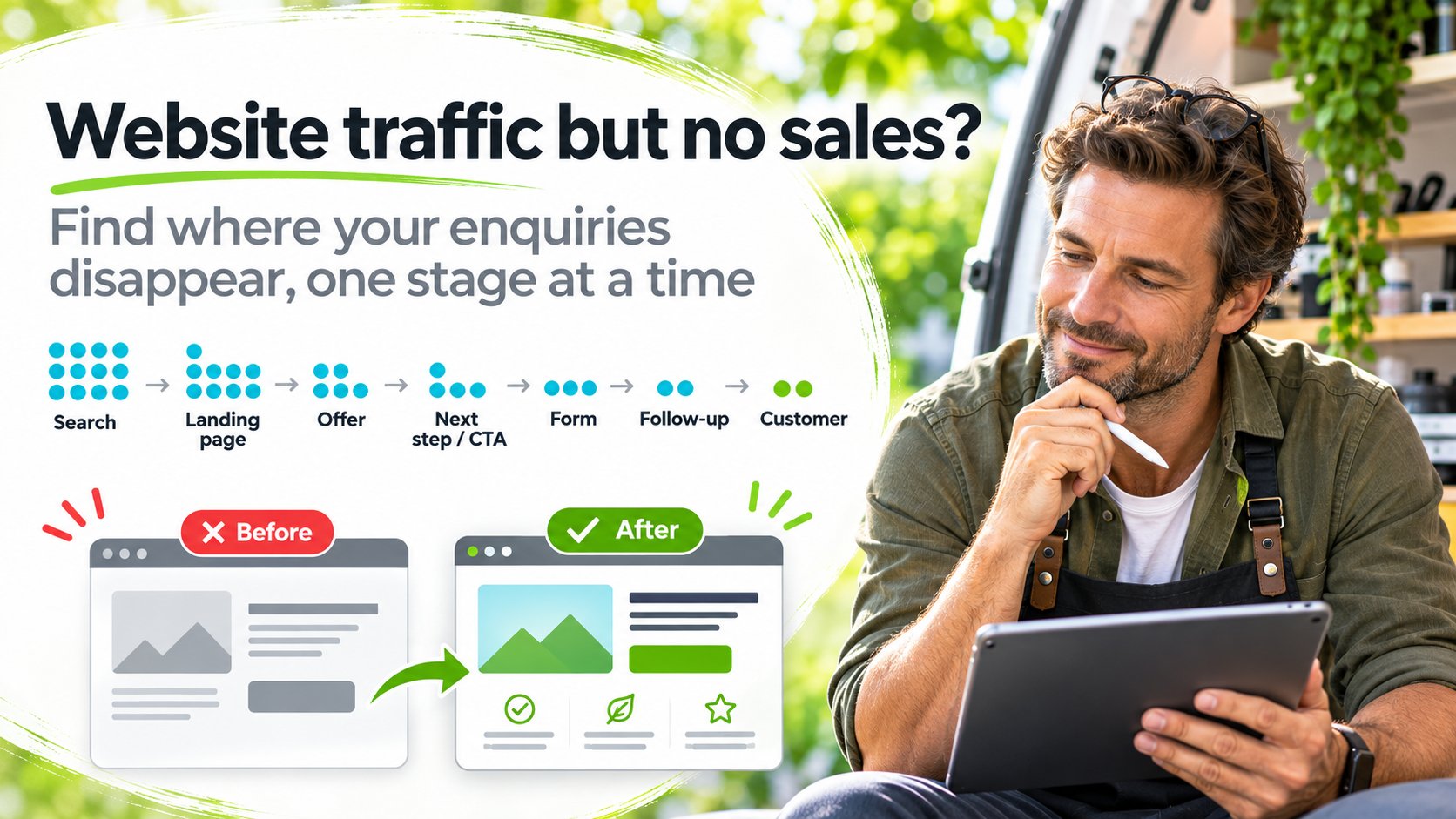
Find the point where your visitors give up and leave
If your website gets traffic but no enquiries, one stage of the visitor's journey is usually failing. They may be the wrong people, the page may not show them their problem and the answer, the next step may be unclear, the form may not deliver, or nobody follows up. Check each stage in order and fix the first one that breaks.
A visitor count tells you people arrived. It cannot tell you whether they were the right people, whether they understood what you offer or whether the enquiry form sent their message anywhere. You need to follow the whole route, from the words they searched to the reply they received.
TLDR
- Start with three checks, in this order: is the page easy to look at and understand, can visitors find their problem and the answer, and is the next step obvious and worth taking.
- Follow the ten-stage enquiry journey below and fix the first stage that fails. Fixing a later stage first wastes effort.
- More traffic will not help if the visitors are the wrong people. Compare the search terms with the enquiries you actually want.
- Send a test enquiry. A success message on screen does not prove the message reached you.
- Judge your marketing by qualified leads, customers and repeat sales, not by visits or form fills.

Run three quick checks to see why your visitors leave without enquiring
Run these three checks on your page in this order. Each one depends on the one before it. If your visitor cannot read the page, they will never find the answer. If they never find the answer, they will not click your button.
- Easy on the eyes and easy to understandCan a visitor scan the page on a phone and quickly tell what it is about? Look at text size, spacing, contrast, clutter and how many things compete for attention.
- Finding the solutionCan visitors see their own problem described, and see the answer to it, within a few seconds of arriving? If they have to dig, many will not.
- The call to actionIs the next step obvious, worth taking and accurately described? The button should say what the visitor gets, and the click should deliver exactly that.
Welcome to Example Widgets Ltd
Established in 1998, the company is a leading provider of innovative, high-quality widget solutions for a wide range of industries across the UK and beyond, with a proven track record of excellence.
Welcome to Example Widgets Ltd
Established in 1998, the company is a leading provider of innovative widget solutions for a wide range of...
The page talks about the company, the menu competes with the message and four equal buttons give no clear next step. On a phone the visitor sees a welcome and a wall of text.
Widgets that stop your production line jamming
- Fits your existing machines
- Delivered in 48 hours
- Free fit check before you order
Widgets that stop your line jamming
- Fits existing machines
The headline names the problem and the result, three short points answer the obvious questions and one button says what the visitor gets. The phone view keeps the same order.
Both pages are fictional illustrations. The details on the right show structure, not a real offer.
Run the three checks on your own page with fresh eyes. Better still, ask someone who matches your buyer to look at it on their phone for ten seconds, then tell you what you sell and what they would do next. If either answer is wrong, you have found your first fix.

Find where your enquiries disappear, one stage at a time
An enquiry travels through ten stages. A problem at any stage stops it, and the stages after it never get a chance. Work through them in order and run the test at each one.
- Search query and visitor intentWhat did the visitor type, and what did they want? Test: in Google Search Console, read the queries that bring clicks to the page. Do they describe the problem you solve?
- Landing page and message matchDoes the page they land on answer the search they made? Test: put the top query next to the page headline. Would the searcher feel they had arrived in the right place?
- OfferCan visitors tell what they get, who it is for and what happens next? Test: ask someone to describe your offer in one sentence after a short look.
- Trust and reassuranceDoes the page answer the worries that stop people acting? Test: list the three questions buyers ask before they commit. Find each answer on the page.
- Navigation and call to actionIs the next step easy to find and worth clicking? Test: on a phone, count the scrolls and taps it takes to reach the main button.
- Enquiry form or checkoutDoes it work, on every device, without asking for more than you need? Test: complete it on mobile with a test reference.
- Notification and data storageDoes the enquiry arrive in the right place and get saved? Test: find your test record in your inbox, spreadsheet or CRM.
- Customer follow-upDoes a real reply go out in reasonable time? Test: check how long your last five replies took and who sent them.
- Sale or other commercial outcomeDo enquiries turn into paying work? Test: for your last ten enquiries, note which became customers and why the rest did not.
- Repeat business and referralsDo customers come back or send others? Test: check when you last contacted a past customer with something useful.
Find the stage to fix first
Tick each stage you have tested and know is working. The first unticked stage is where to start. Without JavaScript, work down the list and stop at the first stage you cannot tick.
Start by checking whether the people arriving are looking for what you sell. The section on visitors who are the wrong people shows how.
Stop chasing visitors who were never going to buy from you
Broad traffic and qualified visitors are different things. A qualified visitor has the problem you solve, is in a position to buy and arrived looking for an answer like yours. Broad traffic includes everyone else who happened to click.

“I once worked with a client who was a pilot. He sold resources to help people with a fear of flying. At first glance, airline passengers looked like the audience. They were not. Someone searching for extra legroom or a more comfortable seat has a different problem from someone who dreads boarding at all.
The buyers were people searching for help with a flying phobia, using their own words for that fear. Traffic about seats and comfort would have looked healthy in a report and produced very few sales.”
Kerry Greener, author of this article
Before you change your page, check who it is reaching. You will come back to this in the four foundations further down.
Compare four sources to see whether your traffic can buy
| Source | Where to find it | Warning sign |
|---|---|---|
| Search queries | Google Search Console performance report | The words describe a different problem, or ask for free information only |
| Landing pages | GA4 landing page report | Most visits land on blog posts or pages with no next step |
| Referral sources | GA4 traffic acquisition report | Visits come from sites or campaigns your buyers do not use |
| Actual enquiries | Your inbox, spreadsheet or CRM | The enquiries you do get are for things you do not sell, or from people who cannot buy |
If the queries and sources do not match the enquiries you want, fix the targeting before the page. A better page will not persuade people who were never looking for you.
Stages 2 and 3Turn a page that talks about your business into one that talks about your visitor's problem

Count how much of your page is about your business: its history, expertise, products and awards. This is known as “we-ing all over the website”. Your visitor reads a lot about you and very little about what they will gain.
Your visitor arrived with a problem. They want to see it described in their own words, then see how you solve it. Every line about your business pushes that answer further down the page.
Visitors need to recognise their problem, understand the answer and see a worthwhile next step. Everything else on the page should support one of those three jobs.
Fictional feature-heavy version
Example Widgets Ltd manufactures precision-engineered widgets using advanced CNC technology. The company holds ISO accreditation and serves clients across many sectors.
Contact the team to discuss your requirements.
Customer-benefit version
Production line keeps jamming on worn widgets? Replacement widgets cut to your machine's exact size fit first time, so you are not waiting on a second order.
Send your machine model and get a fit check by email.
Both versions are fictional and written for illustration only.
Rewrite one section in three steps
- Find the problem. Read your enquiry emails, reviews and the questions people ask. Note the exact words they use.
- Attach the benefit. For each feature you mention, finish the sentence “so that you...”. If you cannot finish it, the feature probably does not belong near the top.
- Offer the next step. End the section with one action that suits someone who now understands the answer.
For help rewriting whole pages around the buyer, see copywriting that turns your visitors' problems into enquiries.
Stages 4 and 5Make it easy for each visitor to find the answer they came for
Visitors arrive at different points in their decision. Some need the basics. Others want one detail before they enquire. If everyone has to read the same page from the top, both groups get frustrated.
- Jump menus on long service pages let readers go straight to the answer they need.
- A short summary at the top of an article, like the TLDR on this page, tells readers whether the rest is worth their time.
- Logical sections with headings that state the answer help people scan.
- Page search, where your platform supports it, gives another route to a specific answer.
- FAQs answer common worries and link to the specialist page that covers each one properly.
- Internal links take a reader from a general page to the specific page that matches their situation.
Different pages have different jobs
A homepage points people to the right place. A specialist service page answers one situation in depth. An informational article helps someone understand a problem. A dedicated sales page asks for one decision. When one page tries to do all four, it does none of them well.
Picture a landscaping business with one general page called Garden Design. A visitor with a sloping garden needs to know what grows on a slope, what happens to the existing shrubs, how drainage will be handled, whether a survey is needed and what practical limits apply. Only then are they ready to talk about a quote.
A specialist page for sloping gardens, with a jump menu to planting, drainage and surveys, lets that visitor find their answers and enquire with confidence. This is an illustration, not a real client.
Give every visitor a next step that suits where they are in the decision
A single “Contact us” button only suits visitors who are already ready to talk. Everyone else needs a smaller step that moves them forward.
They want to understand the problem
Useful next step: a free guide, checklist or self-assessment that answers their question.
Avoid: a sales form. It asks for a decision they are not ready to make.
They want to know which option fits
Useful next step: a comparison, a price guide or a calculator that helps them choose.
Avoid: hiding prices or scope until after they get in touch.
They want an answer to their situation
Useful next step: a short written enquiry form that says when they will hear back.
Avoid: long forms and required phone calls.
They want to pay and get started
Useful next step: a clear price and a direct checkout.
Avoid: making them enquire first for a fixed-price product.
Use a free offer that leads naturally to your paid one
A relevant free resource gives researchers a reason to stay in touch. Checklists, calculators, self-assessments and practical guides work well when they solve the first part of the problem your paid offer solves. Personal, helpful follow-up from a real person builds trust from there.
Treat downloads with care. Someone who takes a free checklist is showing interest, not asking to buy. Downloading a freebie also does not give you permission to send unlimited marketing. Say clearly what they will receive, and respect their choices. For choosing the right giveaway, see online marketing for small business.
Stages 6 and 7Send one test enquiry so no real message goes missing
Forms fail quietly. A plugin update, a changed email password or a spam filter can stop enquiries arriving while the website still shows a cheerful thank-you message. A test enquiry is the only way to know.
- Use a distinctive test referencePut something like TEST-1110 in the name or message so you can find it and remove it later.
- Open the website on mobileUse your own phone, on mobile data rather than office wifi if you can.
- Follow the real call to actionStart from the page visitors land on and click the main button, as a visitor would.
- Complete the formFill in every field the way a real customer would. Note anything confusing or slow.
- Confirm the success message appearsCheck that it tells the visitor what happens next and when.
- Confirm the record reaches the intended systemFind the enquiry in your inbox, spreadsheet, database or CRM.
- Check notification deliveryMake sure the alert reached the person who should act on it, and did not land in spam.
- Check the response processSee whether an acknowledgement goes to the visitor and whether someone is reminded to reply.
- Verify the analytics eventIn GA4, check that the lead event recorded once for your test.
- Remove or label the test dataDelete the test record or mark it clearly so it does not distort your figures.
A visible confirmation alone does not prove a message reached the business. Steps 6 to 9 are where hidden failures usually show up. An analytics event is useful for counting, but it only tells you the form was submitted. It does not prove you received a usable enquiry, so always compare event counts with the enquiries in your inbox.
Stage 8Keep new enquiries from going cold with a simple follow-up routine
An enquiry is a person waiting for an answer. A slow, vague or missing reply loses them as surely as a broken form.
- Step 1Enquiry arrivesSaved to one place, not scattered across inboxes
- Step 2Owner assignedOne named person is responsible for the reply
- Step 3Timely replyAnswers the question asked, within the time promised
- Step 4Record updatedStatus, source and next action noted
- Step 5Reasonable follow-upA set number of reminders, then stop
A simple CRM can be enough
Sole traders and very small businesses rarely need expensive enterprise CRM software. A well-structured spreadsheet or simple database can hold each enquiry with its date, source, status, owner, next action and consent. A few automations can send an acknowledgement, alert you and remind you when a follow-up is due. See CRM automation that keeps every enquiry answered for more.
Lead scoring can help you decide who to reply to first, as long as it is based on relevant, lawful signals you can inspect, such as the service asked about or the budget given. A score is a rough guide to priority. It is not a measure of how likely someone is to buy.
Keep follow-up lawful and welcome
Replying to an enquiry, sending messages about a purchase and sending marketing can each have different rules. The Information Commissioner's Office sets out the UK rules on direct marketing and electronic communications. Record what each person agreed to, honour opt-outs promptly and keep a suppression list so people who have unsubscribed are not contacted again by mistake.
Stages 9 and 10Check whether your marketing is paying for itself, not just filling your inbox
Visits, enquiries, qualified leads, customers, revenue and repeat purchases are six different numbers. Each one tells you something different, and a good figure at the top can hide a poor one at the bottom.
| Measure | Source A: broad advertising | Source B: specialist page |
|---|---|---|
| Visits | 2,000 | 300 |
| Enquiries | 40 | 9 |
| Qualified leadsRight problem, able to buy | 4 | 6 |
| Customers | 1 | 3 |
| Marketing cost | £600 | £150 |
| Cost per customerCost ÷ customers | £600 | £50 |
In this made-up example, Source A looks better on visits and enquiries. Source B produces more customers at a far lower cost each. Judged on lead count alone, you would spend more on the wrong source.
Paid advertising can be worthwhile once your offer, landing page, targeting and follow-up are doing their jobs. If you pay for clicks while your content, customer questions, CRM records and aftercare drift, the ads bring people in and the rest of your journey lets them go.
Before more trafficCheck four foundations before you pay for more traffic
Your page can look good and still fail if the business underneath it is aimed at the wrong problem, offer or audience. Check these four foundations in order. Each one depends on the one before. Together they are called NOAM.
- NNicheThe specific problem and the specific person who has it.Can you name the person and their problem in one sentence?
- OOfferA suitable solution, with its value explained in the buyer's terms.Would that person see your offer as the obvious answer?
- AAudienceTheir intent, questions, location and the words they use.Do you know what they type into search when the problem hurts?
- MMarketThe route that turns qualified visitors into customers, repeat buyers and advocates.Is there a clear path from first visit to second purchase?
How each stage shows up as missing enquiries
- Niche too broad. “Health and beauty” is an industry, not a buyer. A page written for an industry speaks to no one in particular. A detailed picture of one buyer, built from their real needs, circumstances, worries and words, gives the page something specific to say.
- Offer unclear. Visitors arrive, read and leave because they cannot see what they would get.
- Audience mismatched. Traffic grows but enquiries do not, as in the fear-of-flying example.
- Market route missing. Enquiries arrive but stall, because there is no follow-up, no easy purchase and no reason to come back.
Answer six questions in the free Online Business Compass quiz to see which foundation to fix first.
Free toolsChoose the free tool that matches your first problem
Each free resource below fits a different stage of the journey. Pick the one that matches the problem you found above.

If your page may be unclear
Can AI Find and Understand Your Website?
Check whether one important page clearly explains what you offer, who it is for and what visitors should do next.
Check whether my page is clear
If researchers leave with nothing
What to Give Away and What to Say Next
Choose a useful free offer linked to your paid one, then plan the follow-up emails that should come after it.
If the offer itself is in doubt
Will Anyone Buy This?
Separate polite interest from real buying signals and choose a small, honest test before you spend more.
Get a fuller diagnosis of your page and a ranked list of what to fix first
If your traffic looks relevant and your form works, your page is the likely problem. Get one landing page checked and receive an ordered action plan you can follow yourself or hand to whoever looks after your website.
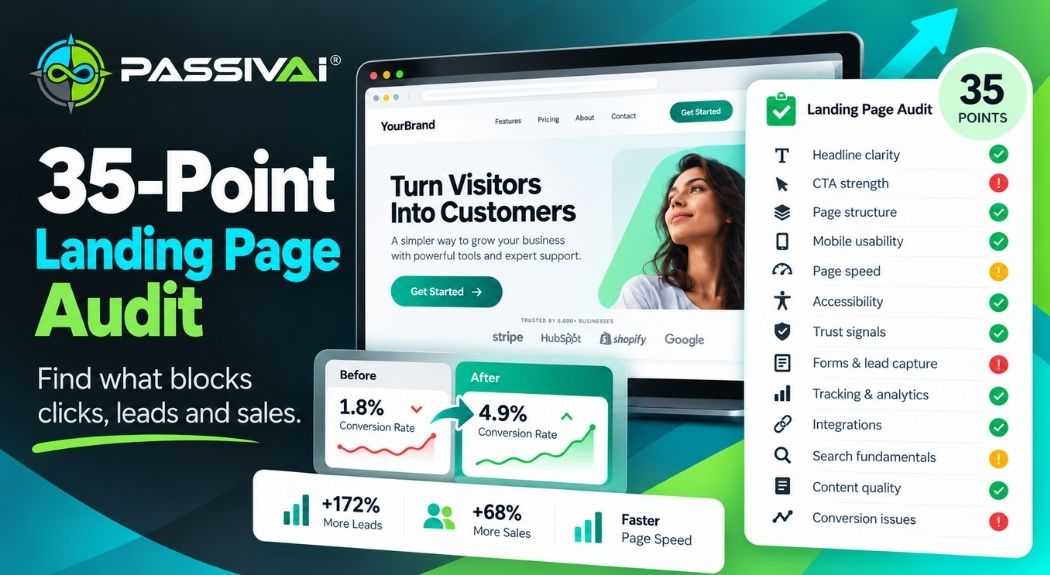
- Up to 35 checks on your page, so you see every gap in one go.
- An overall score, so you know how ready your page is to bring in enquiries.
- Scores across five areas, so you see which part is holding your page back.
- Fixes in order of importance, so your time goes on the change that matters most.
- An online dashboard you can share with anyone helping you.
- A PDF report to keep, so you can check your progress later.
Opens a secure Stripe checkout. £9 one-time payment, no subscription and no sales call. Full details are on the 35-Point Landing Page Check page.
Build a customer journey that keeps bringing in customers after the first sale
Traffic only matters when it leads to a real commercial result. A good customer journey makes buying easy, gives genuine value and opens the door to repeat sales, upgrades, referrals and a lasting relationship.
Your journey keeps working when these parts join up:
- relevant traffic sources that reach people with the problem
- lead capture that offers something useful in return
- low-friction purchasing for fixed-price products
- CRM records so nothing is lost
- email follow-up that helps before it sells
- automated fulfilment for products that are the same for every buyer
- repeat purchases and suitable upgrades
- genuine referrals from customers who were well looked after
Evergreen means each asset can serve one customer after another without being rebuilt for every sale. It does not mean maintenance-free, and it does not guarantee sales. Every system still needs updating, marketing and someone keeping an eye on it.
Not sure who your buyer is? Start by describing the one person you most want to reach with the Dream Buyer Map. Audience Clarity and Kickstart Audience Profiling take you further, into research and segments.
Need a steady flow of the right visitors? Bring in the right visitors with Traffic Without Thinking. Some methods can be automated and others need your time.
Want a structured way to find and approach new customers? Choose your channels, find prospects and send a better first message with six resources in the Get More Leads Toolkit.
Ready for a fuller, more automated system? Build on the toolkit with the Customer Acquisition System.
Rather have the work done for you? See website and landing page design that turns visitors into enquiries. Remote delivery, written enquiries and no sales calls.
Use this fix-first checklist to find and fix your biggest leak
Work through the worksheet for one important page. Type your answers here and print them, or print it blank and fill it in by hand.
Fix-first worksheet: website traffic but no enquiries
Page checked: ________________________________ Date: ______________
Answers to common questions about website visitors who do not enquire
Why does my website get visits but no enquiries?
Usually one stage of the journey is failing. The visitors may be the wrong people, the page may not show them their problem and answer, the next step may be unclear, the form may not deliver, or nobody follows up. Walk through the ten stages in order and fix the first one that fails.
What counts as a low website conversion rate?
There is no single figure that fits every business. Rates vary with the offer, the price, the traffic source and what you count as a conversion. Compare your own pages and sources with each other over time, and judge them by qualified enquiries and sales.
How do I know if my traffic is unqualified?
Look at the search queries in Google Search Console and the landing pages and referral sources in GA4. If the words people search do not describe the problem you solve, or the pages they land on are not pages that sell anything, the traffic is unlikely to enquire.
What does wrong search intent mean?
It means the person searching wants something different from what your page offers. Someone looking for a free explanation will rarely book a paid service from that visit. Match each page to one intent, and give researchers a useful next step instead of a sales form.
How can I tell if my contact form is working?
Send a test enquiry with a distinctive reference, then check the success message, the record in your inbox or database, the notification email, your reply process and your analytics event. A success message on screen does not prove the message reached you.
What is the difference between GA4 and Google Search Console?
Search Console shows how your site appears in Google Search: queries, impressions, clicks, click-through rate and position. GA4 shows what visitors do once they arrive, from any source. Their numbers rarely match because they measure different things in different ways.
Does website speed affect enquiries?
A slow, jumpy or unresponsive page makes it harder for visitors to read and act, especially on mobile. Core Web Vitals measure loading, responsiveness and visual stability. Improving them removes friction, but speed alone does not guarantee more enquiries.
What makes a good call to action?
A good call to action says what the visitor gets from clicking, appears where they are ready to act and leads to exactly what it describes. Get my £9 website action plan tells the reader more than Submit or Learn more.
Are free resources and lead magnets worth offering?
Yes, when the free resource solves the first part of the problem your paid offer solves. It gives researchers a reason to stay in touch. Not every download is a sales lead, and a download does not give permission for unlimited marketing.
How quickly should I follow up an enquiry?
As soon as you reasonably can, and within the time your page promises. Decide who owns each enquiry, record it, reply and set a reminder for the next step. Automation can send an acknowledgement and remind you, but the reply itself should answer the question asked.
Do I need expensive CRM software?
Not always. A sole trader or small team can manage leads well with a well-structured spreadsheet or simple database, a few automations for notifications and reminders, and a clear record of consent and opt-outs.
How does niche and audience targeting affect enquiries?
If the niche, offer or audience is wrong, a well-designed page will still struggle. A specific problem for a specific person, described in that person's own words, attracts visitors who are more likely to enquire.
How do I measure website enquiries properly?
Track a lead event in GA4 for each completed enquiry, then compare it with the enquiries that actually arrived. Record where each enquiry came from, whether it was qualified and whether it became a sale.
When is a landing page audit worth paying for?
When your traffic looks relevant, your form works and enquiries still do not arrive, the page itself is the likely problem. A structured audit gives you a ranked list of fixes so you can change the most important things first.
Fix the first stage that fails and every visitor after that has a better chance of enquiring
Your traffic is only useful when it turns into enquiries and sales. Run the three checks, follow the ten stages, send a test enquiry and fix the first thing that breaks.
Each week you leave it, you keep paying for visitors in time or money while the same stage lets them go.
If you would rather see exactly what to fix on your page, in order, get the £9 website action plan. One payment, no subscription and no sales call.
Sources and further reading
- Google Search Console Help, performance report for Search results: queries, impressions, clicks, click-through rate and position in Google Search.
- Google Search Central, using Search Console and Google Analytics together: what each tool measures and why their numbers differ.
- Google Analytics, GA4 recommended events: lead-generation events for measuring form submissions.
- web.dev, Web Vitals: loading, responsiveness and visual stability.
- Information Commissioner's Office, direct marketing and privacy and electronic communications: UK rules for marketing messages, consent and opt-outs.
The fear of flying example comes from a real project. Other examples and figures are fictional and labelled as such. Guidance and prices change, so check each linked source before relying on it. Nothing here is legal advice.

Kerry Greener
Founder of PassivAi®. Building websites since 1998, with hands-on experience across hundreds of business websites, marketing, automation and customer relationship management.
More about PassivAi®.
£9 one-time
See which website problems to fix first
Up to 35 checks on one page, a score across five areas and a ranked list of fixes. No subscription or sales call.
See what the £9 plan shows me
Free check
Find out whether your page explains what you offer
Check one important page for a clear offer, audience and next step.
Check whether my page is clear
Free planner
Give researchers a reason to stay in touch
Plan one useful free offer and the follow-up that leads to your paid one.