
On this page
- Where AI helps, and where judgement stays
- See the platform list
- Permission before personalisation
- Start with the customer question
- One job per email
- Keep the voice human
- Automation is decisions in order
- Measure the decision
- Make every email worth the send
- Frequently asked questions
- Sources and further reading
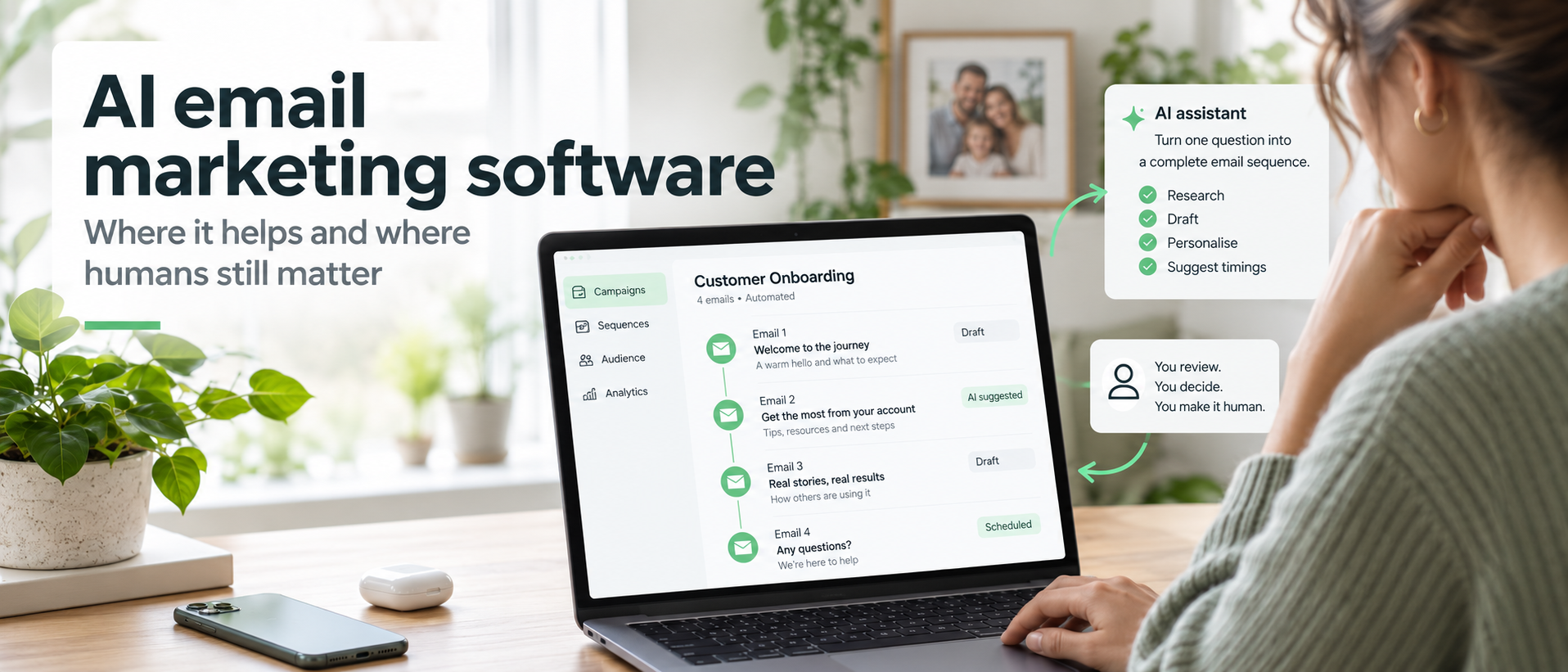
AI email marketing software can research, sort, draft, schedule and measure a campaign. It can turn one useful question into several possible messages before the kettle has considered boiling. The valuable part begins when those jobs are attached to a purpose.
A small-business email sequence has four moving parts
- the right person has asked to hear from you
- the message matches what that person asked for or did
- each email has one useful job
- the sequence stops or changes when the reader acts
Software can carry the repeated work. A person still decides the promise, the evidence, the timing and whether the message deserves to land in another person's inbox.
Came for the software list? See the platforms and the job each one suits.
The distinction matters because AI use is already common enough to shape day-to-day business work. The Office for National Statistics reported that around 35% of UK businesses with 10 or more employees were using at least one AI technology in June 2026, up from around 12% in late 2023. Improving business operations was the leading stated purpose among adopting businesses. Those figures describe wider AI use, rather than email marketing results, but they show where the practical opportunity sits: improving a defined process instead of adding AI for decoration. Office for National Statistics, released 20 July 2026
UK businesses using at least one AI technology
Businesses with 10 or more employees. Wider AI adoption, not email marketing performance.
| Period | Reported use of at least one AI technology |
|---|---|
| Late 2023 | Around 12% |
| June 2026 | Around 35% |
Give the machine the repeated work. Keep the judgement at the points where trust can be gained or lost.
Where AI email marketing software helps and judgement stays human
The useful question is not whether a platform contains AI. Ask which job it performs, what information it uses and what happens when its answer is wrong.

| Email job | A useful role for AI | Human decision that remains | Warning sign |
|---|---|---|---|
| Research | Group recurring questions, phrases and objections from approved source material | Decide which question deserves an email and whether the source is representative | The summary makes a rare complaint look common |
| Segmentation | Suggest groups based on declared interests or recorded actions | Decide whether the data is lawful, relevant and fair to use | A label makes an unsupported assumption about a person |
| Drafting | Produce subject-line options, outlines and first drafts from a fixed brief | Choose the promise, evidence, voice and final wording | The copy sounds polished but could belong to any business |
| Quality checks | Flag repetition, missing links, unclear actions and banned wording | Decide whether the email is accurate, useful and appropriate | A clean score is mistaken for a good message |
| Automation | Apply triggers, delays, branches and stop rules | Approve entry conditions, timing and exceptions | A buyer or unsubscriber keeps receiving the wrong sequence |
| Measurement | Summarise campaign data and highlight changes | Decide what the numbers mean and what to test next | Open rate is treated as proof that an email was read |
An email tool may combine several of these jobs. A separate language model may handle the draft while the email platform handles permission records, sending and reporting. Either arrangement can work. The deciding factor is whether every job has a named input, owner and check.
Good AI email marketing software makes those handovers visible. It should be possible to see where source material enters, where a rule is applied and where a person approves the result.
What to check when comparing AI email marketing software
Use the product demo to answer practical questions:
- Can it draft from your own approved material?
- Can you see and edit the prompt or brief?
- Can you keep separate audience groups without duplicating contacts?
- Can it branch after a click, reply or purchase?
- Can it stop immediately after an unsubscribe or other exclusion event?
- Can a person approve an email before the first live send?
- Can you export contacts, consent records and campaign data?
- Can you see what the AI changed?
- Can you measure clicks, replies, sales and unsubscribes without relying on opens alone?
- Can you keep personal or sensitive information away from an external model when it is not needed?
Feature lists make pleasant wallpaper. A test using one real workflow reveals far more.
Mailchimp's feature overview provides one vendor example of ai email marketing software that combines drafting, subject-line support and campaign recommendations. Use it to understand possible jobs, rather than as an independent verdict on the best platform.
The AI email marketing software worth shortlisting, and the job each one suits
Every platform below sends email to a permission-based list and advertises some AI help with drafting, subject lines, segmentation or reporting. They differ in the job they are usually chosen for. Use the list to build a shortlist of two or three, then test the one workflow you actually need.
| Platform | Usually chosen for | Check before you commit |
|---|---|---|
| Mailchimp | A first list with templates, forms and reporting in one account | What the free tier now includes, and how contacts are counted |
| Brevo | Email plus transactional sending and other channels on one bill | Whether sending volume or contact count sets the price |
| MailerLite | A tidy, simple sequence builder for a one-person business | How branching and stop rules are handled |
| Kit | Creators selling guides, courses and paid newsletters | How tags and sequences replace traditional lists |
| ActiveCampaign | Detailed automation with a CRM in the same system | Whether you need that depth, and who will maintain it |
| Klaviyo | Shops that want purchase behaviour driving the emails | How the store connects, and what data is synced |
| GetResponse | Email alongside landing pages, funnels and webinars | Which parts you will genuinely use |
| Constant Contact | Local and service businesses sending straightforward broadcasts | How far automation goes beyond a scheduled send |
| Omnisend | Ecommerce sequences across email and text together | Separate permission rules and costs for text messages |
| beehiiv | Newsletters built to grow an audience and carry sponsorship | Whether it covers the follow-up sequences you need |
| HubSpot | Businesses running sales and marketing from one record | Which tier holds the email features you are relying on |
| Zoho Campaigns | Businesses already working inside the Zoho suite | How contacts sync with the CRM, and where consent is recorded |
Two platforms with an honest test behind them beat ten opened in browser tabs. Run the same short sequence through each shortlisted tool, then keep the one that made the approval point easiest.
Permission comes before personalisation
AI does not create permission to contact a person. The list, message and method still need to follow the relevant rules.
For UK electronic-mail marketing to individuals, the Information Commissioner's Office says specific consent is normally required. A limited products-and-services soft opt-in may apply to a business's own previous customers where the required conditions are met. That includes offering a simple opt-out when the details are collected and in every later message. The sender must not conceal its identity and must provide a valid contact address for opting out. Sole traders and some partnerships are treated as individuals under these rules. ICO electronic mail marketing guidance
The ICO's detailed electronic-mail guidance was updated on 28 April 2026. Its broader AI and data-protection guidance is under review following the Data (Use and Access) Act, so current ICO pages should be checked again before a new workflow goes live. ICO detailed electronic-mail guidance and ICO AI and data-protection guidance
UK permission check
- Record what the person agreed to receive.
- Record when and how the permission was collected.
- Keep the promised subject and frequency recognisable.
- Provide an easy unsubscribe route in every marketing email.
- Maintain a suppression record so an address is not quietly added again.
- Check whether a corporate address, sole trader or partnership is being contacted.
- Review any bought-in or third-party list against the current ICO rules before use.
- Keep customer-service messages separate from added promotional material.
This is practical information for a UK small-business reader. It is not legal advice. Check the current ICO guidance for your list, audience and message before sending. Last checked: 14 September 2026.
Permission also affects AI inputs. Names, email addresses, purchase histories, health details and private replies do not belong in a general drafting prompt merely because they are available. Use the least information the job needs. Remove identifying details where possible. Check the supplier's current data terms before connecting a contact database or inbox.
When AI email marketing software uses contact behaviour or purchase data, record which information enters the tool and why the workflow needs it. Personalisation earns its place by making the message more relevant, rather than proving how much the database knows.
NIST identifies confident false output, privacy leakage, harmful bias and human over-reliance among the risks that can arise with generative AI. In an email workflow, that translates into a plain rule: generated output is a draft or recommendation until an accountable person has checked it. NIST AI 600-1, July 2024
Start with the customer question, not the writing tool
A reliable sequence starts with evidence of what the reader wants next. Useful sources include:
- the page or form where the person subscribed
- the option they selected on that form
- a question they submitted
- repeated language from support emails with identifying details removed
- a product viewed, clicked or bought
- a webinar, guide or calculator they chose to use
- a direct reply to an earlier email
AI can group the language and suggest themes. The human task is to decide which theme is useful, commercial and properly supported.
AI email marketing software works best here when the source set is deliberately limited. Give it the approved form choices, anonymised questions and relevant product facts, then ask it to show where each proposed message came from.
A visitor downloads a guide about choosing a useful giveaway. The question behind the download is, “What should I send after somebody asks for it?” That question can lead to a short sequence with three jobs:
- Deliver the promised guide and explain how to use it.
- Show one workable follow-up pattern.
- Point to the next resource when the reader is ready to improve the writing itself.
No customer, result or testimonial is implied. The example simply shows how one declared interest can become a relevant sequence.
A segmentation example that a normal person can still understand
| Recorded fact | Suitable route | Exclusion or stop rule | Human check |
|---|---|---|---|
| Subscribed on the giveaway-planning page | Send the promised resource and a short follow-up sequence about giveaway and email decisions | Stop on unsubscribe, complaint or hard bounce | Does every email match what the form promised? |
| Clicked the writing-guide link | Tag interest in email writing and show relevant material later | Do not infer a purchase | Is the next message useful without assuming intent? |
| Bought the writing guide | Send fulfilment and remove the person from its promotional route | Suppress the matching sales messages | Has the purchase event reached the email platform correctly? |
| Replied with a question | Pause or branch for a relevant response | Do not let a generic sequence talk over the reply | Does the reply require a person? |
| Unsubscribed | Add to the suppression record | Stop marketing sends | Can any import or connected tool add the address back? |
This is where email marketing ai can be genuinely useful. It can sort declared interests and recorded actions at a speed that would be tedious by hand. The categories still need plain names and defensible rules. A mysterious score called “high intent” is harder to inspect than “clicked the writing guide and has not bought it”.
Draft a sequence with one job per email
A sequence becomes easier to write when each message earns its place.
AI email marketing software can create several versions quickly. Fixing the job of each email first gives the tool a boundary and gives the editor a sensible basis for choosing between drafts.
Email 1: deliver what was promised
Purpose: Give the reader the resource immediately.
Useful content:
- the direct access link
- one instruction for using it
- one sentence explaining what will arrive next
- an easy way to reply or unsubscribe
Human approval point: Check that the resource, link, sender details and delivery promise are correct.
Email 2: help the reader use it
Purpose: Turn the download into a useful action.
Useful content:
- one representative example
- one common decision
- one short checklist
- one preview of the next email
Human approval point: Check that the example is labelled, relevant and free from invented proof.
Email 3: offer the relevant next step
Purpose: Connect the immediate task with a deeper need.
Useful content:
- a short observation drawn from the earlier lesson
- the reason the writing guide follows naturally
- one link
- a plain explanation of what happens after the click
Human approval point: Check that the sales invitation is proportionate to the value already delivered.
That pattern is deliberately short. A longer nurture sequence should exist because the reader has more useful ground to cover, rather than because the automation screen has room for another box.
Before and after: from smooth copy to a useful email
Improve your email marketing with helpful strategies that connect with your audience. This guide contains useful tips to support your goals. Download it today to begin improving your campaigns.
The sentences are tidy. The reader still has to guess which guide, which action and what will happen.
Your giveaway has one job: attract the person who is likely to need the next paid step. The planner helps you choose that useful first result, then maps the emails that should follow. Open the planner, complete the first three boxes and use the final page to draft your delivery email.
The second version gives the resource a job, explains the mechanism and names the first action. That is the difference between grammatical copy and useful copy.
Turn one question into a short sequence
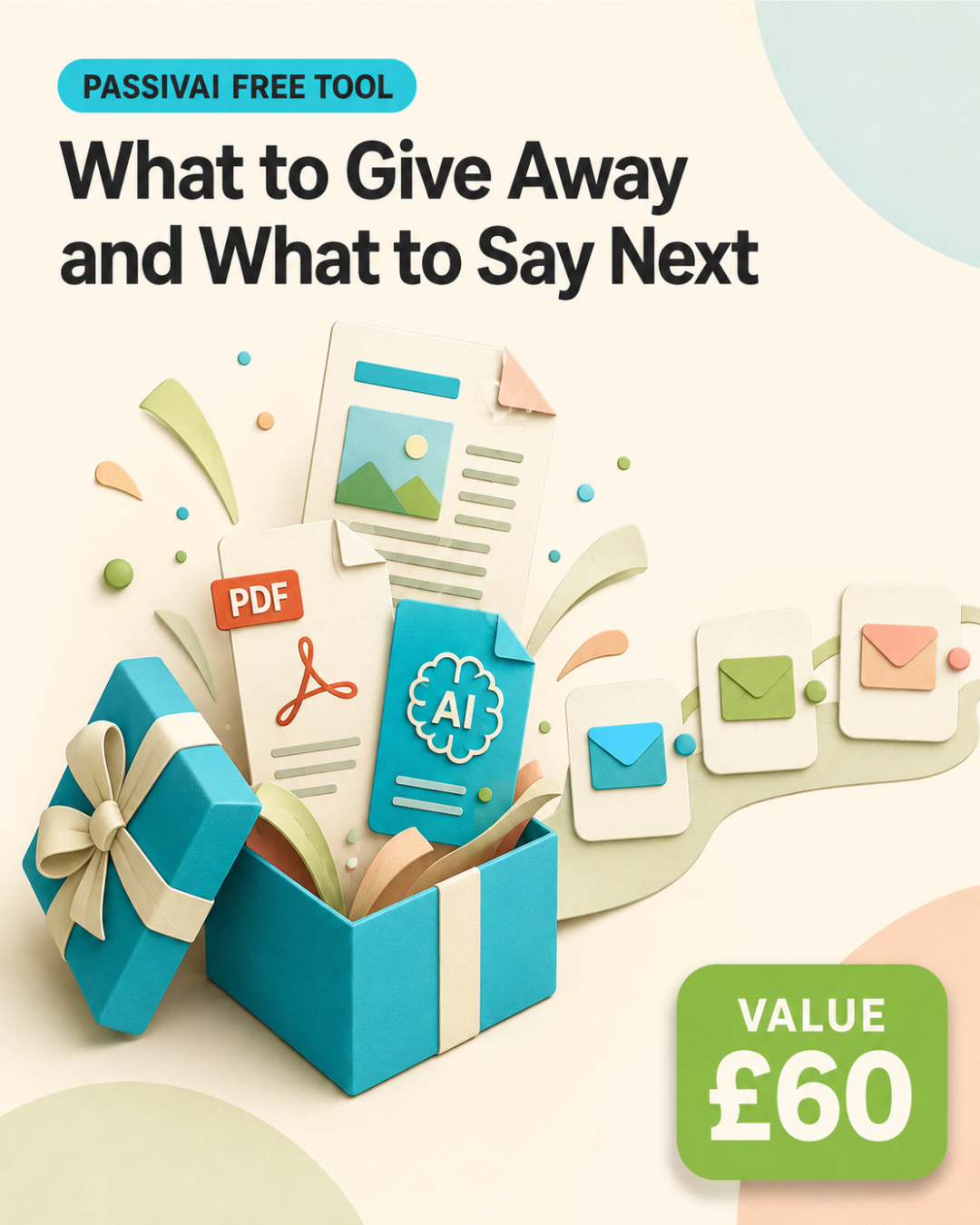
Choosing the giveaway and deciding what follows are joined decisions. What to Give Away and What to Say Next helps you plan both without turning the inbox into an endless string of disconnected ideas.
You will be able to:
- choose a giveaway linked to a genuine next step
- give the first email one clear delivery job
- map the next messages around what the reader is ready to do
Access is immediate after the form is submitted.
Keep the voice human before automation takes over
AI can imitate surface features such as sentence length, vocabulary and tone. It cannot take responsibility for what the business means, believes or promises.
A useful voice brief gives the drafting tool:
- the intended reader
- the email's single purpose
- the source material it may use
- the facts and claims it must preserve
- words and phrases to avoid
- two or three approved examples
- the required call to action
- the desired reading level
- the rule for uncertain information
The final review should sound less like a literary exercise and more like a send decision.
An AI email marketing software quality check
Before approving an email, ask:
- Is the promise true and supported?
- Does the message match the reason this person joined the list?
- Is any personal information unnecessary for the task?
- Can the reader tell who sent it?
- Does the email have one purpose?
- Is the next action specific?
- Does every link go to the intended page?
- Is the unsubscribe route visible and working?
- Would this wording still make sense if it arrived three days later?
- Has a person read the final version in the actual email preview?
The Safe Word List provides a practical editing pass for generic AI wording. Use it after the facts and structure are correct. A lively sentence cannot rescue a broken permission rule or the wrong link.
Automation is a set of decisions in order
AI marketing automation works well when each step has a visible reason.
AI email marketing software should follow this route as an explicit set of rules. Avoid relying on a hidden score when a recorded action can make the decision easier to inspect.
- TriggerWhat recorded event starts the route?
- EligibilityIs this person allowed and suitable to receive it?
- SegmentWhich declared interest or action determines the content?
- DelayHow long should the person have before the next message?
- SendWhich approved email goes out?
- BranchWhat click, reply or purchase changes the route?
- StopWhich event ends the sequence immediately?
- ReviewWhen will a person check performance and errors?
The stop rules deserve as much attention as the trigger. Include at least:
- unsubscribe
- complaint
- hard bounce
- purchase of the promoted item
- direct reply that needs a person
- completion of the sequence
- invalid or missing permission record
Marketing automation and ai can remove repeated hand-work between these decisions. The business still owns the route. A platform cannot know that a particular reply changes the relationship unless the workflow has been designed to recognise it.
Test the quiet failures
A test should cover more than whether an email arrives. AI email marketing software will happily report a successful send, which is not the same as a correct one.
- Submit the real form with a fresh address.
- Confirm the correct tag, list or segment is applied.
- Open every link on mobile and desktop.
- Confirm the delays use the intended time zone.
- Trigger a purchase or equivalent test event and check that promotional emails stop.
- Unsubscribe and confirm every connected route respects it.
- Reply and check whether the sequence should pause.
- Remove a required field and confirm the workflow fails safely.
- Check duplicate submissions and imported contacts.
- Review the sender name, reply address and footer in the delivered email.
An automation that succeeds on the happy path may still send the wrong email beautifully. Test the exits.
Measure the decision, not the dashboard decoration
The purpose of reporting is to decide what to keep, change or remove.
AI email marketing software can assemble a neat report. The useful result is the next decision, including which single variable deserves a controlled test.
| Measure | What it can suggest | Useful next question |
|---|---|---|
| Delivery and hard bounces | Whether the list and sending setup are healthy | Are old, mistyped or invalid addresses entering the route? |
| Click rate by link | Which action received interest | Did the link promise match the landing page? |
| Replies | Whether the message prompted a real conversation or question | Which words or examples caused the reply? |
| Conversion | Whether the email contributed to the intended action | Did the right segment receive the right invitation? |
| Unsubscribes and complaints | Whether relevance, expectation or frequency may be wrong | Which source, message or timing needs review? |
| Revenue per delivered recipient | Commercial value relative to the reachable audience | Is a smaller relevant segment outperforming a broad send? |
| Open rate | A directional subject-line and delivery signal | What do clicks, replies and conversions say as well? |
Open tracking has limits. Mailchimp explains that Apple Mail Privacy Protection can preload tracking pixels, which can inflate opens. It recommends using clicks, bounces, unsubscribes and conversions alongside open-related data. Mailchimp Apple Mail Privacy Protection FAQ
AI can summarise these results, compare segments and suggest the next test. Keep the recommendation tied to the original purpose. A higher click rate on an unrelated curiosity link does not make the email commercially better.
The strongest next test is usually small:
- one subject line
- one opening paragraph
- one segment rule
- one delay
- one call to action
- one landing-page match
Change one meaningful variable, then record the result. A sequence becomes an asset when learning accumulates instead of vanishing into a fresh campaign every week.
For the wider publishing route, see how ai email marketing software can sit beside research, source control and reusable content rather than operating as a detached writing shortcut.
Make every email worth the send
AI email marketing software can reduce drafting time and keep a well-designed route moving. The finished message still needs a point of view, a specific promise and an editor who can recognise a sentence that says plenty while meaning very little.
Stop guessing what the next email should sell
A sequence can only be as useful as the offer, the buyer and the traffic route behind it. The 4WARD Business Toolkit settles those four decisions in the order they make sense, so every email has something solid to point at.
- choose the income idea worth backing
- shape it into an offer a reader can buy
- recognise the buyer and the words they already use
- pick the traffic routes that keep sending them
If the wider issue is finding an owned route that keeps attracting and following up with suitable buyers, Traffic Without Thinking - System & Search maps the traffic job beyond a single email campaign.
Give the machine the repeated work, keep the approval point with a person, and every email in the sequence has a reason to exist.
Frequently asked questions
Open any question to see the answer.
Can AI write a complete email sequence?
Yes, it can draft one from a detailed brief. A person should still check permission, facts, promises, links, timing, segment rules and stop conditions before the sequence goes live.
Which email jobs are safest to give AI first?
Start with low-risk support work such as grouping approved source material, suggesting outlines, producing subject-line options and checking repetition. Keep personal data out of prompts unless the tool, terms and lawful purpose have been properly reviewed.
Should AI choose my email segments?
AI can suggest groups based on declared interests and recorded actions. Use plain, inspectable rules and keep a person responsible for relevance, fairness and permission.
Does AI change UK email marketing consent rules?
No. The communication still falls under the applicable electronic-mail and data-protection rules. Check the current ICO guidance for the audience, list source and message before sending.
What should stop an automated email sequence?
At minimum, plan for unsubscribe, complaint, hard bounce, purchase of the promoted item, a reply needing attention, completion of the sequence and any missing permission record.
Is open rate still useful?
It is a supporting signal. Privacy features, image settings and automated activity can affect it. Read it beside clicks, replies, conversions, bounces, unsubscribes and complaints.
Do I need a platform with built-in AI?
No single arrangement suits every business. Built-in features can reduce copying between tools. A separate drafting tool can give more control. Compare the workflow, data handling, approval points, exports and stop rules before paying for a feature label. Judge AI email marketing software on the jobs it performs for your list, rather than on the label itself.
How many emails should a follow-up sequence contain?
Use the number needed to deliver the promise and help the reader take the next relevant action. The representative example in this guide uses three because each email has a distinct job.
Sources and further reading
- Office for National Statistics, artificial intelligence in UK businesses, 2023 to 2026, released 20 July 2026. Used for wider AI adoption among businesses with 10 or more employees, not email marketing results. Last checked 14 September 2026.
- Information Commissioner's Office, electronic mail marketing. Used for consent, the products-and-services soft opt-in, sender identity and opt-out requirements. Last checked 14 September 2026.
- Information Commissioner's Office, guidance on direct marketing using electronic mail, updated 28 April 2026. Last checked 14 September 2026.
- Information Commissioner's Office, guidance on AI and data protection. The page states that it is under review following the Data (Use and Access) Act. Last checked 14 September 2026.
- National Institute of Standards and Technology, AI Risk Management Framework, generative artificial intelligence profile, July 2024. Used for the named generative AI risks. Last checked 14 September 2026.
- Mailchimp, Apple Mail Privacy Protection FAQs. Used for the effect of preloaded tracking pixels on open data. Last checked 14 September 2026.
- Mailchimp, official feature overview for AI-assisted drafting and email tools. One vendor example, not an independent comparison. Last checked 14 September 2026.
The figures, principles and frameworks above belong to the organisations that published them. Changing legal, AI and platform guidance should be checked at the source before a workflow goes live.

Kerry Greener
Kerry Greener has worked on the commercial web since 1995. Her experience covers website strategy, digital marketing, email, customer journeys, no-code automation and AI-assisted business systems. She founded Greener Design and PassivAi Ltd.
More about PassivAi.
 4WARD toolkit
Get from a good idea to income that keeps ticking over
Four products in the order they make sense: choose the idea worth backing, shape it into something buyable, recognise the buyer and give them a route to it.
START MY IDEA-TO-INCOME ROUTE
Free planner
What to give away and what to say next
Choose a giveaway linked to a genuine next step, then map the emails that should follow it.
