
What is automation in business? It is any task handed to a rule instead of a person: the rule runs the same way every time, in the same order, without anyone remembering to start it.
The skill is not setting the rule up. It is knowing which tasks deserve one.
Key takeaways
- Automation follows rules. AI produces a draft. Judgement stays with a person. Confusing the three is what makes automation projects fail.
- The first job to automate is boring, repeated weekly, and has one correct outcome. Nothing about a customer's mood or money qualifies.
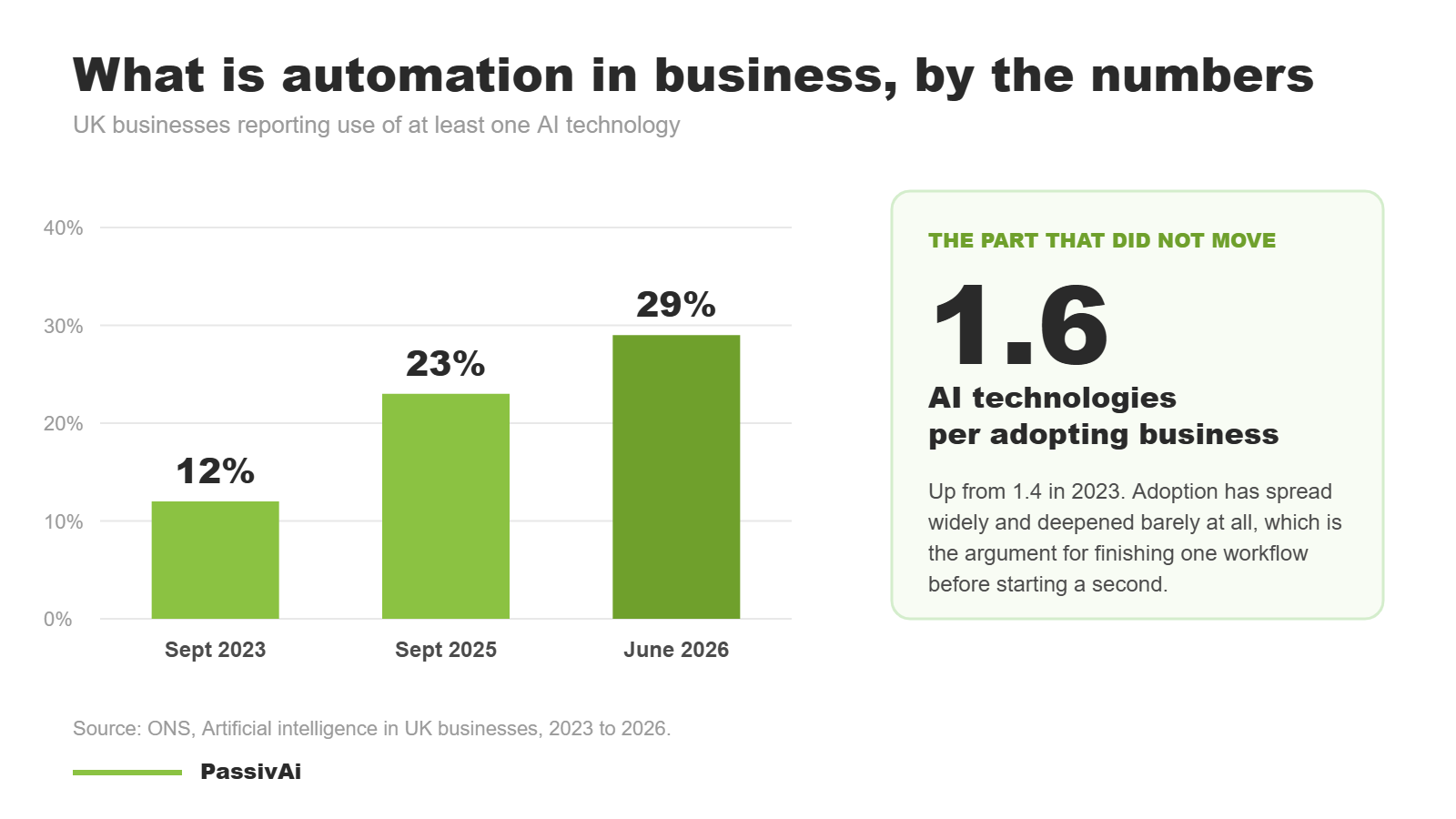
- ONS data puts the average AI-adopting UK business at 1.6 technologies. One workflow done properly beats five half-connected ones.
What is automation in business, in plain English
The short answer to what is automation in business: a task that used to need a person to remember it, now handed to a rule. An enquiry arrives, and a reply goes out. An invoice hits fourteen days overdue, and a reminder sends. Nobody decides each time.
The rule decides, because the decision was already made once, in advance. Asked plainly, what is automation in business? A decision made once, then repeated without you.
That is the whole idea. You are not removing the thinking. You are doing the thinking once, writing it down as a rule, then never spending attention on it again.
The same thing goes by two names. Some people search for what is business automation, others for what is automation in business. They mean exactly the same thing, so nothing below turns on which one you used.
The five words in one workflow
A workflow is the whole journey, from the event that starts it to the finished outcome, including the parts a person still does. Everything below is a piece of one workflow, and that is where what is automation in business gets decided: automation applies to some of those pieces, rarely to all of them.
Five words describe those pieces, and they get swapped around as if they were interchangeable. They are not, and the confusion is expensive: it is how a business ends up buying a tool for work that tool cannot do. The same five parts sit behind an enquiry, a booking, an invoice, an onboarding or a campaign.
Anything a system can notice on its own. A form is the obvious example and the least interesting one. "When someone gets round to it" is not a trigger, which is why some jobs cannot be automated until the way they start is changed.
One rule is usually a handful of small steps that a person used to hold in their head. They happen in the same second, in the same order, whether it is Monday morning or Christmas Eve. Two of them are about memory, and rules calculate as well: reading a rate card out of a spreadsheet to price a quote, scoring a lead against several conditions, or picking the right slot from a diary.
Anything the rule was never built for: a half-failed payment, a question nobody anticipated, an enquiry in a language you do not speak. It needs a named place to land, one person who looks there, and a time they look. Unbuilt exceptions are where automations quietly lose work.
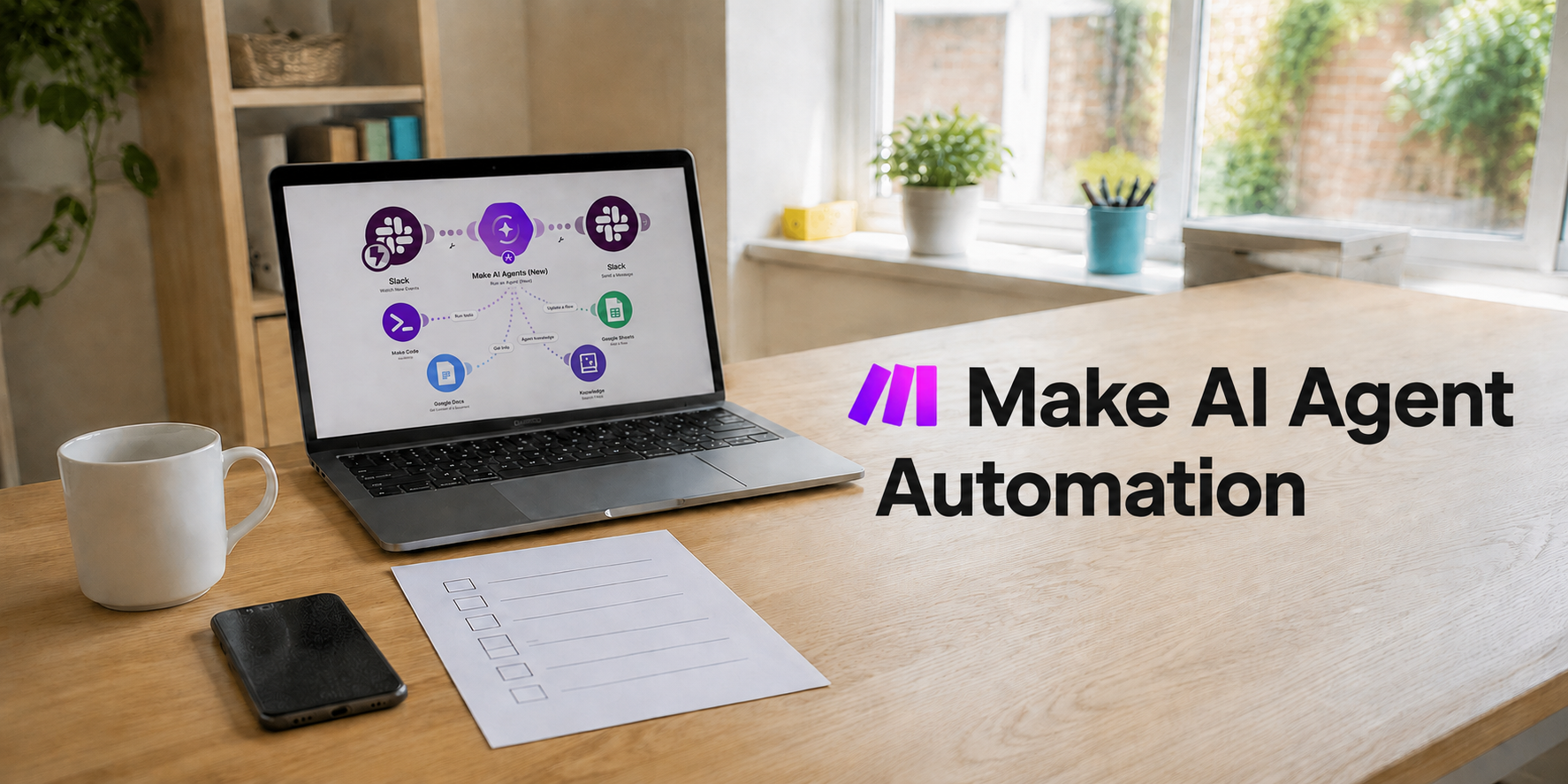
Optional, and different in kind. Given a goal rather than a set of steps, it plans its own route, uses the tools and the knowledge base of your own documents it has been given, remembers what it has done, then checks its result and adjusts. Permissions decide what it may do without asking, which is why a first agent is pointed at research, sorting and preparation. More on that in the evolution of AI agents.
Not "the enquiry is handled". An outcome names the result, the limit and the way it gets checked. Judgement stays with a person throughout: the rule clears the path to the reply, it does not write the reply.
"Faster response times." "A better customer experience." Neither can be checked, so nobody notices the week it stops working.
Store and look up are the two steps people skip, and they change what an automation can do. Every serious tool keeps its own tables: Make has data stores, n8n has static data and its own database nodes, Zapier has storage, and the platform you already pay for probably has custom fields doing the same job. Write a reference number, the date a quote went out, what was quoted, consent given and the last contact date, and a later run can read it back. That is how an automation stops treating a returning customer as a stranger, stops chasing a payment twice, and stops sending a welcome to somebody who has bought before. It also lets a rule pick up where an earlier one left off days later, which is the difference between a single message and a sequence that behaves sensibly.
How far one automation can go
The honest answer to what is automation in business goes well past one acknowledgement email.
The enquiry example is deliberately small, because that is where to start. It is not the ceiling. A rule can calculate as well as move information about, and a spreadsheet makes a perfectly good engine for the sums: the sheet holds the rate card, the automation reads it, works out the numbers and writes the answer back.
- Pricing and quoting. Read a rate card, apply the size, distance, urgency and discount rules, produce a figure and a quote document.
- Scoring and sorting. Weigh several conditions at once to decide which enquiries go to the top of the pile, and which get a polite no.
- Scheduling. Compare a diary, travel time and staff availability, then offer the slots that actually work.
- Money and stock. Margin, VAT, commission, reorder points, overdue balances, all worked out on a schedule rather than at the month end.
- Longer algorithms. Several conditions, branches and lookups chained together. This is where a connector earns its subscription, because a single tool's built-in rules run out of room.
Speech is where this gets interesting for anyone who answers a phone. The caller talks, the words become text, the text is sorted by what they actually asked for, and the rule handles it from there. It is the old switchboard idea with the diary, the records and the payments joined on. A dental practice makes the point, because the calls are repetitive and the day is already full.
- The call is answeredDay, night or during a busy surgery. The caller says what they need in their own words, with no menu to sit through.
- The words become dataSpeech to text, then sorted by intent: booking, reschedule, running late, price question, prescription, complaint.
- The record is foundMatched on the phone number. The store holds the last visit, the treatment plan, the balance and the recall date.
- The answer is givenThe next appointment read back on the line, a reminder of what is owed, or an offer to hold while a slot is booked.
- The booking is madeA free slot taken from the diary, confirmed on the call, written to the practice system, with a text and an email to follow.
- Anything else goes to a personClinical questions, pain, anything the rule was not built for. It lands in a named place with a name on it, and it is looked at that day.
Asset delivery works the same way: the file, the login, the joining instructions or the pre-appointment form all go out on the trigger rather than when somebody remembers. Purchase requests, supplier orders and internal approvals sit in the same shape, one detectable event and a rule that knows what to do with it.
Look at the whole thing end to end and the point of automation in business gets clearer. Somebody arrives, a lead or a customer who has bought before, and every step after that either moves them nearer to the thing they wanted or leaves them waiting. The rules carry the administration, the calculations, the confirmations and the reminders. The person carries the judgement and the relationship. What the two together are for is straightforward: enough information, delivered quickly enough and calmly enough, that saying yes becomes comfortable. That is a sale, and a sale is the reason the business exists.
Rules, AI and judgement: what does automation mean next to AI
AI vs automation is the comparison worth getting straight before spending anything, because the two get sold as the same product and behave nothing alike.
Automation and AI are separated by predictability. A rule is predictable and dull, which is exactly what you want when a customer is expecting a receipt. AI is flexible and occasionally wrong, which is fine for a first draft and unacceptable for a bank detail.
Three categories, and every task in a business sits in one of them.
The answer is always the same
- Send the booking confirmation
- Add the enquiry to the list
- Chase the overdue invoice
- Move the file to the right folder
A person edits before it goes
- Summarise a long enquiry
- Draft a reply to a common question
- Turn notes into a first proposal
- Sort feedback into themes
A person decides, every time
- Quoting an unusual job
- Answering a complaint
- Anything involving a refund
- Anything about someone's health or money
Two mistakes account for a large share of wasted effort. The first is automating a judgement task, which produces a fast wrong answer. The second is leaving a rule task manual because it feels too small to bother with, which is where the hours actually go.
Which job to automate first
Answering what is automation in business matters less than answering which job goes first. The right first candidate is unglamorous. It is the task you do every week, that nobody enjoys, where there is exactly one correct outcome and no customer is upset while it happens. Run any job through four questions and the answer is usually obvious by the second one.
1. Does it happen at least weekly?
2. Is there one correct outcome, every time?
3. Is the trigger something a system can see?
4. If it fails silently, does anybody get hurt?
Notice what the questions do not ask about: the tool, the price, the integration. Those come after the job is chosen, because the job decides what the tool needs to do.
One lead form, at three levels
The clearest way to see the difference is to follow one ordinary job all the way through. A new enquiry arrives through a form on the website. Here is that same enquiry handled three ways.
Everything by hand
- Email notification arrives, sometimes noticed the next day
- Details copied into a spreadsheet by hand
- Reply written from scratch, or forgotten
- Follow-up depends on remembering
The predictable parts automated
- Form submission is the trigger
- Details written to the list automatically
- Acknowledgement sends within a minute
- A task appears for a human reply within one working day
Rules, plus a draft
- Everything at level 1, unchanged
- The enquiry is summarised into three lines
- A reply is drafted from your own past answers
- You read, edit and send it yourself
That is automation in business in practice, one job at a time. The jump worth having is the first one, from level 0 to level 1. It is cheap, it uses rules only, and it removes the failure that actually costs money, which is an enquiry nobody answered. Level 2 is a refinement on top of a workflow that already works. Built the other way round, an AI draft simply arrives faster into the same mess.
What the time saving is actually worth
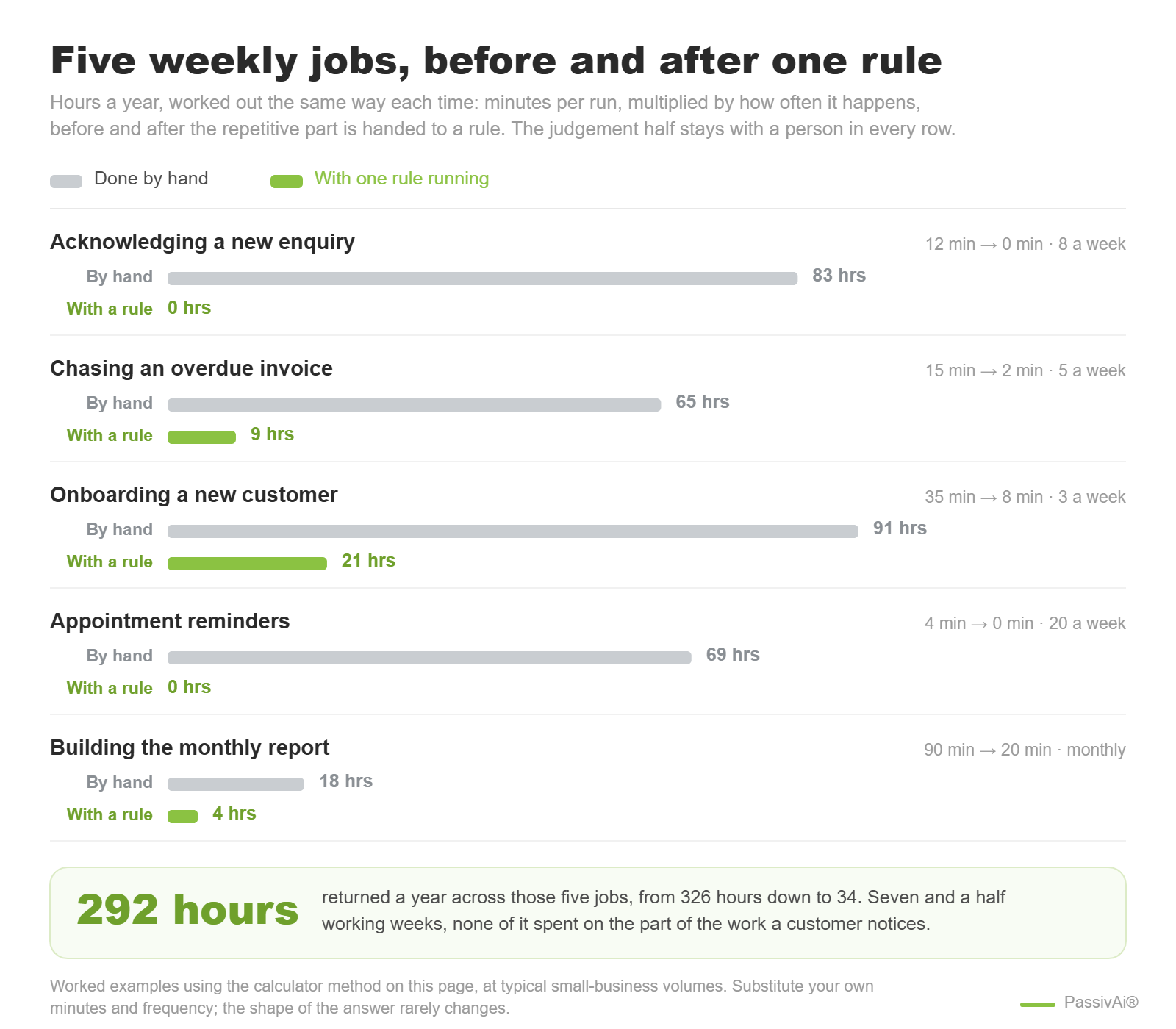
Before paying a monthly fee for anything, work out what the task costs you now. The sum is simple and the answer is usually either obvious or embarrassing.
Time saved, per year
Put in the task you are thinking of automating. Minutes it takes now, how often it happens, and the minutes it would take once a rule handles the repetitive part.
Two honest caveats on that number. It counts time, not money in the bank, so it only turns into cash if the hours go into paid work rather than into more admin. And it ignores setup and upkeep, which is real: budget an afternoon to build the first workflow and about an hour a quarter to check it still runs.
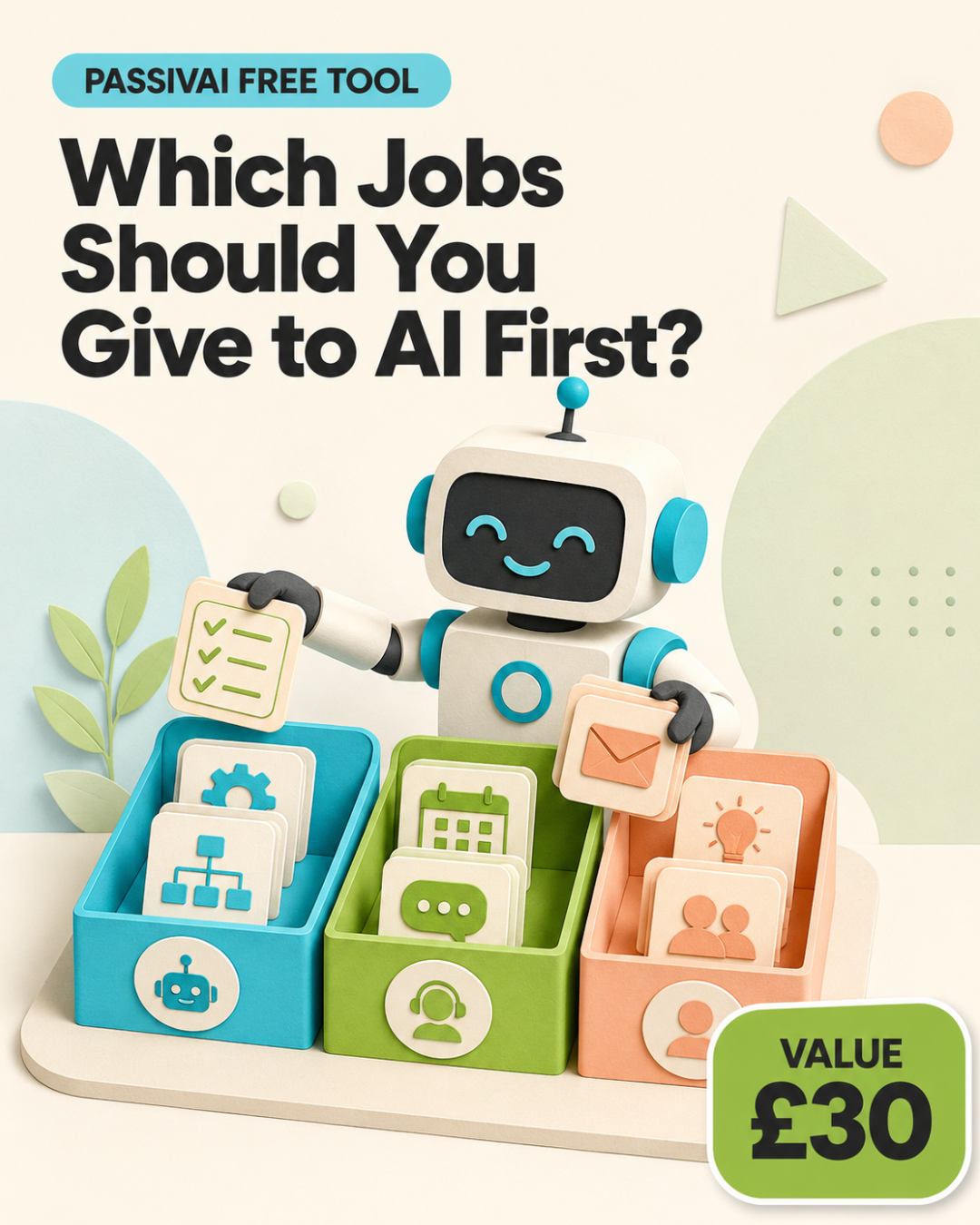
Find out which job in your business should go first
The four questions above, run properly against your own work. Answer a short set of prompts and get back the job worth automating first, the one to leave alone, and the reason for each.
- Sorts your tasks into rule, draft and judgement
- Names one first workflow, not a shopping list
- Flags the jobs where automating would cost you customers
The tools that actually run it
Tool choice is the last part of what is automation in business, and it follows the job. Three kinds turn up in a small business, and they suit different stages rather than different budgets.
The form, the email platform, the accounting package and the booking system all have rules built in. Acknowledgements, reminders and tags usually live here. Start here, always, because the first workflow rarely needs anything new.
Tools such as Make or n8n join separate systems together when a rule has to cross from one to another. Worth adding once a workflow genuinely spans two tools, and not before, since a connector cannot fix a workflow nobody has written down.
Software that decides its own steps towards a goal rather than following a fixed rule. Useful for drafting and research, still supervised for anything a customer sees, and the reason the earlier rule-versus-judgement split matters more, not less.
Automation tools compared, August 2026
Four options cover almost every small business. The question is what automation is going to cost, and the honest answer depends more on the workflow than the logo. The ratings below are an assessment for a one-person or small-team business, not a feature count: a tool can be excellent and still be the wrong first choice.
| Tool | Easy to start | Value at low volume | Complex logic | AI agents | Data control | Entry cost |
|---|---|---|---|---|---|---|
| Built-in rulesYour form, email and accounts tools | Included | |||||
| ZapierAround 8,000 app connections | From about £16 a month | |||||
| MakeVisual scenario canvas | From about £7 a month | |||||
| n8nOpen source, self-hostable | Free self-hosted, cloud from about £17 |
The short version. Built-in rules for the first workflow. Zapier when the priority is getting something live this afternoon with no technical help. Make when the logic branches and the monthly cost matters. n8n when somebody technical owns automation, or when the data cannot leave the building.
Tool choice is where what is automation in business turns into a monthly bill. Three things are worth knowing before choosing, because each one costs money later:
- The three price the same work differently. Zapier charges per step, Make per module, n8n per workflow run. A workflow that looks cheap on one can be the expensive option on another, so price your actual workflow rather than comparing headline tiers.
- Workflows do not port. There is no export from one platform that another will read, so outgrowing a tool means rebuilding, not migrating. Pick the one you expect to still be on in two years.
- Agent features moved fast in 2026. Zapier added Agents and an AI copilot that builds automations from a description, Make added its Maia assistant, and n8n 2.0 brought native agent nodes and persistent memory in January. All three are worth a fresh look if you last compared them a year ago.
Ratings are an editorial assessment for small-business use, checked August 2026. Entry costs are converted approximations from each vendor's published entry tier and change often; check the provider's own pricing page before buying.
Two of those deserve a longer look than this section can give them. Choosing between the main connectors is a decision worth reading properly first, covered in Make vs n8n. If the agent category is what you are weighing up, the background is in the evolution of AI agents.
Where business automation goes wrong
The unglamorous half of what is automation in business is planning for the day it breaks. Automation fails quietly, which is what makes it worth designing for. A person who forgets a task usually notices eventually. A broken rule keeps not running, perfectly, for weeks.
Four failures to design out on day one
Silent failure
The rule stops and nothing announces it. Add one weekly check: a simple count of how many times it ran. Zero is the alarm.
The exception pile
Anything the rule cannot handle needs a named place to go and a person who looks there. Without that, exceptions vanish.
Automating an unhappy customer
Complaints, refunds and anything involving someone's money or health go to a person immediately. A cheerful automated reply to a complaint does more damage than no reply.
Personal data in the wrong place
Every automated step that moves customer data needs to be one you could explain to that customer. If a tool stores it somewhere you cannot name, do not route data through it.
None of these need software to solve. They need the workflow written down before it is built, including what happens when it breaks.
Knowing whether it actually worked
The last piece of what is automation in business is knowing whether it worked, and that is easier than measuring almost anything else in marketing, because a rule either ran or it did not. Measure the workflow, not the tool. Three numbers, checked once a month, are enough for a small business:
- Did it run? A count of completions against what you expected. This catches silent failure before a customer does.
- How many exceptions? If a quarter of runs need a person, the rule is wrong and needs narrowing, not scrapping.
- Did the hours reappear? Time saved that went straight back into admin has not been saved. It has been moved.
The monthly check, in three numbers
One workflow, reviewed at the end of the month. Nothing here needs a dashboard.
Those three numbers are the whole review. After three months, one of two things is true. Either the workflow runs without attention and you can pick a second one, or it needs constant nursing, in which case the job was a judgement task wearing a disguise.
Automating the writing side of the business follows the same order of operations, one job at a time with a person on the final check. The six-job version of "what is automation in business" applied to content is a worked example.
Automating a whole business model, not one job
Everything above starts with one workflow, because one workflow is what a business can actually finish. The next question arrives about six months later: what happens when the jobs join up, and the automations stop being separate and start being how the business runs.
That is the ground the NOAM Ecosystem programme covers. It is the rollout used to build PassivAi itself, written down so a small business can copy the sequence rather than work it out from scratch. The automation section sits inside it, alongside the parts that decide what is worth automating in the first place.
It is a high-ticket programme and deliberately not the next step for everyone. If the first workflow from this article is still on the to-do list, do that first. If the automations are already running and the question is what to connect them to, the programme is where that answer lives.
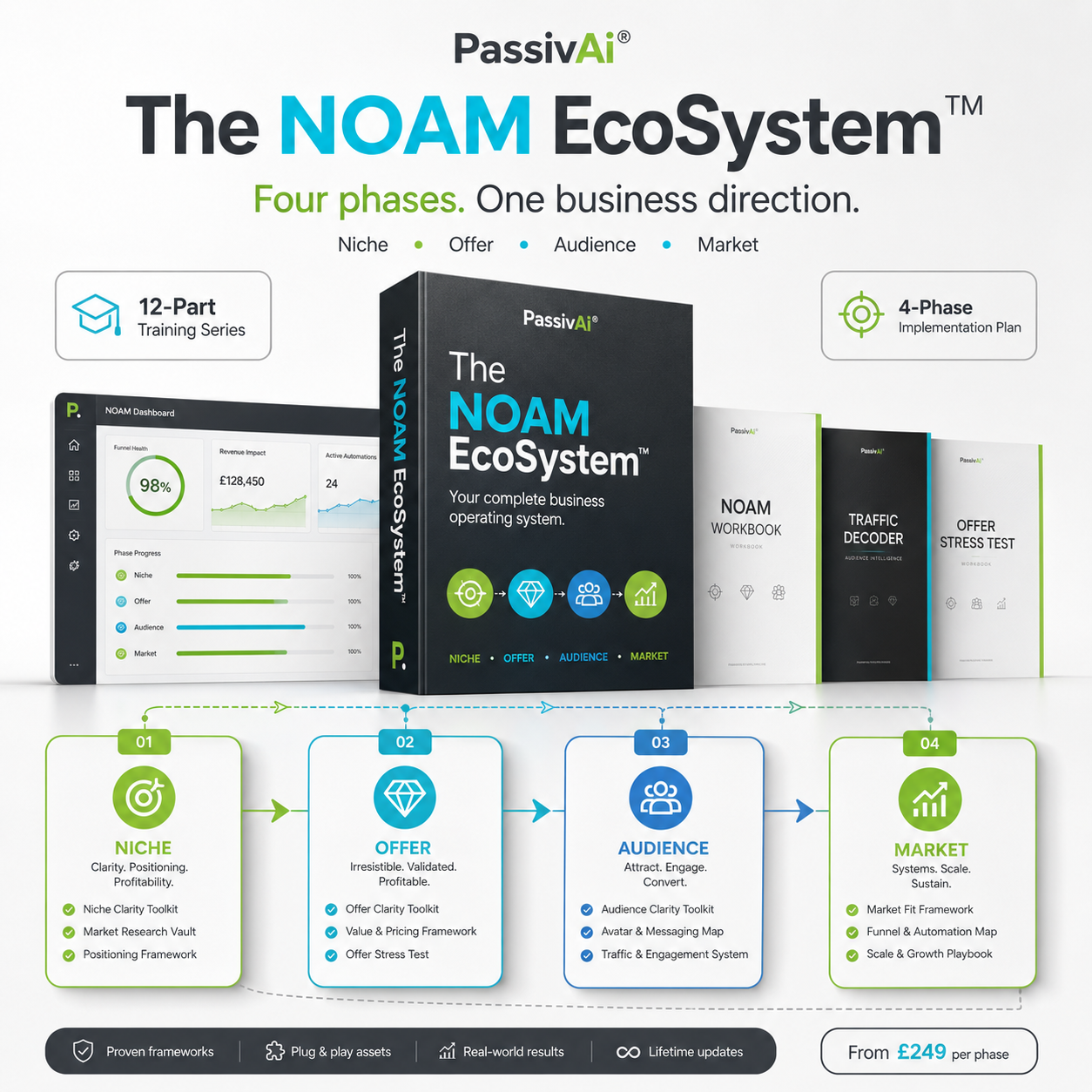
Hover to see it full size
The NOAM Ecosystem
Automation only pays once the business behind it is clear. The NOAM Ecosystem is the full build: niche, offer, audience and market handled as one connected system rather than a tool at a time.
Explore the NOAM EcosystemFrequently asked questions
What does automation mean for a very small business?
The same thing it means for a large one, at a smaller scale: a task handed to a rule so nobody has to remember it. For a one-person business the win is usually reliability rather than headcount, because the enquiry that never got answered costs more than the twelve minutes of admin.
What is automation in business compared with AI?
Automation follows a fixed rule and gives the same result every time. AI produces a draft from unstructured input and gives a slightly different result each time. Rules are for tasks with one correct outcome. AI is for first passes a person then checks.
What should a small business automate first?
A task that happens weekly, has one correct outcome, starts from a trigger a system can see, and harms nobody if it fails quietly. Enquiry acknowledgements, invoice reminders and booking confirmations fit that description in almost every business.
What is automation in business, in one sentence?
A task handed to a rule so it runs the same way every time, without anyone remembering to start it. The judgement half of the work stays with a person, which is why the useful question is which task to hand over rather than how much can be handed over.
Is business automation expensive to set up?
The first workflow usually is not. Rule-based steps sit inside tools a business already pays for, such as the form, the email platform or the accounting package. Cost climbs when several tools are chained together, which is a reason to finish one workflow before adding another.
Will automation replace people in a small business?
ONS data does not support that as a general pattern: only a small minority of AI-using businesses report any reduction in headcount. In practice the tasks that go first are the ones nobody wanted, which changes what a day looks like rather than how many people it takes.
How do you know an automation has stopped working?
Only if you built the check in. Count how many times the workflow ran each week and compare it with what you expected. A rule that has quietly stopped looks exactly like a quiet week, which is why the count matters more than the tool's own dashboard.
Can one tool handle all of it?
Rarely, and chasing one is a good way to spend money before understanding the job. Pick the workflow first, then the cheapest thing that runs it, then leave it alone long enough to find out whether it holds.
Sources and further reading
- Office for National Statistics, Artificial intelligence in UK businesses, 2023 to 2026: official UK data on how far business automation has actually spread
- ONS Business Insights and Conditions Survey: quarterly figures on AI use, technologies per business and reported workforce impact.
Last checked: 22 August 2026. Adoption figures are revised each quarter; check the linked page for the current wave.

Kerry Greener
Founder of PassivAi. Thirty years of hands-on experience building businesses, websites and online marketing campaigns for hundreds of different companies.
More about PassivAi.
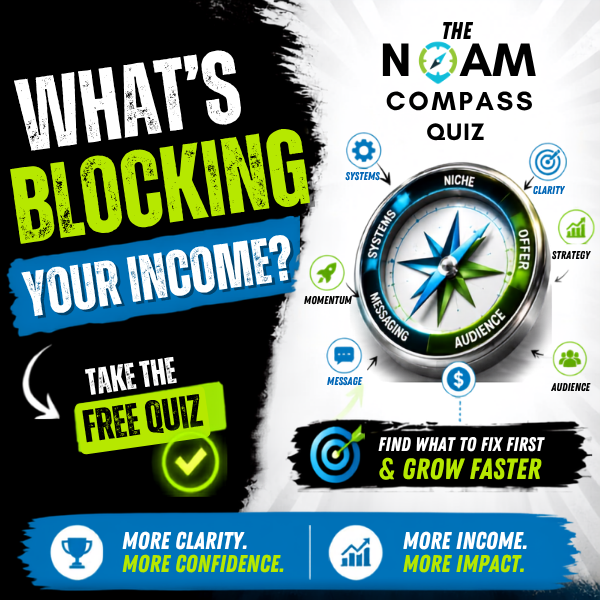 Free diagnostic
NOAM Business Compass
A short quiz that places the real gap in the business against Niche, Offer, Audience and Market, so the workflow you build is pointed at the right problem.
Take the quiz
PassivAi Infinity Lab
A free community for people automating the same small-business jobs, swapping what actually holds up and what to leave alone.
Join the community