
On this page
- Six jobs the workflow has to cover
- Choosing tools without collecting subscriptions
- Keep one source asset in control
- Quality checks before anything goes out
- Repurposing without diluting it
- What free tools save, and where cost shows up later
- Paid AI tools for content marketing worth comparing
- Choosing the right next step
- FAQs
These AI tools for content marketing work best within a fixed workflow: one source asset, a clear job for each tool, and a brief human check before anything is published.
Used loosely across separate tools with no shared brief, they multiply small errors rather than removing work.
Key takeaways
- A content marketing workflow has six recurring jobs: research and brief, drafting, design, quality check, repurposing and measurement. Each job can take a tool, but not the same tool for every job.
- One source asset should stay in charge of the message. Every repurposed version gets checked back against it, not against the previous version.
- A short prompt and a short checklist catch most of what a person would otherwise have to reread the whole piece to find.
Six jobs the workflow has to cover
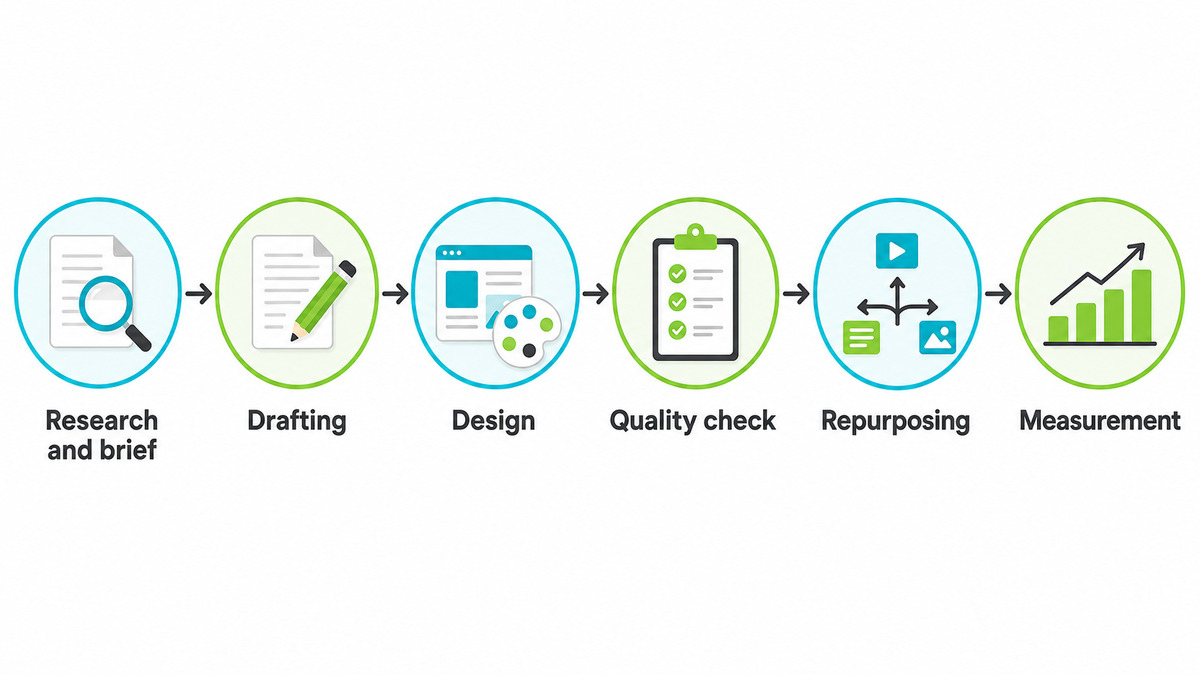
Most content marketing work breaks down into the same six jobs, whether it is done by one person or a small team. Naming them separately is what makes it possible to decide where an AI tool actually helps.
- Research and brief. Gathering what is already known about the topic, the audience and what has worked before.
- Drafting. Turning the brief into a first version of the words.
- Design. Formatting, images and layout that carry the words.
- Quality check. Reading the draft against the brief, the facts and the brand voice.
- Repurposing. Adapting the finished piece into shorter formats for other channels.
- Measurement. Checking whether the piece actually did anything once it was published.
Take a single guide through all six, and the shape of the work becomes clear. A tradesperson writes one detailed guide on choosing the right boiler. Research and briefly pull together the questions actually asked in call transcripts and past enquiries, so the guide answers real questions instead of generic ones.
Drafting turns that brief into 1,500 words in an afternoon rather than a lost evening. Design adds three diagrams and formats them for the website. The quality check catches a claim about warranty length that's no longer accurate before it reaches a customer.
Repurposing turns the guide into two social posts, an email and a short video script, each carrying a single, specific point from the guide rather than a vague summary. Measurement shows the guide is the page visitors spend the longest reading, and that two enquiries that month mentioned it by name. That's what six separate jobs buy: fewer factual slips, less time spent per piece and a guide that keeps earning enquiries long after the first week.
Handled as one long task, these jobs blur into each other, and mistakes carry through unnoticed. When handled as six separate steps, each with its own checkpoint, AI tools for content marketing can take on the repetitive parts of any job while a person retains the final decision.
Choosing AI tools for digital marketing without collecting subscriptions
It is easy to end up with five separate tools doing overlapping jobs, each with its own login and its own monthly charge. A smaller working set, matched to the jobs above, usually covers a small business better than a long list of AI tools for digital marketing tried once and left running. Full AI content automation, where one tool drafts, formats and publishes with no check in between, is where most of the errors above actually start.
Free AI tools for digital marketing worth testing against the six jobs
- ChatGPT or Claude for research summaries and first-pass drafts, working from a written brief rather than a bare topic.
- Grammarly for a mechanical pass on grammar and clarity, run after the human edit, not instead of it.
- Canva's Magic Design for resizing an approved image across formats, not for choosing the image itself.
- Otter.ai or a similar transcription tool for turning a recorded call or video into a source document for research and brief.
- Google Analytics, or the analytics native to each channel for pulling the numbers together at the measurement stage.
Each of these does one job well and stops there. The problems above tend to start when one tool is asked to do all six at once, with no person checking the join between them.
Where these tools fit in each job
| Job | What a tool can safely do | What still needs a person |
|---|---|---|
| Research and brief | Summarise long source material and list existing angles on a topic. | Decide which angle is actually true and worth taking. |
| Drafting | Turn a clear brief into a first-pass draft quickly. | Cut the generic phrasing and put a specific claim back in. |
| Design | Resize an approved image or lay out a simple template. | Choose the image and the message it needs to carry. |
| Quality check | Flag inconsistent terms, broken links or missing citations. | Confirm the facts are correct and the voice sounds right. |
| Repurposing | Draft a shorter version of an approved piece for another channel. | Check the shorter version still says the same thing. |
| Measurement | Pull the numbers into one place. | Decide what the numbers actually mean for the next piece. |
None of these jobs disappear. They move from being done by hand to being checked by hand, which is a smaller job but still a necessary one.
Keep one source asset in control
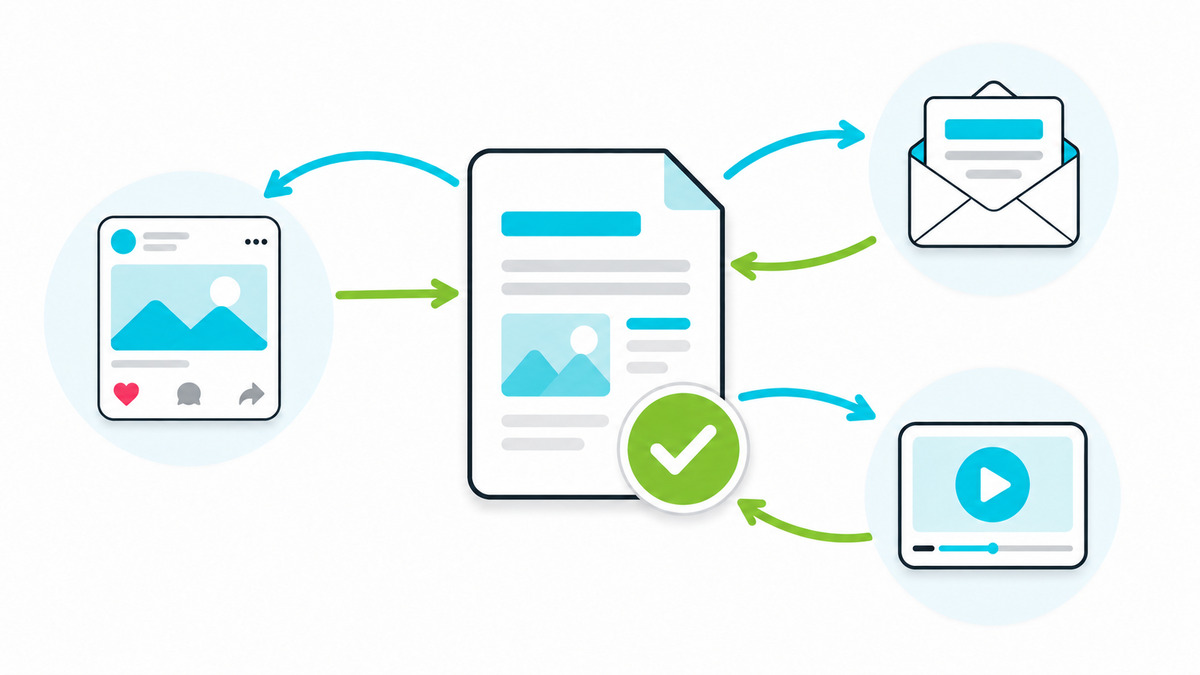
Once a piece gets repurposed into five formats, it is easy to lose track of which version is correct. The fix is to name one document as the source asset and treat every other format as a copy that gets checked against it, never against each other.
- Write onceOne long-form article or guide holds the full argument and every checked fact.
- Approve onceThe source asset gets a single approval pass before anything is built from it.
- Adapt from sourceEvery shorter format is drafted from the approved source, not from an earlier repurposed version.
- Check against sourceEach adaptation is checked against the original claim, not just read for tone.
Quality checks before anything goes out
A quality check works better as a short, repeatable step than as a full reread. A fixed prompt, run against every draft, catches the same categories of problem every time instead of whatever the reader happens to notice that day.
Task: Audit the draft below against the brief and the brand voice guide, and return a list of problems only.
Thinking structure: Read the brief first and note what the piece was commissioned to prove. Read the draft once for argument, then a second time line by line for accuracy and voice. Judge every sentence against the brief, never against how well it reads.
Specifics: Report in four numbered lists. 1) Claims the source material does not support, quoted. 2) Sentences that hedge where the brief supports a plain statement. 3) Departures from the brand voice guide, naming the rule broken. 4) Anything in the brief the draft never addresses. Quote the exact wording for every item and give the reason in one line. No praise, no summary, no suggested replacements.
Context: This draft goes to customers of a small business. A wrong claim costs more than a dull sentence, so accuracy outranks style throughout.
Breakdown by component: Check the headline, the opening paragraph, each body claim, the call to action and the closing line separately. State which component each problem sits in.
Notes: If a list is empty, write "None found" rather than padding it. If the brief itself is unclear on a point, say so instead of guessing what was meant.
Brief: [paste the brief]
Brand voice guide: [paste the guide]
Draft: [paste the draft]
Keeping the rewrite out of the same step matters. A tool that rewrites and checks at once tends to smooth over the very problems the check was meant to surface.
- Every claim in the draft is backed by the source asset or a cited fact.
- No sentence hedges a claim that should just be made or cut.
- The brand voice guide has been checked, not assumed.
- A person, not a tool, has read the finished piece end to end.
Skip this step and the same three problems turn up again and again: a claim that was never checked, a hedge that undersells a real result, and a brand voice that drifts a little further from the guide with every piece. None of them look serious in a single draft. Across a year of weekly content, they add up to a body of work that reads like nobody in particular wrote it.
Repurposing without diluting it
Repurposing works well when the shorter version protects the one useful idea in the original. It works badly when a tool is asked to summarise a whole article and returns something so general it could belong to any piece on the topic.
A copywriter publishes one detailed guide a month as the source asset. Three social posts, one email and one short video script get drafted from that guide within the same week, each one built around a single sentence lifted from the original rather than a general summary of the whole piece.
The guide stays the reference point. If a social post gets a fact wrong, the fix happens once, in the source, and the correction gets carried into whatever is drafted from it next.
Done this way, repurposing earns back the time spent on the source asset several times over. One guide, checked once, produces five pieces of content without asking anyone to write five separate first drafts. Skipped or rushed, repurposing produces the opposite: five vaguely similar pieces, none of which say anything the reader could not already get from the headline.
What free AI tools for marketing actually save, and where the cost shows up later
Free AI tools for marketing genuinely cover research summaries, first drafts and basic formatting. Where the cost usually turns up later is in the time spent checking output that has no memory of the brand voice guide or the source asset from one session to the next, which a paid or better-integrated tool is more likely to hold onto.
Measuring whether any of this is working does not need a separate tool budget. Tracking which pieces get read to the end, shared or acted on, and comparing that against how the piece was produced, is enough to see whether a given tool is earning its place in the workflow.
Paid AI tools for content marketing worth comparing
Once a business is producing content every week, the free tier of a general-purpose tool usually stops being the constraint. Six subscription tools turn up most often in what content marketers actually use, each built for a narrower job than "write everything", which is worth checking before paying for any of them.
| Tool | Built for | Starting price | Worth it when |
|---|---|---|---|
| Jasper | Brand-voice drafting across marketing formats, with saved style rules | From around £35/month | Several people write for the same brand and need drafts to sound consistent without a shared prompt library. |
| Copy.ai | Short-form marketing copy, workflows that chain several steps together | From around £32/month | Repurposing is the main job and a repeatable, automated workflow saves more time than a single chat window. |
| Surfer SEO | Matching a draft to what already ranks for a target keyword | From around £65/month | Search traffic is the main channel and drafts need checking against real ranking pages, not just readability. |
| Frase | Research and brief-building from top-ranking pages, plus a built-in editor | From around £38/month | The research and brief stage above is the slowest part of the workflow and needs speeding up first. |
| Writer | Enterprise-grade brand governance: style guides, terminology and compliance checks | Custom pricing, typically enterprise-tier | A larger team needs one enforced style guide across many writers, not just one person's own checklist. |
| Copysmith | Product-description generation at volume, e-commerce catalogue integrations | From around £16/month | The main content job is descriptions for a large product catalogue rather than long-form articles. |
None of these replace the quality check above. A tool built specifically for search or brand voice still produces a first pass, not a finished piece, so the same short prompt and checklist from earlier in this workflow still apply before anything publishes.
Pricing changes often and varies by plan and seat count; treat the figures above as a starting point for comparison, not a current quote, and check each provider's own pricing page before deciding.
The same six jobs and quality gate show up across small-business marketing more broadly, not just in a single article. See how they connect to channel choice and budget in online marketing for small business.
See which writing habits an AI tool still leaves behind
If the quality check above keeps turning up the same hedges and generic phrasing, The AI Humaniser gives a fast way to check a draft against the tells that give AI writing away, without adding another rewrite step to the workflow.
- Runs against a pasted draft in minutes, not a full rewrite
- Flags hedges, false contrasts and empty intensifiers by name
- Keeps the fix as an edit, not a second draft to check again
Hover to see it full size
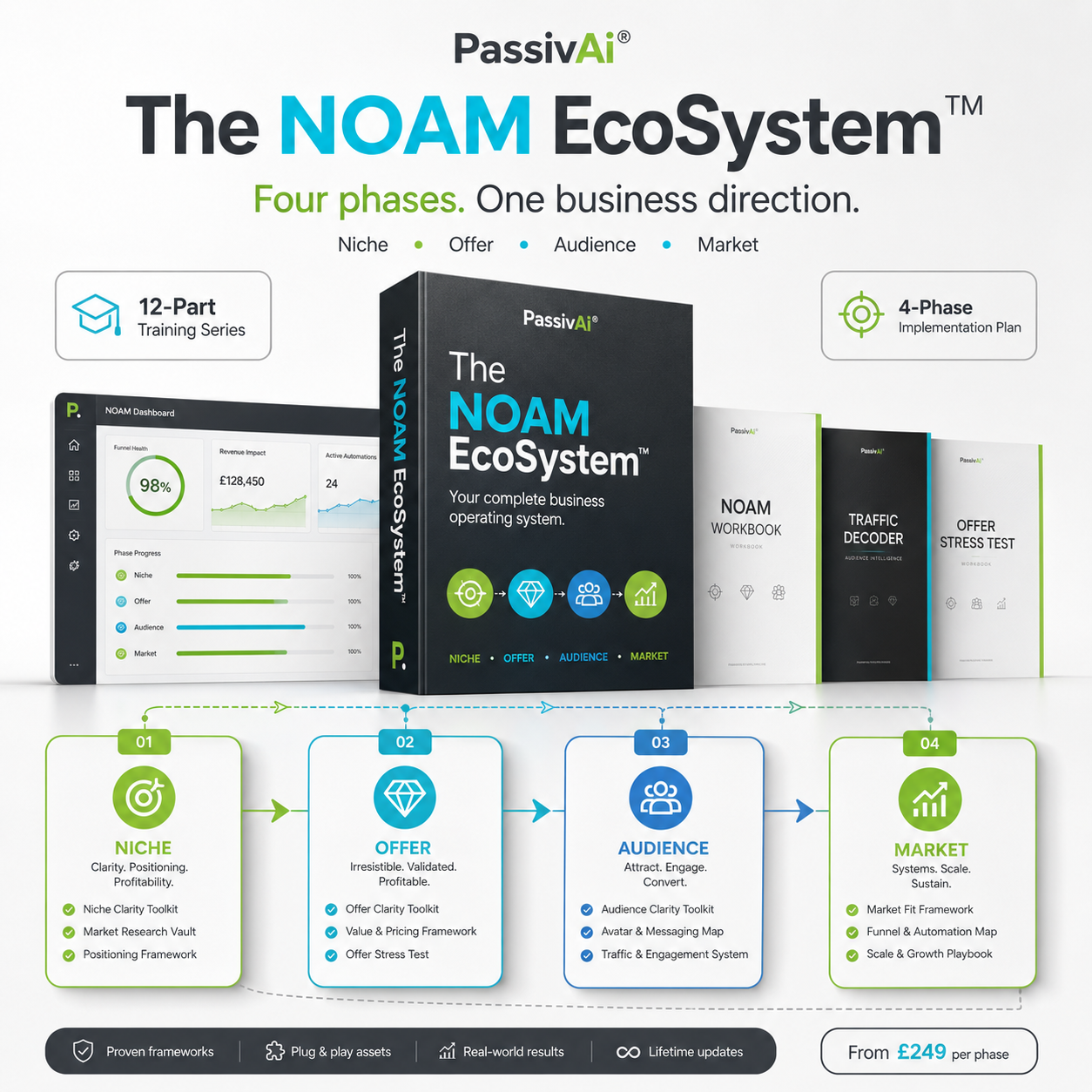
The NOAM Ecosystem
Once the gap is clear, the NOAM Ecosystem is the full build: niche, offer, audience and market handled as one connected system rather than six separate tools.
Explore the NOAM EcosystemFrequently asked questions
Which job should get an AI tool first?
Research and drafting usually give the fastest, safest return, since both produce a first pass that a person checks anyway. Publishing and final quality decisions are the last jobs worth handing over, if ever.
Can ai tools for content marketing replace a writer completely?
Not reliably. Orbit Media's 2025 survey found writing a complete, unattended draft is one of the least common uses among marketers who report strong results, compared with using AI for ideas, outlines and edits.
How much editing does an AI draft usually need?
Enough to be worth budgeting time for, not skipping. A short prompt-based check plus one read-aloud pass over the finished draft catches most of what matters, without needing a second full rewrite.
Is it worth paying for a tool before testing a free version?
Test the free tier against the six jobs above first. If a tool only saves time on a job that was already fast, the paid tier is unlikely to change that. If it saves real time on drafting or research and keeps context between sessions, the paid version usually earns its cost quickly.
What's the difference between AI tools for digital marketing and AI tools for content marketing?
Content marketing tools cover one part of the wider set. Ai tools for digital marketing also stretch into ad targeting, email sends and analytics, jobs with their own separate checks and separate risks, not covered by this guide.
Are free AI tools for marketing good enough for a small business?
For most of the six jobs, yes, provided each one still gets a human check before anything publishes. The free tier tends to fall short on context between sessions and brand-voice consistency, which is usually where a paid tier earns its keep.
What is AI content automation, and is it worth setting up?
AI content automation strings several of the six jobs together with no check in between, drafting, formatting and publishing in one pass. It saves time until an error slips through unnoticed, which is why the quality check above sits between drafting and publishing rather than after it.
Sources and further reading
- Google, guidance on AI-generated content and search: how ai tools for content marketing should be used without breaking Google's quality guidance
- Orbit Media, 2025 Blogger Survey: orbitmedia.com/blog/blogging-statistics
Last checked: 21 August 2026. AI tool capabilities and survey data change; check the linked pages directly for the current version.

Kerry Greener
Founder of PassivAi. Thirty years of hands-on experience building businesses, websites and online marketing campaigns for hundreds of different companies.
More about PassivAi.
 Free diagnostic
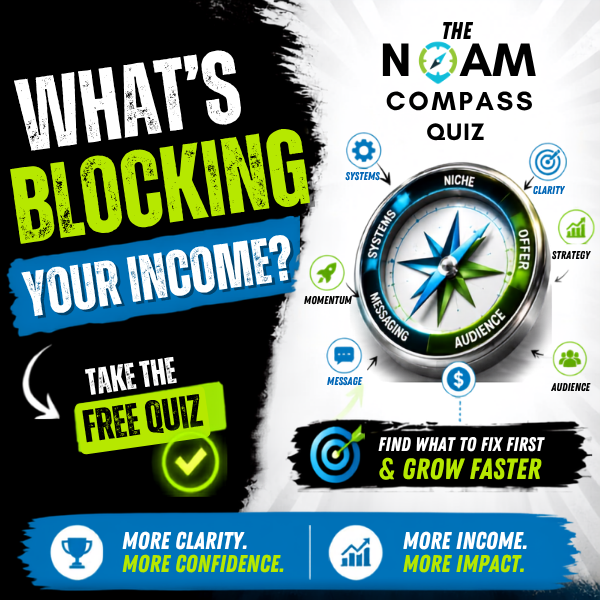
NOAM Business Compass
A short quiz that places the real gap in the business against Niche, Offer, Audience and Market, so the next step is the right one, not just the next tool.
Take the quiz
PassivAi Infinity Lab
A free community for people building the same kind of content workflow, swapping what actually works and what to skip.
Join the community