A digital product can be on sale every hour of the day. Someone still needs a reason to look for it and a way to find it. Social media is one way, and it asks for the most daily attention, because posts fade within hours.
To sell digital products without social media, use the places buyers already look: Google and Bing search, marketplaces such as Etsy, partner recommendations, specialist communities and permission-based email. None of these needs followers. Choose the route that matches how your buyers already look for help, send them to a clear product page and add a lawful way to stay in touch. No route guarantees traffic or sales, but each one can keep working after today's marketing is done.
The other routes start from what buyers already do: type a problem into a search box, browse a marketplace, read a newsletter they trust or ask a question in a specialist group. This guide shows how to choose between those routes, what each one depends on and how to build a buying route around one product. It also covers starting with no followers, no subscribers and no audience at all.
Prefer to listen?
Hear this guide as an audio episode while you work.
Key takeaways
- No followers does not mean no demand. Buyers who already search or browse for your kind of product can find it without knowing who you are.
- Search, marketplaces, partners and some platforms supply visitors you borrow. Your website, product page and permission-based email list are the parts you control.
- Pick one main discovery route and one back-up. Spreading thinly across six rarely helps a new product.
- Work out how many relevant visits a sale needs before paying for traffic.
- Checkout and delivery can be automated. Traffic, updates and customer questions still need regular attention.

Can you sell digital products without social media or followers?
Yes, but the product still needs to reach people who want it. Followers are one way to get that exposure. They are not the only way, and for a new product they are often the slowest.
A follower count measures attention to a person or brand. Buyer demand is something else: people who have a problem, know roughly what would solve it and are prepared to pay. That demand can exist long before anyone has heard of you. Someone searching for "editable seating plan template" is not looking for a creator to follow. They want the template.
When you say you have no audience, it helps to be precise about what is missing, because each gap has a different fix.
No audience
Nobody follows you or knows your name. Fix it with routes that do not depend on recognition, such as search and marketplaces.
No traffic
Nobody visits your page. Fix it by putting the page where buyers already look, then making sure it can be found.
No validated demand
You do not yet know whether anyone will pay. Fix it by checking what buyers search for and what similar products already sell.
No customer relationship
You cannot contact anyone who has bought or shown interest. Fix it with a lawful, optional email sign-up and a reason to join.
This is a planning example, not a real seller or result.
A wedding planner makes an editable seating-plan template. She has no social following. Couples already search for seating-plan templates and browse them on marketplaces. Her first job is not to grow an audience. It is to put a clear listing where those searches happen, then give buyers a reason to come back for her next template.
Six ways customers can find your digital products without you posting every day
Each route below sends strangers towards a product. They differ in how much setup they need, how long they keep working and who controls them.
Google and Bing search: reach buyers at the moment they look
Search traffic starts with a buyer typing a problem or product into a search box. If your page matches that search and explains the product well, it can appear in the results for months without new work each day.
Two kinds of page work together. A product page targets buyer-intent searches such as "client onboarding template for designers". A supporting article answers a related question, such as "what to include in a client onboarding pack", and links to the product page where it helps the reader. The article earns the visit. The product page makes the sale.
Google asks for pages written to help people rather than to rank. Its guidance on helpful, people-first content is worth reading before you write either page. In practice that means a specific title, a plain description of who the product is for, real previews, honest limits and links between related pages.
Then check the technical basics. Verify your site in Google Search Console and Bing Webmaster Tools, submit a sitemap and confirm the pages are indexed. Clear headings and descriptions also help AI search tools that draw on web pages to understand what you sell. None of this guarantees indexing or rankings. It removes the reasons a page might be missed.
Marketplaces: sell where shoppers already browse
A marketplace such as Etsy, or a specialist asset marketplace for fonts, graphics or templates, brings its own shoppers. You list the product, the marketplace shows it in its search results and usually handles checkout and file delivery too.
That is different from a hosted checkout page, which takes payment and delivers the file but brings no shoppers. A checkout handles the sale. A marketplace also handles discovery.
Marketplace search rewards relevance. Titles and attributes that match the words shoppers use, clear previews and accurate descriptions all matter. Etsy explains how sellers can use Etsy Stats to see how shoppers find their listings, which helps you see which search terms bring visits. Read the platform's rules for digital items and its current fees before you price, because listing, transaction and payment fees all come out of each sale.
Email subscribers: reach interested people again without an algorithm
An email list lets you contact people who asked to hear from you. It does not find strangers on its own. It turns a first visit, which might otherwise be the last, into a relationship you can continue.
- Helpful pageA search visitor reads something useful
- Relevant free resourceClosely linked to the paid product
- Permission-based follow-upA short series they agreed to receive
- Suitable paid productOffered when it fits their problem
The free resource decides who joins. A broad freebie attracts broad interest. A narrow one that solves the first step of the problem your product solves attracts likely buyers. The guide to choosing a lead magnet that leads to a sale walks through that choice in detail.
A list also depends on others. Your email service provider controls the account, and inbox providers decide whether messages are delivered. The relationship is yours to develop, with permission. The infrastructure is not. If you want the sign-up, delivery and follow-up built for you, see the lead generation and funnels service.
Partnerships and referrals: borrow trust that someone else has already built
A partner already has the attention of your buyers. A recommendation from them can bring visitors who arrive ready to trust the product. Useful partners include:
- Websites and blogs that recommend tools or resources to the same buyer
- Newsletters with readers in your niche
- Complementary businesses whose customers need your product next
- Affiliates who earn a commission when their readers buy
- Expert roundups, useful guest contributions and curated resource libraries
A partnership suits you when the partner's readers match your buyer, the product helps them do something the partner already talks about and both sides can see results through a tracked link. Paid or commission-based recommendations need clear labelling. The ASA publishes advice on affiliate marketing disclosure, so check it before you start. Approach a few well-matched partners personally rather than sending the same request to hundreds.
Communities and specialist directories: answer the question your product solves
Forums, professional groups, trade associations and niche communities are where buyers ask detailed questions in public. Answering those questions well shows what you know. Over time, members and moderators may point others to your product when it genuinely fits.
Read each community's rules first. Many limit self-promotion or ban links. Specialist directories and resource lists for your trade can add a steadier source of referral visits. This route needs regular time and judgement, so it is never fully hands-free.
Visual and video search: show the product working
Pinterest and YouTube both have search functions people use to find ideas, tutorials and products. A pin showing a finished template, or a short screen-recorded tutorial using it, can keep bringing visits long after it is published.
They are still third-party platforms with their own recommendation systems, so treat them as borrowed traffic. You do not need to pin daily or film every week. A small set of clear visuals or tutorials, each linking to the product page, is enough to test the route. If you prefer to avoid every social platform, routes 1 to 5 work without them. If you do want to use selected platforms with less effort, the guide to AI for social media marketing covers adapting one approved source.
Compare the six routes and pick the one that suits your time and budget

The ratings below are editorial judgements for a new solo seller, not measured benchmarks. They compare the routes with each other, so read them as relative. Your own results will depend on your product and buyer.
| Rating | Google and Bing search | Marketplaces | Email subscribers | Partnerships and referrals | Communities and directories | Visual and video search |
|---|---|---|---|---|---|---|
| Suits | Guides, templates, tools, courses | Printables, templates, design assets | Products that need trust or explanation | Tools, specialist resources, new ideas | Trade resources, unproven ideas | Visual products, tutorials |
| Upfront effort | High | Low | Medium | Medium | Low | Medium |
| Ongoing attention | Low to medium | Low to medium | Medium | Medium | High | Low to medium |
| Cash costs | Low | Fees per listing and sale | Email tool subscription | Commission, if used | Usually none | Low |
| Discovery potential | High over time | Medium to high | Low on its own | Medium, in bursts | Low to medium | Medium |
| Relationship control | Medium | Low | High, with permission | Low to medium | Low | Low |
| Main dependency | Search algorithms | Platform rules and search | Consent and deliverability | Partner goodwill | Community rules | Platform recommendations |
| Best next step | Write one product page for one buyer phrase | Check fees and rules, then list one product | Add one relevant free resource to the product page | List ten sites or newsletters your buyer reads | Join two groups where buyers ask the question | Make five visuals showing the product in use |
| Channel | Suits | Upfront effort | Ongoing attention | Cash costs | Discovery potential | Relationship control | Main dependency | Best next step |
|---|---|---|---|---|---|---|---|---|
| Google and Bing search | Guides, templates, tools, courses | High | Low to medium | Low | High over time | Medium | Search algorithms | Write one product page for one buyer phrase |
| Marketplaces | Printables, templates, design assets | Low | Low to medium | Fees per listing and sale | Medium to high | Low | Platform rules and search | Check fees and rules, then list one product |
| Email subscribers | Products that need trust or explanation | Medium | Medium | Email tool subscription | Low on its own | High, with permission | Consent and deliverability | Add one relevant free resource to the product page |
| Partnerships and referrals | Tools, specialist resources, new ideas | Medium | Medium | Commission, if used | Medium, in bursts | Low to medium | Partner goodwill | List ten sites or newsletters your buyer reads |
| Communities and directories | Trade resources, unproven ideas | Low | High | Usually none | Low to medium | Low | Community rules | Join two groups where buyers ask the question |
| Visual and video search | Visual products, tutorials | Medium | Low to medium | Low | Medium | Low | Platform recommendations | Make five visuals showing the product in use |
How the ratings were set. Upfront effort reflects the work before the first visit arrives: a search page needs research and writing, a marketplace listing needs less. Ongoing attention reflects what stops working if you step away for a month. Relationship control asks whether you can contact the buyer again without the platform's permission. Search scores higher than a marketplace there because the visitor lands on your page, and email scores highest because the subscriber chose to hear from you.
Climb the Traffic Ownership Ladder so borrowed visitors become buyers you can reach again
Every route above starts with someone else's audience: a search engine, a marketplace, a partner or a platform. The Traffic Ownership Ladder shows how a visitor moves from that borrowed attention towards a relationship you can continue. It is an editorial framework written for this article.
The rungs connect, but buyers do not have to climb them all. Many will buy on the first visit without ever subscribing, and that is fine. The ladder simply shows where control changes hands.
The Traffic Ownership Ladder
Select a rung to see who controls it and what you can improve there.
Rung 1: someone else's audience discovers you
Who controls it: the search engine, marketplace, partner or platform. You influence it through relevance and quality, but you cannot switch it on.
What you can improve: titles, descriptions and previews that match what buyers search for.
What to measure: impressions and clicks in Search Console, marketplace views, partner link clicks.
Rung 2: the visitor reaches a useful page or listing
Who controls it: you control the page on your own domain. On a marketplace you control the listing content but not the page design or rules.
What you can improve: a page that loads quickly and matches the search that brought the visitor.
What to measure: visits to the product page and how many leave straight away.
Rung 3: the visitor understands the offer
Who controls it: you. The wording, previews, price, format and refund policy are all your decisions.
What you can improve: who it is for, what is inside, a real preview and an honest list of what it does not include.
What to measure: clicks on the buy button and questions buyers ask before purchase.
Rung 4: they buy, or choose to join your list
Who controls it: the buyer decides. You control the offer and the sign-up wording. Your payment and email providers run the systems behind them.
What you can improve: a smooth checkout and an optional free resource for visitors not ready to buy.
What to measure: orders, sign-ups and checkout abandonment.
Rung 5: a lasting relationship makes future sales possible
Who controls it: the relationship rests on permission. Subscribers can leave at any time, and your email provider and inbox filters still affect delivery.
What you can improve: useful follow-up, prompt support and product updates that give buyers a reason to return.
What to measure: repeat purchases, replies and unsubscribes.
Find the traffic route that fits your product in five questions
Answer five questions about your product, website, time and budget. The selector compares your answers with the ratings above and suggests one main route, one back-up and three first actions. It runs entirely in your browser and collects nothing.
Work out how many visitors a sale needs before you pay for traffic
Traffic only matters if enough of it buys. This calculator turns your own estimates into orders, revenue and contribution, and shows how many relevant visits a revenue target would need. It is scenario modelling, not a prediction. There is no reliable average conversion rate to borrow, because it varies with the product, price, page and visitor, so use your own figures once you have them.
Visitor-to-sale reality check
The figures filled in are sample inputs to show how it works, not benchmarks. Replace them with your own. Results update as you type.
- Estimated orders a month–
- Estimated gross revenue–
- Estimated contribution after fees, refunds and fulfilment–
- Relevant visits needed for your revenue target–
The formulas in plain English
Orders = monthly visits × conversion rate ÷ 100.
Gross revenue = orders × price.
Contribution = orders × (price − price × fee rate ÷ 100 − refunds and fulfilment per order).
Visits needed = revenue target ÷ (price × conversion rate ÷ 100), rounded up.
Contribution is not profit. It comes before tools you pay monthly, your time, tax and any other fixed costs. With the sample inputs, 400 visits at 1% gives 4 orders, £76 gross revenue and £67.92 contribution. A £500 target would need 2,632 relevant visits at the same rate.
Try changing one input at a time. Raising the conversion rate from 1% to 2% halves the visits a target needs, which is why improving the product page often beats chasing more traffic. If the visits needed look far beyond anything you could attract, the price, product or route may need rethinking before you spend on advertising.
Follow one £19 product from a stranger's search to automatic delivery
Here is a complete buying route built around one hypothetical product: a £19 client onboarding template pack for freelance designers. The search phrase, price and steps are assumptions for illustration. Each card shows who does the work: you, a platform or a conventional automation that runs once set up.
- Buyer problemA freelance designer keeps losing time chasing new clients for briefs, logins and signed terms.You research this
- Search phraseThey search "client onboarding checklist for designers". Assumed phrase, to be checked against real search data.Search engine
- Helpful articleA guide explaining what a designer's onboarding pack should contain, with a free example section.You write this once, then update
- Product pagePreviews of every template, who it suits, file formats, the £19 price and the refund policy.You build this
- Purchase and deliveryCheckout takes payment, then the files and a receipt arrive by email straight away.Automated
- Optional free resourceVisitors not ready to buy can download a one-page onboarding checklist and opt in to emails.Automated delivery
- Permission-based follow-upThree short emails on using the checklist, ending with a mention of the full pack. Only for people who consented.Automated sequence
- Customer supportReplies to questions about editing the files. A short help page answers the common ones first.You handle this
- Update and improveEvery few months, update the templates from buyer questions and refresh the article.You schedule this
Four of the nine steps need you only once or on a schedule. Three run by themselves after setup. None needs AI to run. Where AI helps is in drafting the article or help page, which you then check and edit. If you want the follow-up and subscriber records handled properly from the start, the CRM and customer follow-up service covers that, though a new seller with a handful of orders may not need it yet.
What should you own, borrow or measure?
Every digital-product business relies on some third-party services. That is normal. The risk comes when one of them carries several jobs at once and nothing would replace it. The Traffic Dependency Check shows where that is happening in your set-up.
The Traffic Dependency Check
Tick everything you use now. The summary updates as you go. This is a qualitative check, not a validated score.
Platform-controlled
Nothing ticked yet
Business-controlled or permission-based
Nothing ticked yet
Missing conversion infrastructure
Nothing ticked yet
Single points of failure
Nothing ticked yet
Two improvements to make first
- Tick what you use to see suggestions.
A marketplace-only set-up often shows one service handling discovery, checkout and delivery. That is a reasonable place to start. Adding a product page on your own domain and a lawful email sign-up spreads the load so an account problem no longer stops everything at once.
How to make your digital products visible in AI search
AI search tools, including Google's AI features, draw on web pages they can crawl and understand. Google states that the same SEO best practices apply to its AI features, with no special markup required. If you want help getting found in AI Overviews and AI Mode, that work is covered as a service. No one can guarantee a mention in ChatGPT, Gemini, AI Overviews or any other tool. You can make your pages easy to read and trust.
- Crawlable pages. Product and information pages that are not blocked, load without logins and appear in your sitemap.
- Descriptive, consistent titles. The same product name and description across your site, listings and partner mentions.
- Clear buyer and product descriptions. Who it is for, what it contains, the format and what it does not include.
- Original examples and previews. Real screenshots and sample pages that no other site has.
- Author and business identity. A named author, an about page and contact details.
- Accurate structured data. Product or article markup that matches the visible page. Google explains that structured data does not guarantee special features in results.
- Internal links. Articles link to the product page and the product page links back to the help content.
- Real customer questions. Answers to what buyers actually ask before purchase.
- Trustworthy sources and policies. Refund, privacy and delivery policies that are easy to find.
- Indexing checks. Use Search Console to confirm important pages are indexed, and fix anything flagged.
Find out what stops visitors buying from your product page before you send more traffic to it
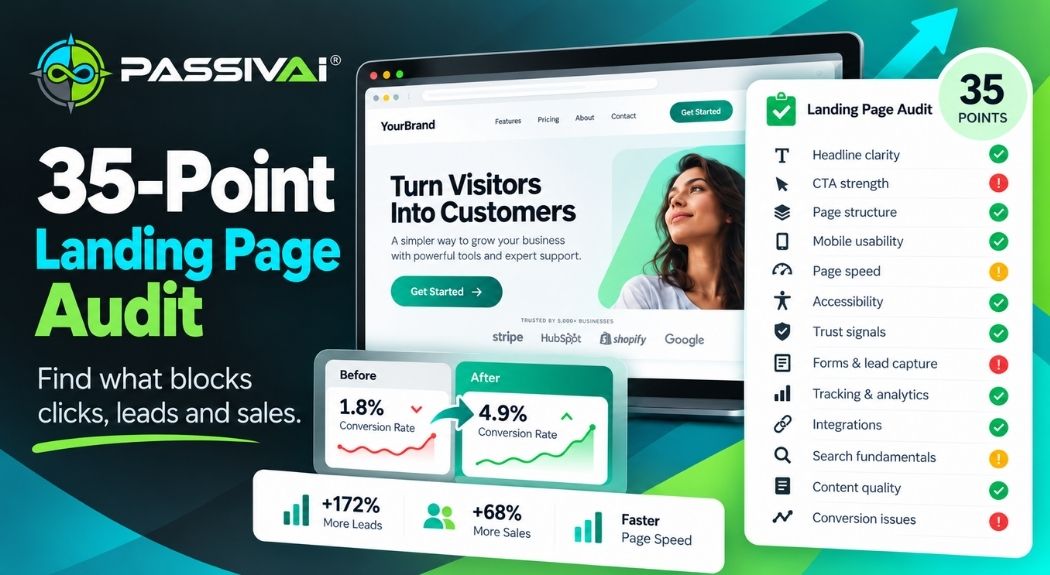
If search is your main route, every visit lands on one page. If that page loses visitors, more traffic only means more people leaving. The 35-point check reviews your page and shows the gaps costing you clicks, enquiries and sales.
- 35 checks on one landing or product page
- See which gaps are costing you buyers
- Know exactly what to fix first
No product page yet? Skip this check for now. Use the selector above and come back once your page is live.
If you would rather have the technical side done for you, the Google visibility and AI search service covers Search Console, technical SEO and AI search readability. It also covers Google Business Profile, but that only suits businesses with a qualifying local, customer-facing operation. A digital-only seller should not create a Business Profile just to appear on Maps. If you run a local business that also sells digital products, local search and reviews can be part of the wider plan.
Which traffic mistakes are worth avoiding?
Each of these is easy to make and costs time later. The correction is underneath each one.
Building around untested demand
A product nobody searches for or asks about needs far more traffic to sell.
Do this insteadCheck search phrases and competing products before you build.
Using a marketplace without knowing its fees
Several small fees per sale can take a large share of a low price.
Do this insteadPut the current fees into the calculator above before setting a price.
Writing content with no route to buy
A useful article that never mentions the product helps readers but not sales.
Do this insteadLink each article to the one product it relates to, where it helps.
Offering a broad freebie
A general giveaway attracts people who want free things, not your product.
Do this insteadOffer the first step of the problem your paid product solves.
Expecting a website to bring visitors by itself
A new page with no links and no search match can sit unseen.
Do this insteadTarget one search phrase, link to the page and check indexing.
Buying ads before the numbers work
Paid clicks to a page that does not convert simply cost more.
Do this insteadProve the page converts with free visits first.
Depending on one platform
One account issue can stop discovery, checkout and delivery together.
Do this insteadRun the dependency check and add a second route.
Forgetting what happens after checkout
Slow delivery or unanswered questions lead to refunds and no repeat sales.
Do this insteadTest the purchase yourself and write a short help page.
Publishing lots of generic AI content
Pages that repeat what already ranks add little for readers or search engines.
Do this insteadPublish fewer pages with your own examples and checks.
Reading likes as buying interest
Engagement shows attention. It does not show intent to pay.
Do this insteadMeasure product page visits, sign-ups and orders.
Prepare your product to be found in 30 days without posting every day
This plan prepares one product for discovery and sets up the measurements you need. It is not a promise of rankings or sales within 30 days. Search results in particular take longer. Tick tasks off as you go, copy the plan into your notes or print it.
Your 30-day traffic preparation plan
Week 1Buyer demand
Week 2Buying destination
Week 3Discovery
Week 4Conversion and measurement
If the product itself still needs shaping before week 1, start with the guide to turning a service into a repeatable offer. If you need the product page written or rebuilt, the website and landing page design service and AI copywriting services can do that part for you.
Choose the next step that saves you the most guesswork
If you have worked through the selector and calculator, you know which route looks right and what it would need to pay off. The next step depends on how much of the rest you want to work out yourself.
 Main next step
Know which traffic route suits your product and time before you spend months on the wrong one
Traffic Decoder reviews your business details and produces a personalised dashboard of suitable traffic routes, quick wins and actions. It compares routes against your offer, audience and available time, which goes further than the five-question selector above.
- Compare routes against your own business. Your offer, audience and time, rather than general ratings.
- Start with quick wins. Actions you can take first on the route that fits.
- Keep it in one dashboard. Return to it as you work through the plan.
Opens the product page in the PassivAi® shop, where the full description and current price are shown.
Want a repeatable system once the route is clear? Traffic Without Thinking helps you plan evergreen traffic that keeps sending interested people towards your own website and list. It still needs your setup and regular checks. The product page shows what is included and the current price.
Building traffic through your own website? Run the free website check to see whether search and AI tools can understand your product page.
Rather have someone else do the work? Get Expert Help With Your Website and Visibility. Remote delivery, written replies and no sales calls.
Selling digital products without social media comes down to one buying route that keeps working: a place where buyers already look, a page that explains the product, a checkout that delivers it and a lawful way to stay in touch. Start with one route, measure what it brings and add the next only when the first is working.
Answers to the questions that stop a first sale without followers
Can you sell digital products without social media?
Yes. Buyers can find a digital product through Google and Bing search, marketplaces, partner recommendations, specialist communities and permission-based email. The product still needs a route to people who want it. Social media is one route among several, not a requirement.
How do you sell digital products with no audience?
Start where buyers are already looking. A marketplace with existing shoppers or a search phrase that buyers already type gives you visitors without followers. Send those visitors to a clear product page, then offer an optional free resource so willing buyers can hear from you again.
What is the best way to get traffic to a digital product?
The best route depends on the product, whether buyers search for it, whether you have a website and how much time you have each week. Use the traffic-route selector in this article to compare those factors for your own product.
Do you need a website to sell digital downloads?
No. A marketplace or a hosted checkout can handle the listing, payment and delivery. A website gives you more control over the page, search visibility and the customer relationship, so it is worth building once the product has proved it sells.
Can digital products sell through Google search?
Yes, when a page matches what buyers search for and explains the product well. Google does not guarantee that any page will be indexed or ranked. Useful, original pages and correct technical set-up give a page a fair chance.
Is Etsy suitable for selling digital products?
Etsy allows digital items, and its shoppers already search for many types of printables and templates. Check its current seller policies and fees before listing. Etsy controls search placement and account rules, so treat it as borrowed discovery.
Do you need an email list before launching a digital product?
No. A list helps, but you can launch through search or a marketplace and build the list from buyers and visitors who choose to sign up. In the UK, marketing emails to individuals need consent unless a valid soft opt-in applies.
How long does SEO take to attract buyers?
There is no fixed timescale. Google says it can take time for pages to be crawled and indexed, and ranking depends on competition and quality. Plan for months rather than weeks, and measure progress in Search Console.
Is Pinterest social media or a search platform?
It is both. Pinterest has a search function that people use to find ideas and products, and it also recommends content through its own feeds. It is a third-party platform, so it is borrowed traffic rather than something you own.
How can you market digital products without showing your face?
Search content, marketplace listings, product previews, screen-recorded tutorials, partner recommendations and email all work without appearing on camera. Clear author and business details still help buyers trust the page.
Can AI help people discover a digital product?
AI search tools can mention or link to pages they find useful. You cannot control whether they do. Crawlable pages, accurate descriptions, original examples and clear business details make a page easier for any search system to understand.
How much traffic do you need to make your first sale?
It depends on how relevant the visitors are and how well the page converts them. Use the visitor-to-sale calculator with your own estimates to see how visits, conversion rate and price affect the number of orders.
Can digital-product sales run automatically?
Checkout, file delivery, receipts and planned follow-up emails can run automatically. Traffic, product updates, customer questions and refunds still need regular attention.
How do you reduce dependence on a single marketing platform?
Add a second discovery route, keep a product page on your own domain and invite buyers to join an email list with clear permission. Then check which parts of the business would stop if one account closed.
Sources and further reading
- ICO, how to comply with the PECR electronic mail marketing rules (linked in the email section).
- Etsy Help, how to use Etsy Stats for your shop (linked in the marketplace section).
- Also referred to: Google Search Central guidance on AI features and structured data, Etsy's fees policy and ASA advice on affiliate marketing.
Get the search set-up done for you
- Google Search Console set-up: see the searches that already find your product pages.
- Google Analytics 4: see which route brings buyers, not just visitors.
- AI Overviews and AI Mode visibility: help search and AI tools describe what you sell.
- Conversion tracking: count every sale and sign-up from each route.
Last checked: 27 October 2026. Platform rules, fees and guidance change, so check each linked source before relying on it. Examples are illustrative. The selector, calculator and dependency check are planning aids, not forecasts. Nothing here is legal, financial or tax advice.

Kerry Greener
Founder of PassivAi®. Working with commercial websites since 1995, and thirty years of building businesses, websites and online marketing campaigns for hundreds of different companies.
More about PassivAi®.
Choose your route
See which traffic route suits your product, audience and time
A personalised dashboard of suitable traffic routes, quick wins and actions for your business.
Show me my best traffic route Free check
Find out whether search and AI tools understand your product page
Check one important page for what it offers, who it is for and the next step.
Check my page for free
35-point landing page check
Find out why visitors aren't enquiring
Spot the gaps costing enquiries with a 35-point check of your landing page.
See what's costing you enquiries